
Start
US$ 6.95/mo
- 1 vCore CPU
- 1 GB Memory
- NVME 20 GB Disk
- Unlimited Traffic
 Network and VPN · Rio de Janeiro or São Paulo
Run your own WireGuard server on a Cloud VPS in Rio de Janeiro or São Paulo, Brazil, with a web panel to create access for your team. Everything arrives installed on Debian 13, with HTTPS and the admin login ready.
The installation is available on all four Cloud VPS plans: Start, Basic, Plus and Pro. All include 1 Gbps with unlimited traffic, IPv4 and IPv6. Start, from US$ 6.95, covers most use cases.
Billed monthly in US dollars, with the app installed. Rio de Janeiro or São Paulo, same price. Plans start at the smallest size where the app runs well. Need more? Upgrade from the client area, without reinstalling.
With Rio de Janeiro selected, your VPS with WireGuard runs in Mega's original data center, on our own network with a presence at the Rio internet exchange (IX.br) and redundant transit. It is the lowest latency for users in Rio, Espírito Santo and Minas Gerais, and our support team works in the same city as the server.
With São Paulo selected, your VPS with WireGuard runs in our environment next to the busiest internet exchange in Latin America, on our own network with redundant transit. It is the shortest path to users across Brazil and South America and to banks, payment gateways and APIs hosted in São Paulo. Same price as Rio.
WireGuard is an open-source VPN designed to be lean, and it has been part of the Linux kernel since 2020. It uses Curve25519 and ChaCha20 encryption, and it is simpler to configure and faster than OpenVPN and IPsec. Official clients exist for Windows, macOS, Linux, Android and iOS.
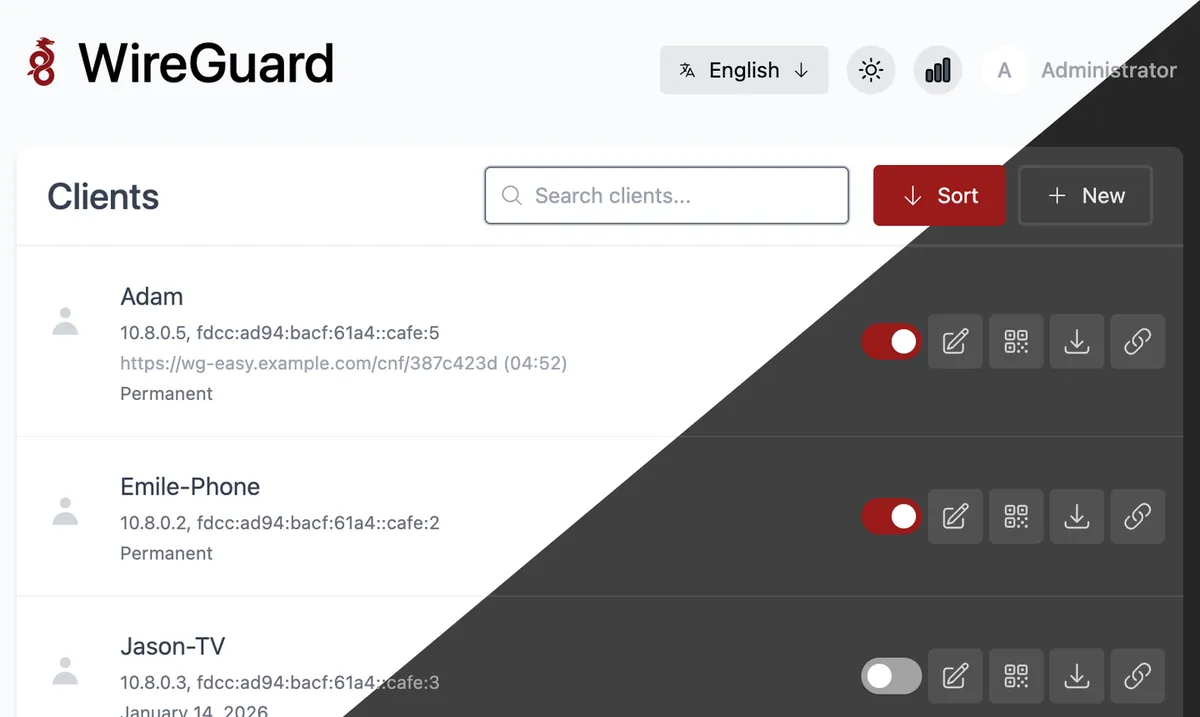
To manage the VPN without editing config files by hand, we install wg-easy, version v15.4.0 (August 2026). It is an open-source web interface where you add each VPN client (peer). Each one gets a name, its own keys, a QR code to scan on a phone and a .conf file for a computer.
wg-easy runs in Docker, from the ghcr.io/wg-easy/wg-easy image. VPN traffic comes in on port 51820/UDP, open in the firewall, and the panel runs on port 51821 behind an HTTPS proxy. The whole setup uses about 100 MB of memory.
Source: Official WireGuard and wg-easy documentation, consulted in October 2026.
Employees join the company network from a laptop or phone, even when working from home.
Reach cameras, storage and internal servers from anywhere, without exposing those ports to the internet.
Browse through your VPS and keep a Brazilian IP when you are outside the country.
At an airport, hotel or café, send your traffic encrypted through the tunnel to your own server.
Connect offices in different cities to the same private network.
Make admin panels and internal apps reachable only inside the tunnel, with no exposed ports.
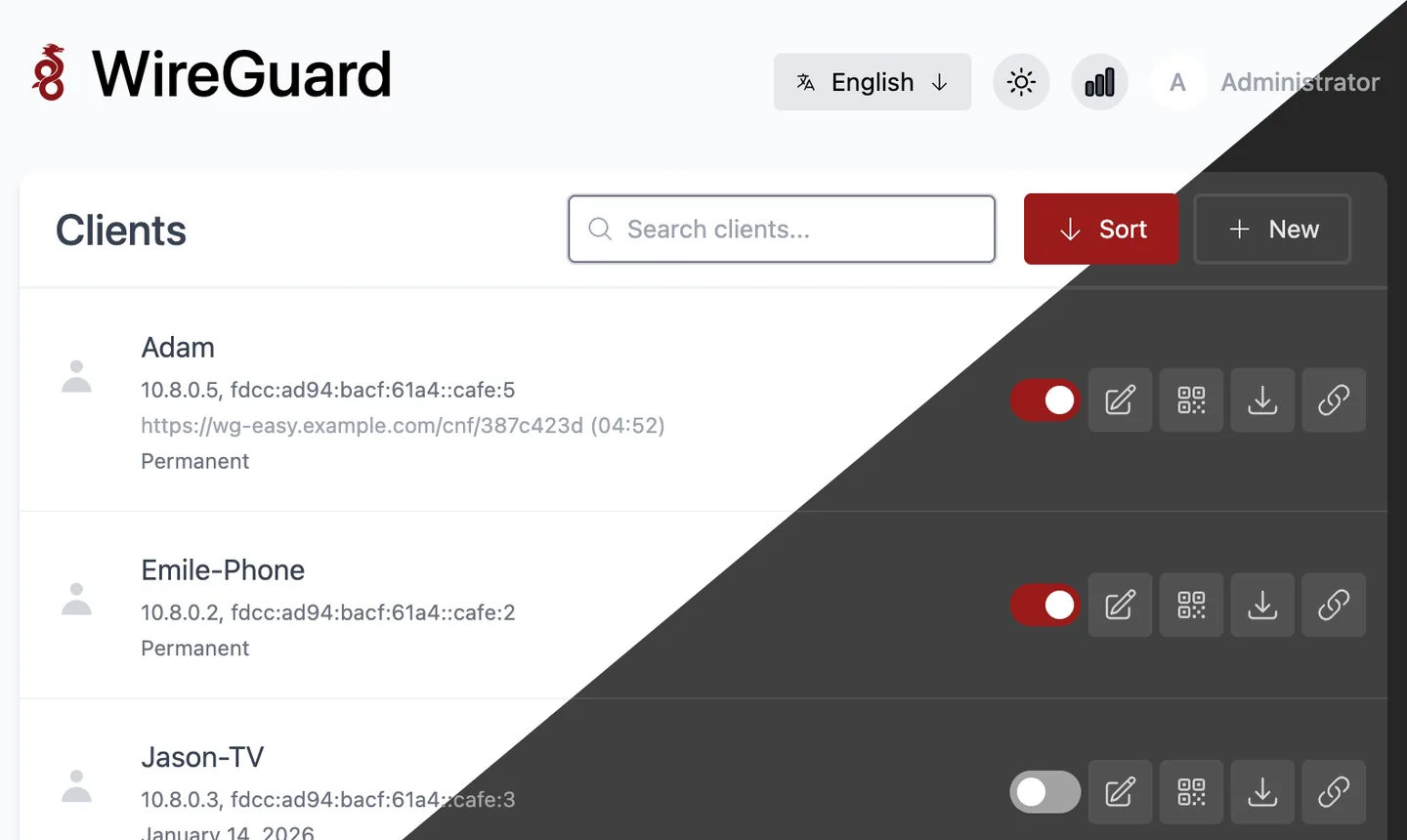
Screenshots come from a Mega test installation, with no customer data.
Create, name, enable, disable or delete VPN clients from your browser.
Each client has its own keys, a QR code for the phone and a .conf file for the computer.
The panel shows traffic sent and received and the last connection of each client.
Set an expiry date for temporary access, such as contractors and guests.
Includes an admin password, TOTP 2FA and support for more than one administrator.
Supports IPv4 and IPv6 in the tunnel, custom DNS and split tunneling, sending only some networks through the VPN.
Select Start, Basic, Plus or Pro and a payment method: Pix, card or boleto, billed monthly, semiannually or annually.
Tell us in the order whether the VPS should be in Rio de Janeiro or São Paulo, Brazil. The price is the same in both.
The panel's HTTPS address and the admin login arrive by email and WhatsApp.
Log in to the panel, add each person or device and connect with the QR code or the .conf file.
WireGuard with wg-easy uses about 100 MB of memory and needs at least 256 MB free, so Start is enough. Larger plans are for those who will share the VPS with other apps.
| Plan | Best for |
|---|---|
| Start 1 vCore · 1 GB | 1 vCore, 1 GB RAM and 20 GB NVMe. Recommended for a VPN dedicated to a team or personal use. |
| Basic 2 vCore · 2 GB | 2 vCore, 2 GB RAM and 40 GB NVMe. A good option if the VPN shares the server with one or two light apps. |
| Plus 2 vCore · 4 GB | 2 vCore, 4 GB RAM and 80 GB NVMe. Suited for when the VPS also hosts business applications besides the VPN. |
| Pro 4 vCore · 6 GB | 4 vCore, 6 GB RAM and 120 GB NVMe. For consolidating several services on one server, with the VPN among them. |
It is an open-source VPN, included in the Linux kernel since 2020, that uses Curve25519 and ChaCha20 encryption. It is simpler to configure than OpenVPN and IPsec.
Yes. On a Mega Dedicados VPS, WireGuard arrives preinstalled with wg-easy, on Debian 13 with Docker, with an HTTPS panel and an admin account created. You only need to add your clients.
Start, with 1 GB of memory, is the recommended one. The app uses about 100 MB and needs at least 256 MB free. Move to a larger plan only if you will run other apps on the same server.
It is an open-source web interface for managing WireGuard. It creates clients with keys, a QR code and a .conf file, and shows each one's traffic and last connection.
The VPN uses 51820/UDP, open in the firewall. The wg-easy panel runs on 51821 behind an HTTPS proxy, so you reach it through a secure address.
Yes. There are official clients for Windows, macOS, Linux, Android and iOS. On a phone you scan the QR code; on a computer you import the .conf file.
Yes. When you connect to the VPN, your traffic exits through your VPS's IP, located in Rio de Janeiro or São Paulo, Brazil. Speed depends on the VPS and your local connection.
Yes, each app gets its own address, as long as they fit in the plan's memory. 24/7 support in Portuguese covers the server side; using WireGuard and wg-easy is covered in the project's documentation.
Updated on October 19, 2026
 VaultwardenCloud VPS with Vaultwarden installed: a Bitwarden-compatible password server, with HTTPS and root access.
 NextcloudNextcloud stores, syncs and shares your files on a server you own, with no per-user fees.
 Uptime KumaUptime Kuma watches your sites, APIs and servers and alerts you when something goes down.
Tell us what you want to run and for how many users; we will suggest the plan. The app arrives installed.