
Start
US$ 6.95/mo
- 1 vCore CPU
- 1 GB Memory
- NVME 20 GB Disk
- Unlimited Traffic
 Monitoring · Rio de Janeiro or São Paulo
Uptime Kuma watches your websites, APIs and servers and alerts you when something goes down. At Mega Dedicados it comes installed on a Cloud VPS, with HTTPS and an admin account already created, so all you have to do is add your monitors.
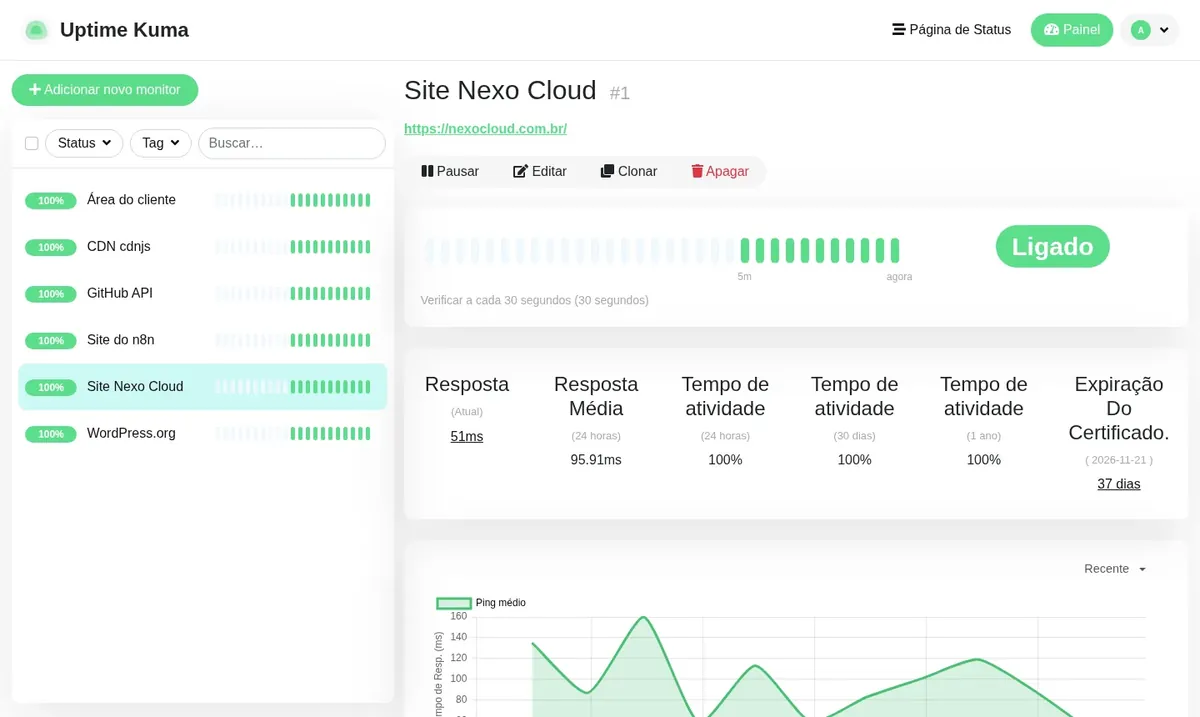
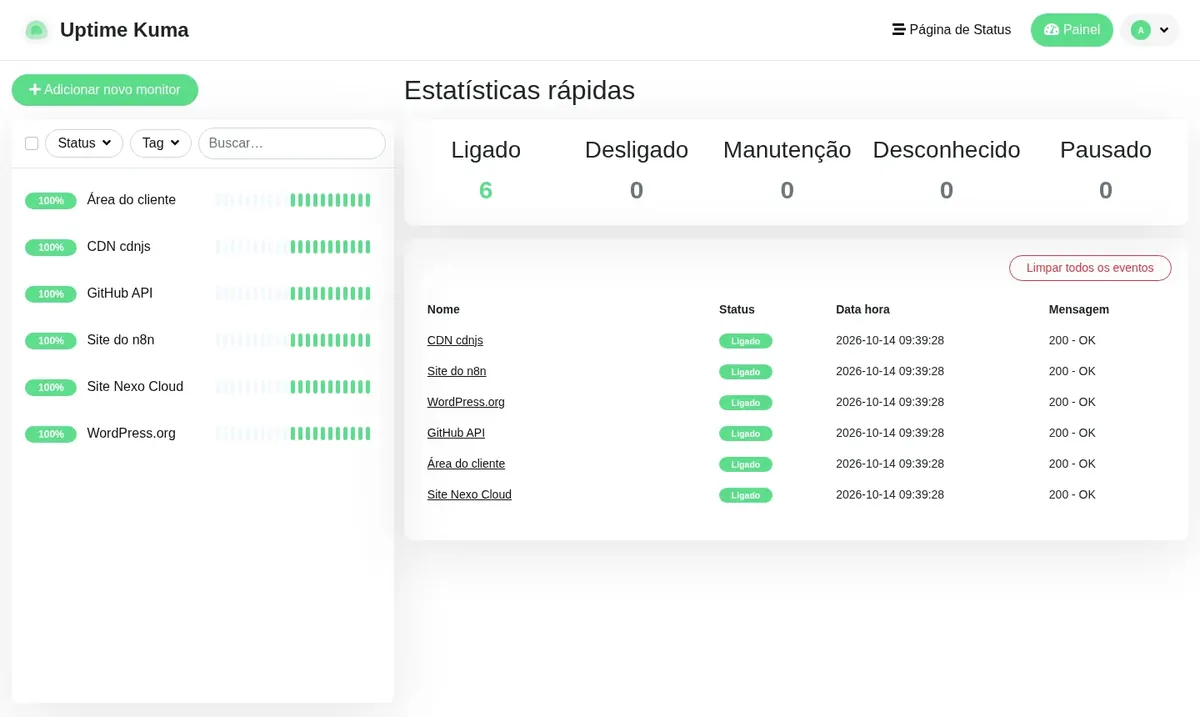
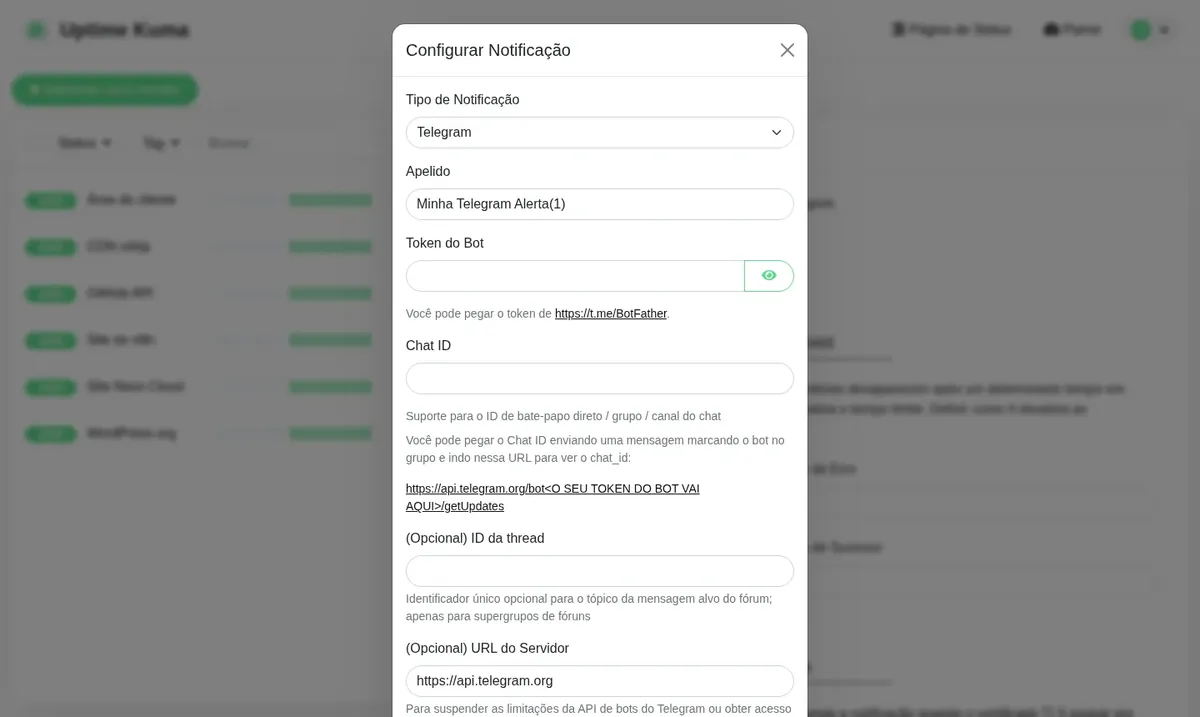
Uptime Kuma is lightweight and runs well on Start, the plan we recommend. Basic, Plus and Pro give you more headroom for many monitors or for sharing the VPS with other apps.
Billed monthly in US dollars, with the app installed. Rio de Janeiro or São Paulo, same price. Plans start at the smallest size where the app runs well. Need more? Upgrade from the client area, without reinstalling.
With Rio de Janeiro selected, your VPS with Uptime Kuma runs in Mega's original data center, on our own network with a presence at the Rio internet exchange (IX.br) and redundant transit. It is the lowest latency for users in Rio, Espírito Santo and Minas Gerais, and our support team works in the same city as the server.
With São Paulo selected, your VPS with Uptime Kuma runs in our environment next to the busiest internet exchange in Latin America, on our own network with redundant transit. It is the shortest path to users across Brazil and South America and to banks, payment gateways and APIs hosted in São Paulo. Same price as Rio.
Uptime Kuma is free, open-source software (MIT license) built to track the availability of services. You add a target, whether a website, an API, a port or a server, and it checks it at regular intervals, records the response time and draws the history in charts.
When a target goes down or comes back, the alert goes out through the channel you choose. The project mentions more than 90 notification services, and the version installed at Mega (2.5.6) lists 114, including WhatsApp via Evolution API, Telegram, Discord, Slack, Microsoft Teams, email and SMS.
It also publishes status pages for your customers to check, and warns you in advance when a site's HTTPS certificate is about to expire.
Source: Official Uptime Kuma repository on GitHub, consulted in October 2026
Find out about an outage before your customer calls, with the response time of every check recorded.
Call an endpoint, look for a piece of text in the response or check a field in the returned JSON.
Use ping, TCP port and DNS checks to watch servers, databases, email and VPN.
Get an alert days before expiry and avoid the insecure-site warning in the browser.
Show the state of your services on a public page for customers and for your team.
With the push monitor type, your own script notifies Uptime Kuma each time it runs. If the notification doesn't arrive, the alert fires.
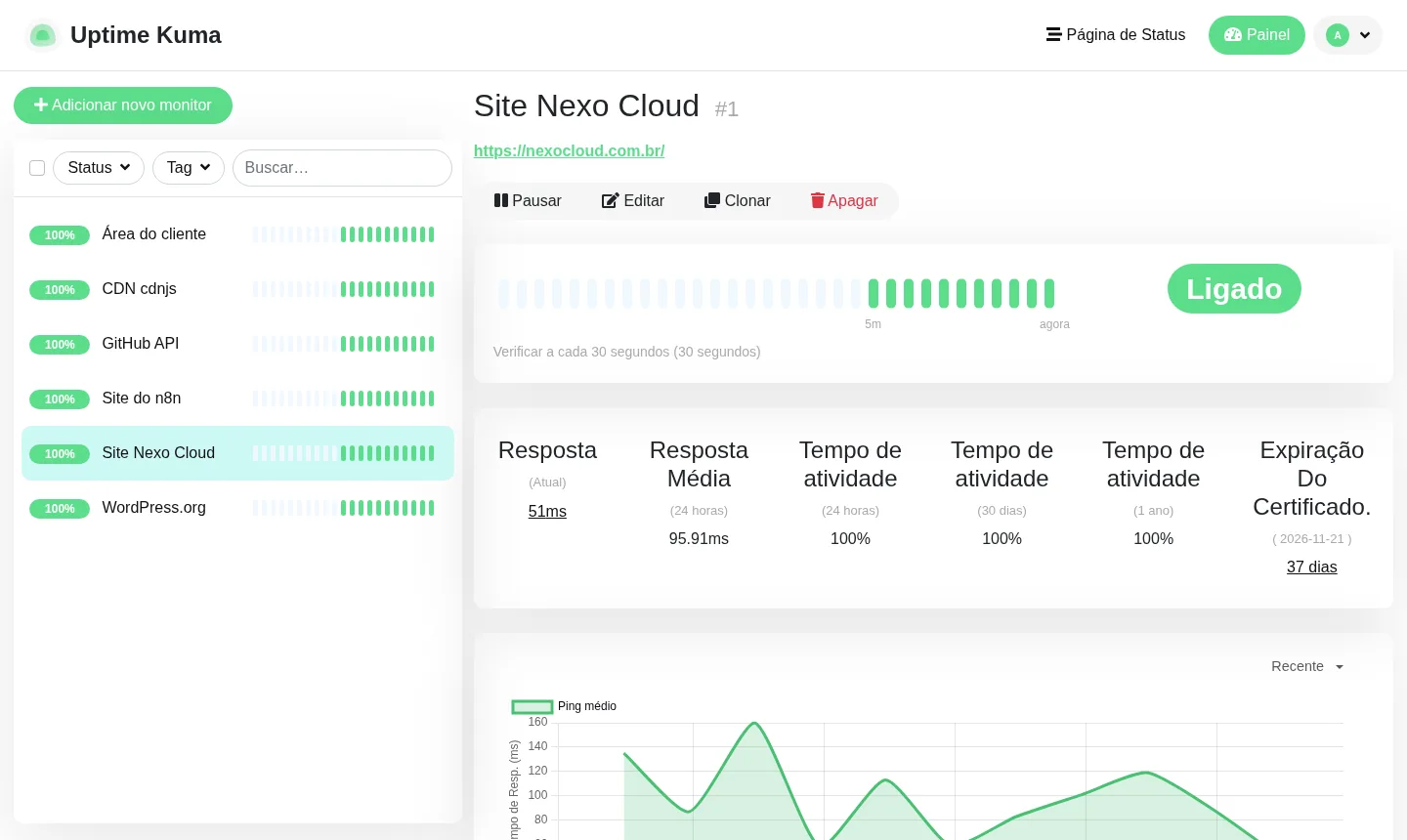
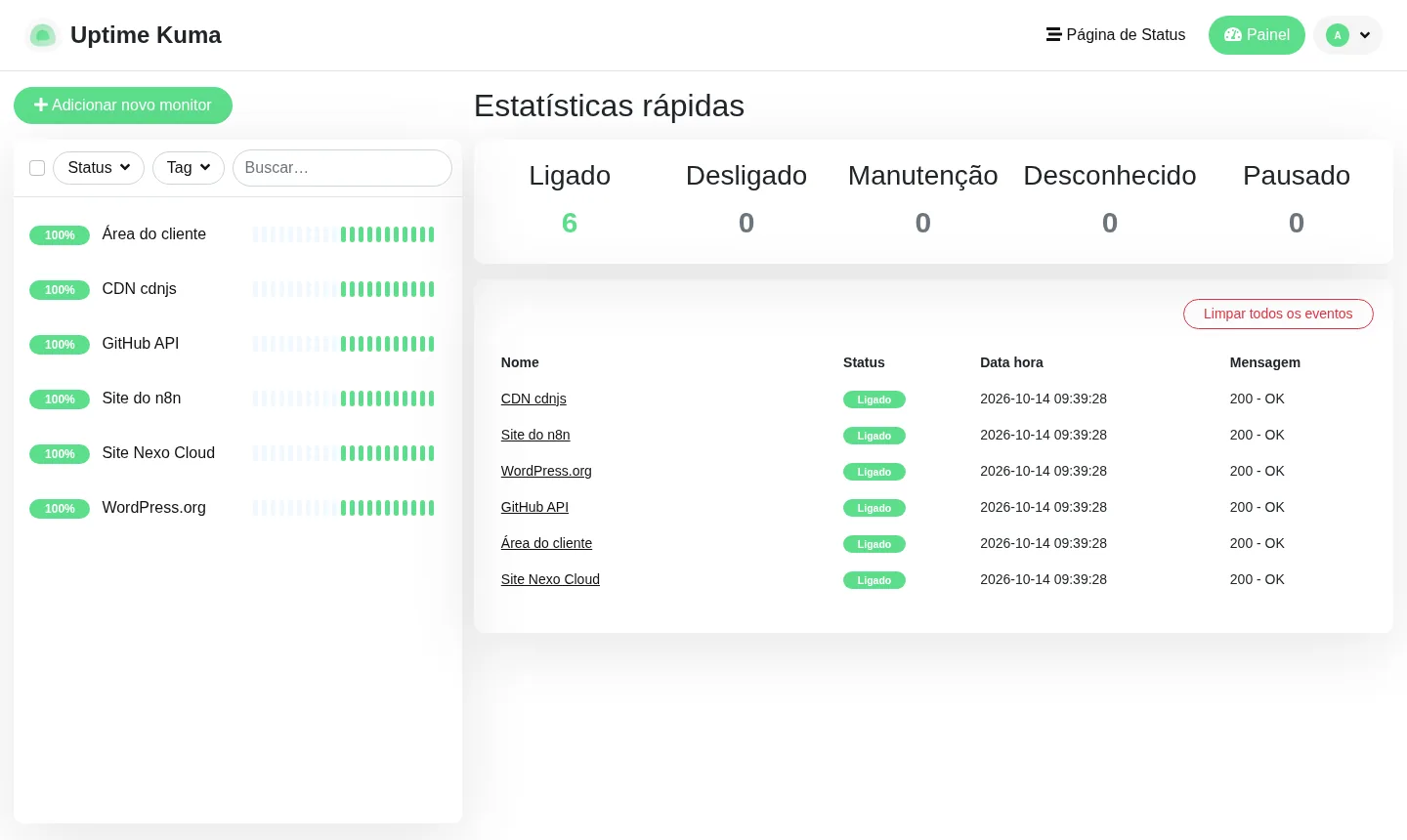
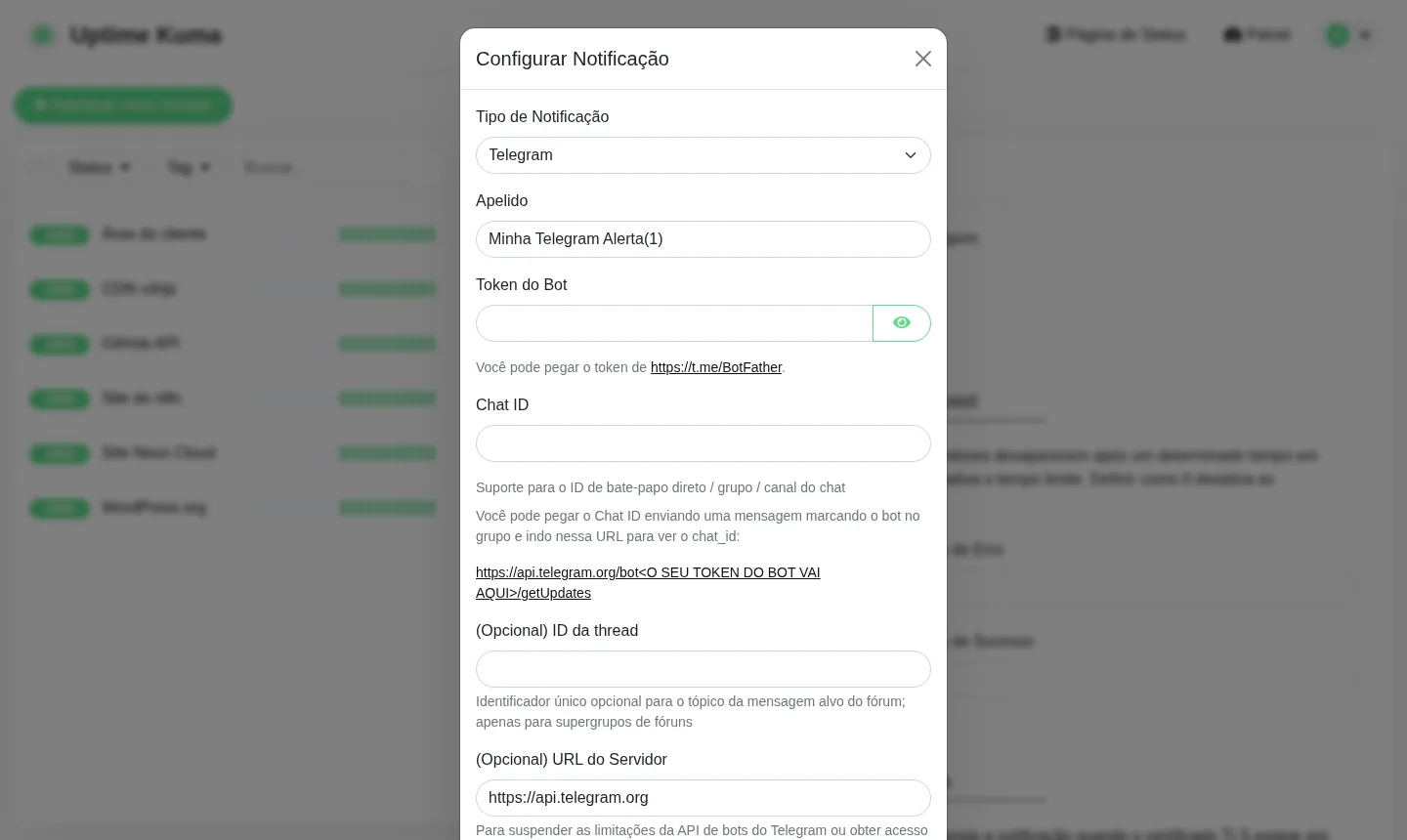
Screenshots from a Mega Dedicados test installation, with no customer data.
HTTP(S), keyword, JSON query, TCP port, ping, DNS, WebSocket, push and Docker container.
The interval is set per monitor, as is the number of consecutive failures that triggers the alert.
WhatsApp, Telegram, Discord, Slack, Teams, email, SMS and webhook, ready to configure.
Each public page can use its own domain.
Response time and uptime for the last 24 hours, 30 days and 1 year.
The dashboard supports two-factor authentication to protect access.
Select the plan with Uptime Kuma and pick whether the server is in Rio de Janeiro or São Paulo, Brazil. The price is the same in both.
Pay by Pix, card or boleto, on a monthly, semiannual or annual cycle. There is no lock-in.
Once payment is confirmed, the VPS is created with Uptime Kuma, HTTPS and the admin account already set up.
Log in with the details sent by email and WhatsApp, add your sites and services, and choose where to receive alerts.
In a test installation, idle Uptime Kuma used about 200 MB of memory, and it needs 512 MB free to run. Start covers most cases, and the larger plans are for adding other apps.
| Plan | Best for |
|---|---|
| Start 1 vCore · 1 GB | Monitoring sites and servers with alerts and a status page. This is the recommended plan. |
| Basic 2 vCore · 2 GB | Uptime Kuma with more memory headroom, for a longer list of monitors or a second lightweight app. |
| Plus 2 vCore · 4 GB | Uptime Kuma alongside n8n and Evolution API on the same VPS, for automations and alerts through your own WhatsApp. |
| Pro 4 vCore · 6 GB | Many monitors with short intervals and several apps running on the same server. |
Uptime Kuma is free and does not limit the number of monitors. You only pay for the VPS, which starts at US$ 6.95 per month on the Start plan.
It asks for about 512 MB free. In testing, idle, it used close to 200 MB, so the Start plan, with 1 GB, runs the app with room to spare.
Yes. Uptime Kuma sends through WhatsApp services such as Evolution API, which can run on the same VPS if there is free memory. Telegram, email, Discord and Slack are also available.
If the monitor runs on the same server as your site, both go down together and nobody gets the alert. On its own VPS, Uptime Kuma stays online to notify you.
Yes. The app is translated into many languages, including English and Brazilian Portuguese, which you can pick in the settings.
No. The installation uses the slim version, without the bundled Chromium, which uses much less memory. All the other monitor types work normally.
The version delivered is 2.5.6 and it stays pinned, so no update changes the app without your knowledge. When you want to upgrade, do it through root access.
Our 24/7 support in Portuguese, by WhatsApp, ticket and phone, handles the server side: VPS, network, access and installation. Using the app itself follows the project's own documentation.
Updated on October 19, 2026
 Evolution APIEvolution API is an open source project that connects WhatsApp numbers to your system via HTTP calls.
 n8nn8n connects apps, APIs and AI models in automated workflows built in a visual editor.
 WordPressGet your own Cloud VPS with WordPress installed, MariaDB database, HTTPS address and admin account created.
Tell us what you want to run and for how many users; we will suggest the plan. The app arrives installed.