
Basic
US$ 11.95/mo
- 2 vCore CPU
- 2 GB Memory
- NVME 40 GB Disk
- Unlimited Traffic
 Docker panel · Rio de Janeiro or São Paulo
EasyPanel is a control panel for deploying applications in Docker containers. At Mega Dedicados it comes installed on your VPS in Rio de Janeiro or São Paulo, Brazil, with HTTPS, and your login details are sent by email and WhatsApp.
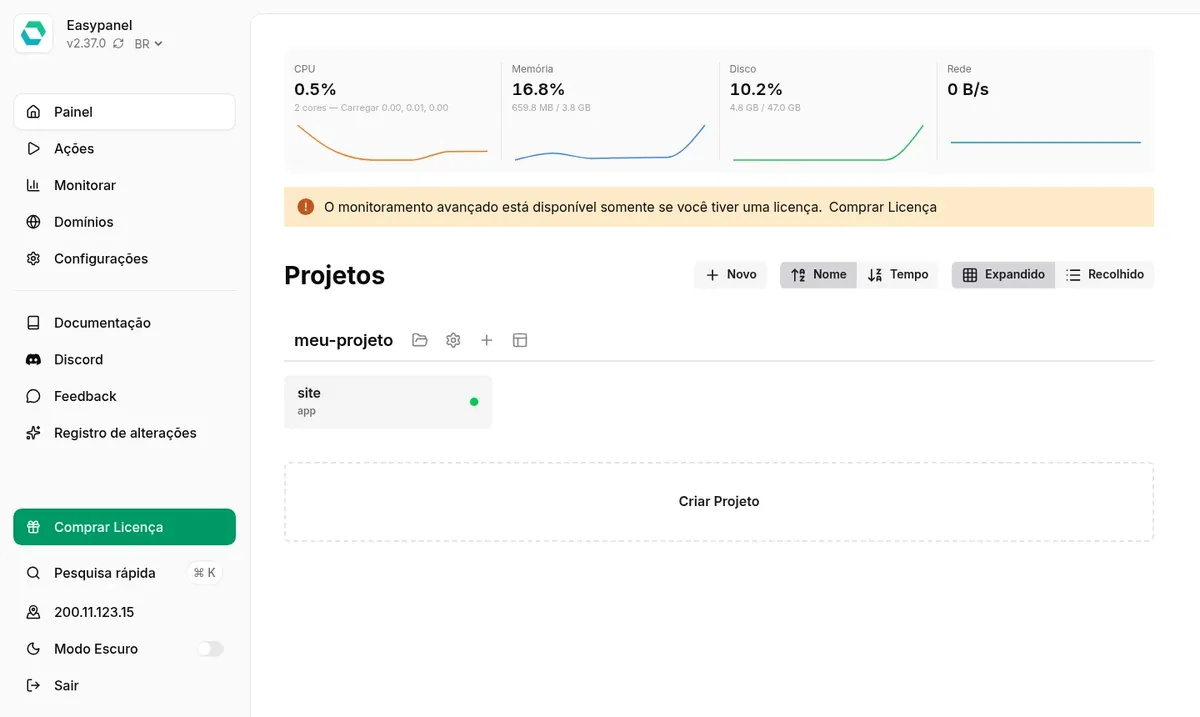
The panel needs at least 1536 MB of free memory, so it fits from the Basic plan up. For several apps with room to spare, we recommend Pro. All plans include NVMe storage, a shared 1 Gbps port with unlimited traffic and inline DDoS protection.
Billed monthly in US dollars, with the panel installed. Rio de Janeiro or São Paulo, same price. Need more than the largest plan shown? Upgrade from the client area, without reinstalling.
With Rio de Janeiro selected, your VPS with EasyPanel runs in Mega's original data center, on our own network with a presence at the Rio internet exchange (IX.br) and redundant transit. It is the lowest latency for users in Rio, Espírito Santo and Minas Gerais, and our support team works in the same city as the server.
With São Paulo selected, your VPS with EasyPanel runs in our environment next to the busiest internet exchange in Latin America, on our own network with redundant transit. It is the shortest path to users across Brazil and South America and to banks, payment gateways and APIs hosted in São Paulo. Same price as Rio.
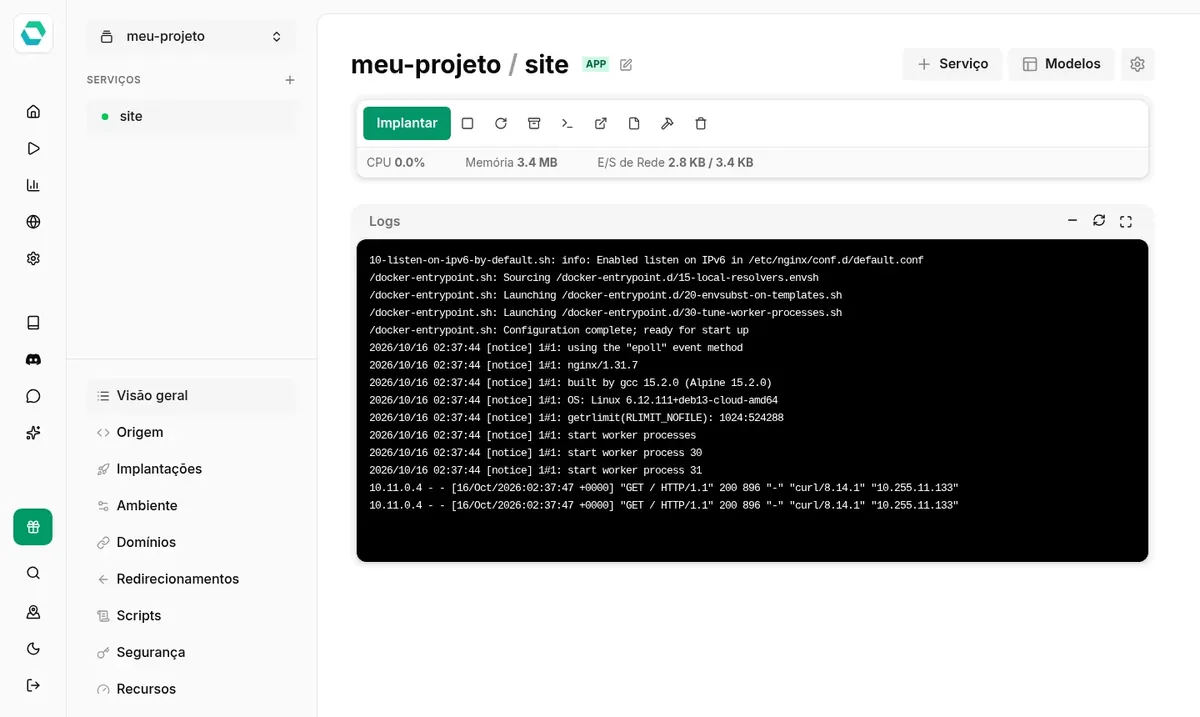
EasyPanel is a web panel for managing servers that run Docker. Each application becomes a service inside a project, and the code can come from a Git repository, a Dockerfile or a ready-made image. For each service the panel shows logs, memory and CPU usage, and a terminal.
It also has a template library that installs databases, WordPress, n8n and other apps in a few clicks. The panel also manages domains and issues HTTPS certificates for the services you publish.
EasyPanel is a commercial product with a free plan that does not expire: up to 3 projects, with unlimited services and deploys. Going past that limit or using advanced features requires a paid license, purchased directly from the vendor. The interface can be switched to Portuguese.
Source: Official EasyPanel documentation
Connect a GitHub repository and every code push triggers a new deploy, with history in the panel.
Apps in Node, Python, PHP, Go and other languages, built automatically.
PostgreSQL, MySQL, MongoDB and Redis created in a few clicks, next to your apps.
WordPress, n8n and other ready-made templates, with no manual configuration.
Logs, resource usage and a terminal for each service, without opening SSH.
Point your domain to the VPS IP and the panel issues the certificate on its own.
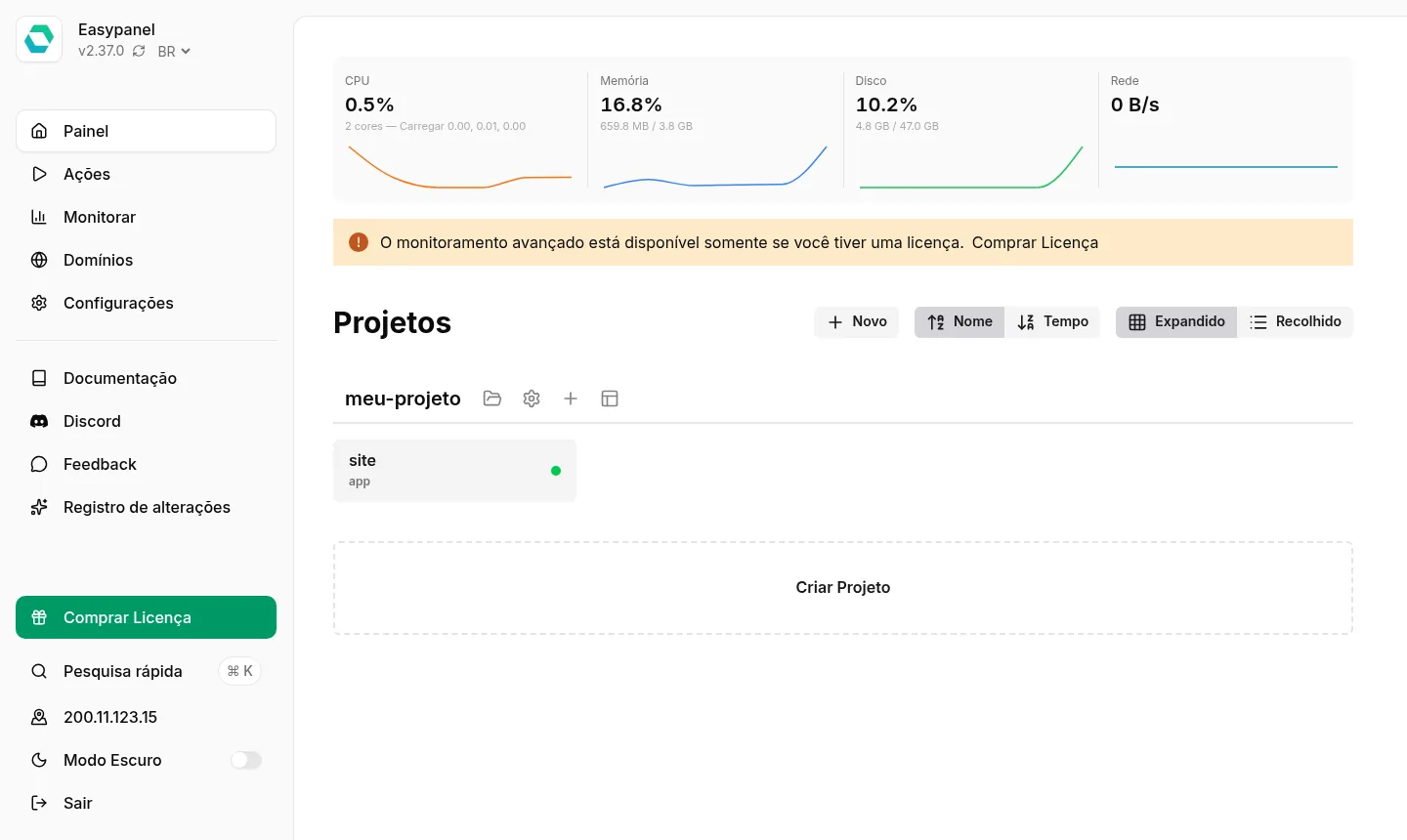
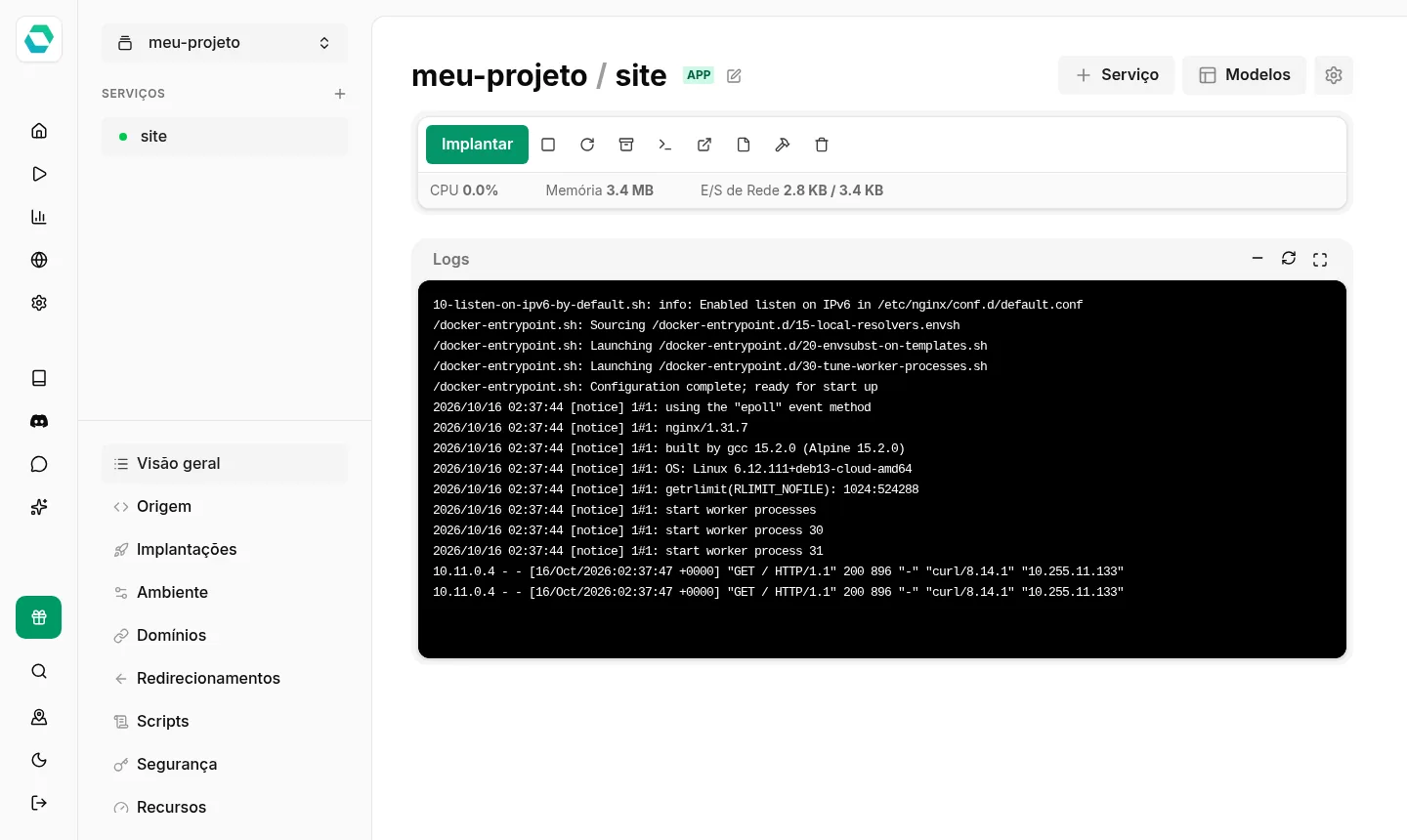
Images from a Mega Dedicados test installation, with fictitious data and no customer information.
Installed with the official installer, on Debian 13 with Docker.
The login and password are generated on your server's first boot, and the public first-access screen is blocked.
You open the panel through a secure address, with no certificate setup.
Port 3000 and the Docker Swarm ports are not reachable from the internet.
After a server reboot, the services that were running come back on their own.
Just pick BR in the language selector, next to the version number.
Select Basic, Plus, Pro or Turbo and the server city, Rio de Janeiro or São Paulo, at the same price.
Pay by Pix, card or boleto, on a monthly, semiannual or annual cycle, with no lock-in.
After payment is confirmed, the VPS is created and EasyPanel is installed with HTTPS.
Your login details arrive by email and WhatsApp, and you can open the panel and publish your first app.
In our tests, a server with EasyPanel idle used about 650 MB of memory. Add the memory your apps will need and leave headroom for builds.
| Plan | Best for |
|---|---|
| Basic 2 vCore · 2 GB | 1 vCore and 2 GB: the panel plus one or two light apps, for learning or a small project. |
| Plus 2 vCore · 4 GB | 2 vCore and 2 GB, with 80 GB NVMe: more disk space for images and data from a few apps. |
| Pro 4 vCore · 6 GB | 2 vCore and 4 GB: the recommended plan, with room for several sites, APIs and a database. |
| Turbo 4 vCore · 12 GB | 4 vCore and 6 GB: many services at once and faster builds. |
Plans with the panel installed start at US$ 11.95 per month for Basic, and Pro, the recommended plan, costs US$ 21.95. EasyPanel has a free plan of up to 3 projects; larger licenses are sold by the vendor.
The panel needs at least 1536 MB of free memory. In our tests it used about 650 MB when idle, and the rest is left for your apps.
Yes. The VPS is delivered with a setting that starts the active services again on boot. A default EasyPanel installation does not do this, which is why we added the setting.
It only responds on the HTTPS address and requires a login. The first-access screen is blocked, and port 3000 and the Docker Swarm ports are not open.
Not to get started: the free plan allows up to 3 projects, with unlimited services and deploys. Beyond that you need to buy a license directly from EasyPanel, separate from the hosting.
You update it yourself in the panel, using the button next to the version number. You also have root SSH access to the server.
Yes. You choose the city when ordering, and the price is the same for both. We run our own network at both internet exchange points (PTTs), with redundant transit.
24/7 support in Portuguese, by WhatsApp, ticket and phone, handles the server side: hardware, network, operating system and performance. Using the panel itself follows the vendor's documentation.
Updated on October 19, 2026
Tell us what you will host and we will suggest the panel and the size. Delivered installed.


