
Plus
US$ 16.95/mo
- 2 vCore CPU
- 4 GB Memory
- NVME 80 GB Disk
- Unlimited Traffic
 Databases · Rio de Janeiro or São Paulo
Supabase combines a PostgreSQL database, user authentication, an API, file storage and realtime in a single back end. At Mega Dedicados it arrives preinstalled on your VPS, with HTTPS, an admin account created, and access details sent by email and WhatsApp.
Supabase keeps several services running at the same time, so Start is too tight. Basic is the plan to begin with, and Plus and Pro give the database more room to grow.
Billed monthly in US dollars, with the app installed. Rio de Janeiro or São Paulo, same price. Plans start at the smallest size where the app runs well. Need more? Upgrade from the client area, without reinstalling.
With Rio de Janeiro selected, your VPS with Supabase runs in Mega's original data center, on our own network with a presence at the Rio internet exchange (IX.br) and redundant transit. It is the lowest latency for users in Rio, Espírito Santo and Minas Gerais, and our support team works in the same city as the server.
With São Paulo selected, your VPS with Supabase runs in our environment next to the busiest internet exchange in Latin America, on our own network with redundant transit. It is the shortest path to users across Brazil and South America and to banks, payment gateways and APIs hosted in São Paulo. Same price as Rio.
Supabase is an open source alternative to Firebase, built on PostgreSQL. It bundles what an application usually needs from a server: a database, authentication, an API, file storage and realtime updates.
Every table you create in the database automatically gets a REST API. Access is controlled by PostgreSQL Row Level Security rules, and your site or app uses the public (anon) key to read and write only what those rules allow.
Mega installs the self-hosted version with the Studio dashboard, the PostgREST API, GoTrue authentication, Storage and Realtime. Keys and passwords are generated during installation and belong only to your server.
Source: Official Supabase self-hosting documentation, accessed in October 2026
Database, login and API ready to use, with no need to build a server from scratch.
Sign-up and login with email and password, including sessions and tokens.
Images, PDFs and attachments organized in public or private buckets.
Dashboards and chats that change as soon as a record is updated in the database.
PostgreSQL with pgvector to store and query embeddings.
Your data moves to a real PostgreSQL database on a server you control.
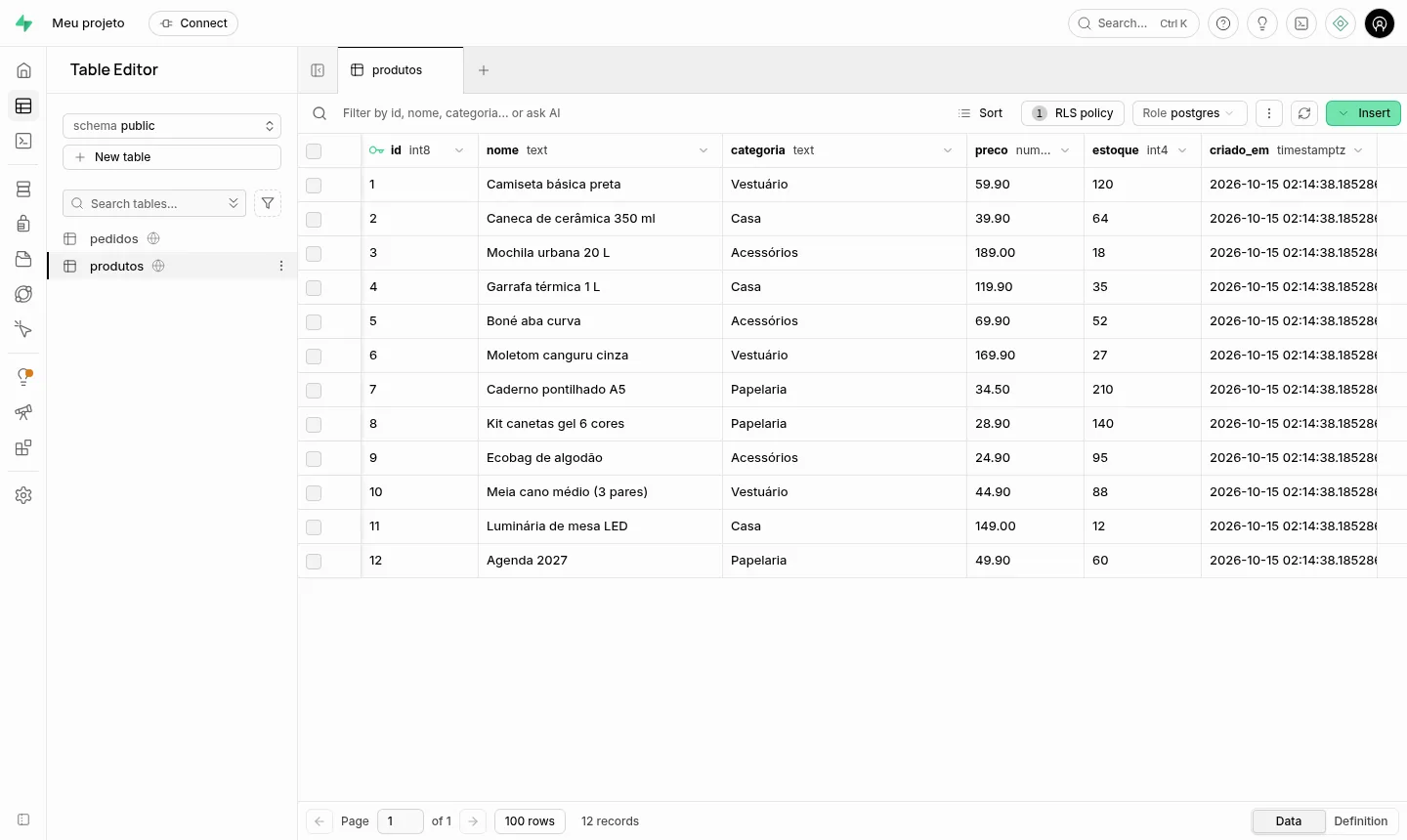
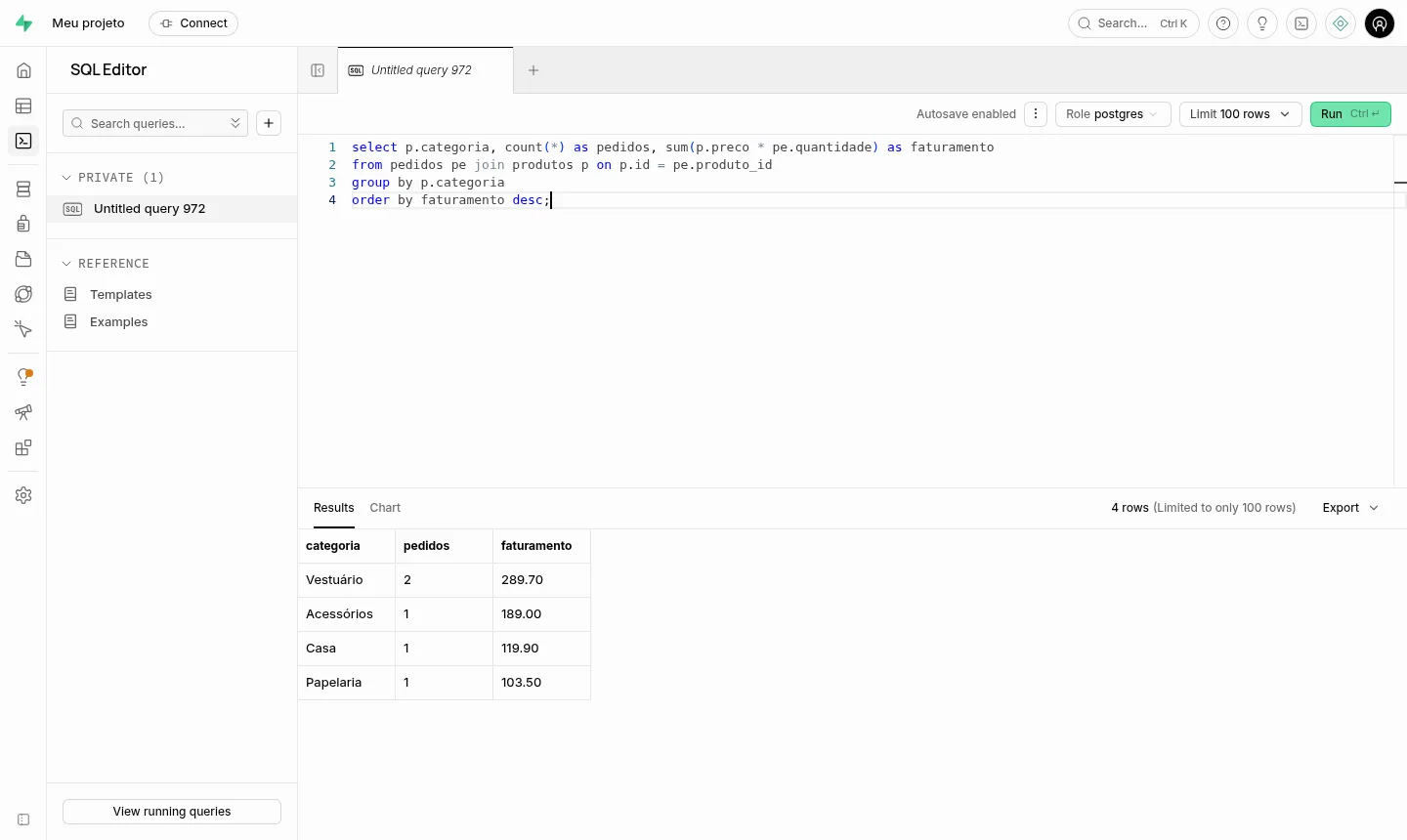
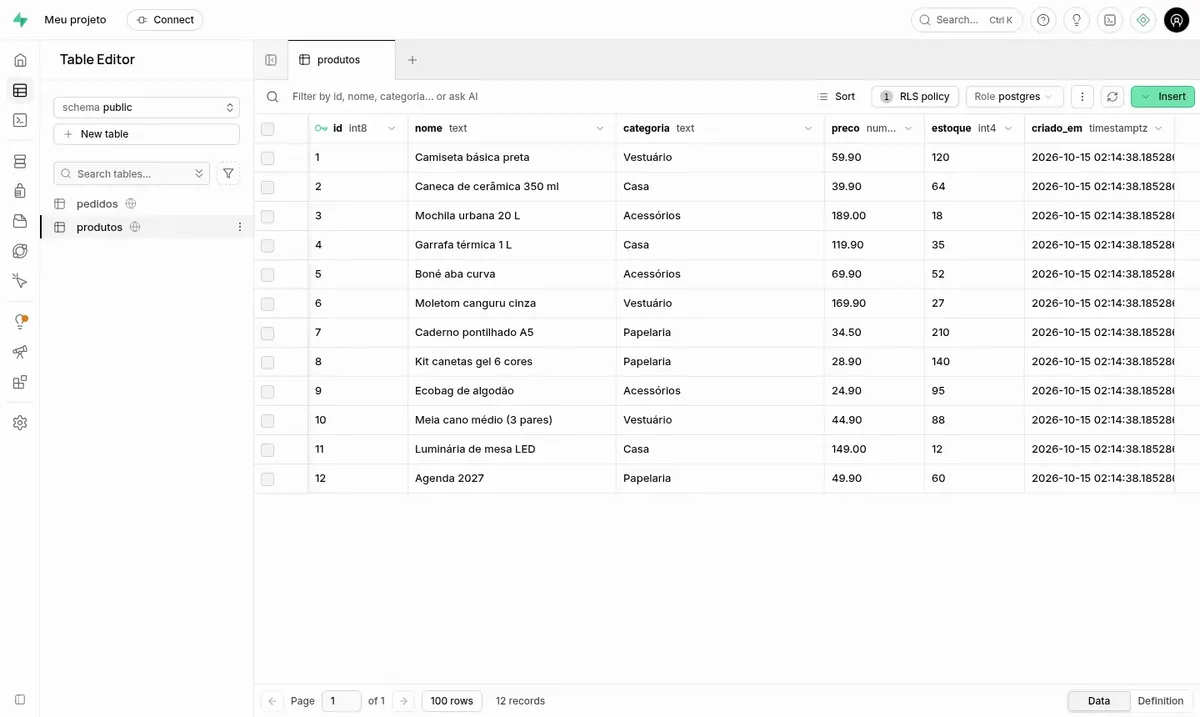
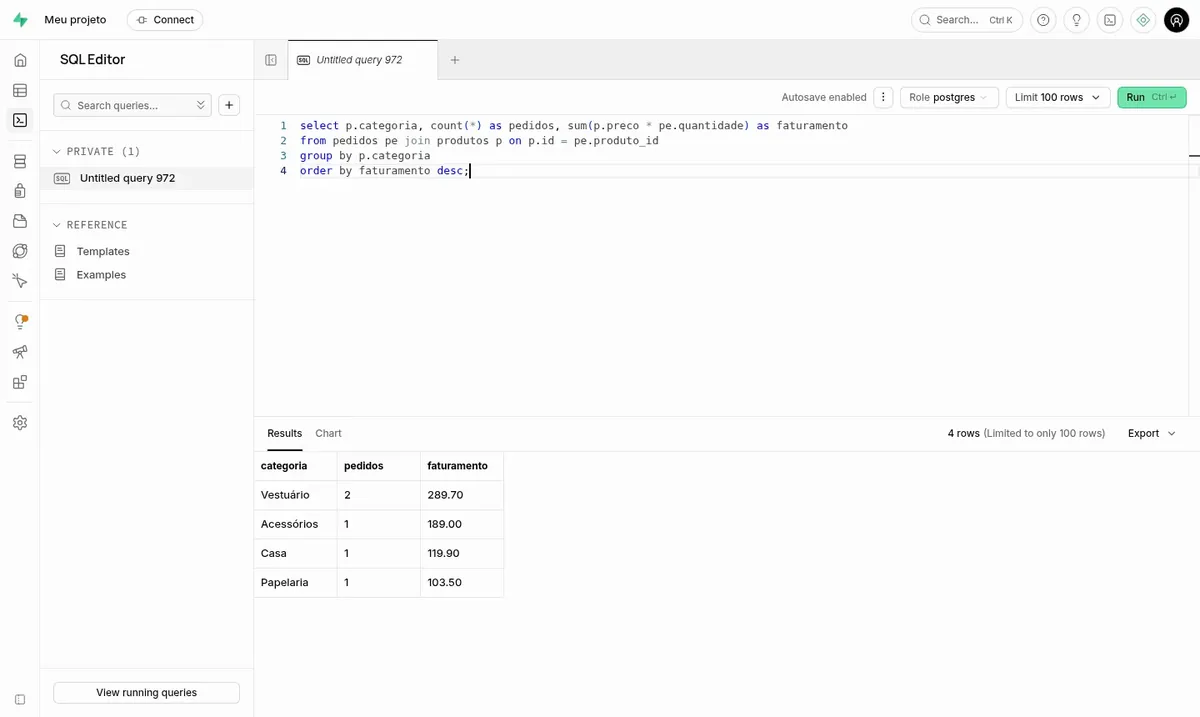
Screenshots taken on a Mega Dedicados test installation, with no customer data.
Full relational database with functions, extensions and relationships between tables.
Spreadsheet-style table editor and SQL editor, accessible only after login.
Each table becomes an endpoint with filters and pagination.
Sign-up, login and per-user access rules, already active.
File buckets with permissions defined by rules.
Subscribe to table changes over WebSocket.
Select the plan and the data center, Rio de Janeiro or São Paulo, at the same price in both.
Pay by Pix, card or boleto, on a monthly, semiannual or annual cycle.
The VPS is created and Supabase is installed with HTTPS. In our tests, the process takes about 5 minutes.
The address, Studio user and public key arrive by email and WhatsApp.
At idle, Supabase uses about 830 MB and the database needs headroom to work, so Plus is the starting point. For most projects, Pro is the recommended plan.
| Plan | Best for |
|---|---|
| Plus 2 vCore · 4 GB | Starting point for new projects, tests and prototypes with few concurrent users, meeting the minimum Supabase requires. |
| Pro 4 vCore · 6 GB | The recommended plan: balanced memory and storage for production apps, with room for the database, auth, files and realtime. |
| Turbo 4 vCore · 12 GB | For apps with more users and heavy queries, which need more memory for the database and more storage. |
| Max 6 vCore · 18 GB | For growing projects with heavy traffic, several services running in parallel and many files, with the most headroom. |
A VPS with Supabase preinstalled starts at per month on the Basic plan. Self-hosted Supabase is free and open source, with no charge per user or per request.
In our tests it uses about 830 MB at idle, counting all services together, and the database needs room beyond that. This is why Start (1 GB) is not enough and Basic is the smallest plan we suggest.
No. Studio requires a username and password, and the API rejects requests without a key. The admin side only responds to the secret key, which is stored on the server.
Yes. The server comes without SMTP, so sign-ups are confirmed automatically. When you want email confirmation, just configure your own SMTP.
It is the same code, in its self-hosted version. Edge Functions and the connection pooler are not part of this installation, so that it fits on a VPS. Database, API, auth, storage and realtime work normally.
The delivered version is pinned, so nothing changes without notice. You update when you want, through root access, after testing.
Yes. Each app uses its own address, as long as their combined usage fits in the plan's memory. If space gets tight, you can move to a larger plan.
Support is available 24/7 in Portuguese by WhatsApp, ticket and phone for server issues. There is no lock-in contract and you have 7 days to request a refund. Using Supabase itself is covered by the project's documentation.
Updated on October 19, 2026
 DirectusDirectus is a headless CMS: manage content in a dashboard and publish it via REST and GraphQL APIs.
 NocoDBNocoDB turns a database into a spreadsheet interface with forms, views and a ready API, like Airtable.
 BaserowGet a Cloud VPS with Baserow already running, to build tables, forms and an API without writing code.
Tell us what you want to run and for how many users; we will suggest the plan. The app arrives installed.