
Basic
US$ 11.95/mo
- 2 vCore CPU
- 2 GB Memory
- NVME 40 GB Disk
- Unlimited Traffic
 Databases · Rio de Janeiro or São Paulo
NocoDB turns a database into a spreadsheet-style interface with forms, views and a ready-made API, similar to Airtable. At Mega Dedicados it arrives installed on a Cloud VPS, with HTTPS and an admin account already created.
All four plans come with NocoDB installed and root SSH access. What changes is memory and disk, which determine how many tables, rows and users the app handles comfortably.
Billed monthly in US dollars, with the app installed. Rio de Janeiro or São Paulo, same price. Plans start at the smallest size where the app runs well. Need more? Upgrade from the client area, without reinstalling.
With Rio de Janeiro selected, your VPS with NocoDB runs in Mega's original data center, on our own network with a presence at the Rio internet exchange (IX.br) and redundant transit. It is the lowest latency for users in Rio, Espírito Santo and Minas Gerais, and our support team works in the same city as the server.
With São Paulo selected, your VPS with NocoDB runs in our environment next to the busiest internet exchange in Latin America, on our own network with redundant transit. It is the shortest path to users across Brazil and South America and to banks, payment gateways and APIs hosted in São Paulo. Same price as Rio.
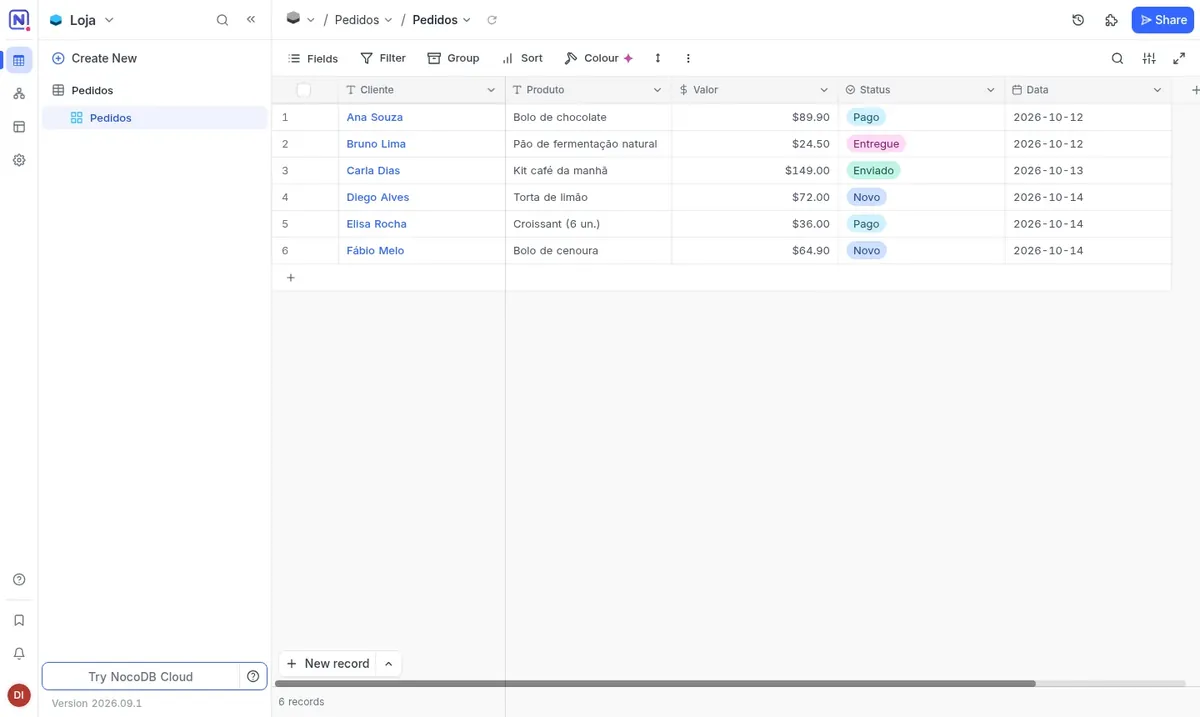
NocoDB is a no-code database with a spreadsheet look. Each column has a defined type, such as text, number, currency, date, select, attachment or link between tables, and each row works as a real record.
On the same data you can open grid, gallery, kanban, calendar or form views. NocoDB also publishes a REST API for every table, which can be used by a website, a custom system or automation tools like n8n.
In the Mega installation, NocoDB 2026.09.1 runs in a Docker container and stores data in SQLite on your VPS disk. New users can only join by invitation from the administrator.
Source: Official NocoDB repository on GitHub (accessed October 2026)
A table with status, amounts and dates that can be filtered and grouped however your operation needs.
Leads, contacts and deals linked to each other and tracked on a kanban board.
Sign-ups, surveys and requests submitted through a link and saved straight into the table.
Products with photo, price and quantity, shown in a gallery view.
n8n and other systems read and write records through the API, with no need to build a database from scratch.
Calendar and kanban views to organize deadlines and owners across the team.
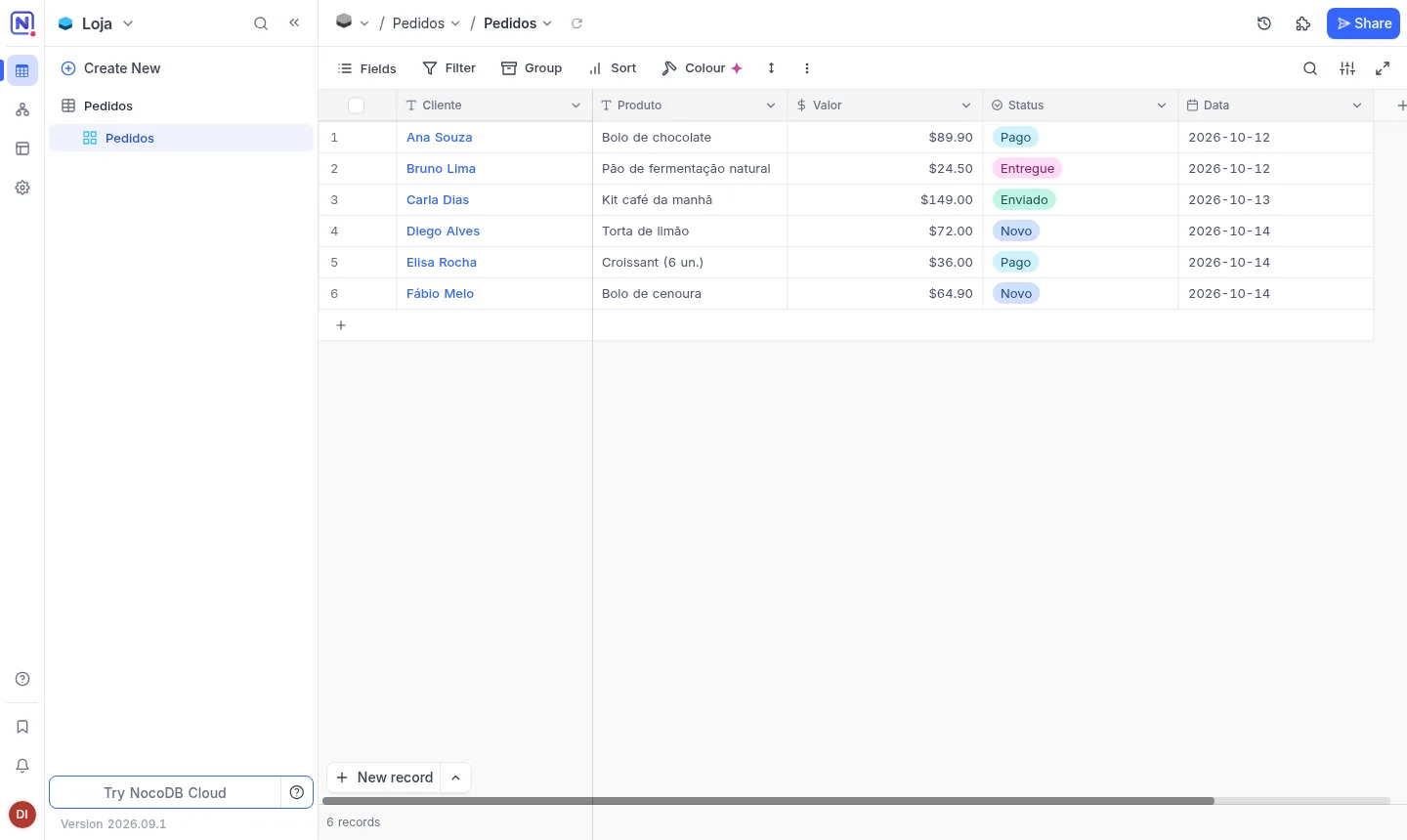
Image captured on a Mega Dedicados test installation, with no customer data.
Your own address with a Let's Encrypt certificate, with no setup on your side.
The admin account is created at delivery and new users can only join by invitation.
NocoDB runs in a container on Debian 13 and comes back on its own after a server reboot.
Every table gets endpoints with token authentication and NocoDB's own documentation.
Invite your team as editors, commenters or read-only users.
CSV and Excel spreadsheets and Airtable bases can be brought into the app.
Select Start, Basic, Plus or Pro and pick whether the server is in Rio de Janeiro or São Paulo, Brazil. The price is the same in both.
We accept Pix, card or boleto, on a monthly, semiannual or annual cycle, with no lock-in.
Once payment is confirmed, the VPS is created and NocoDB is installed with HTTPS automatically.
The address and admin login arrive by email and WhatsApp. Then you just sign in and create your tables.
NocoDB needs at least 1024 MB of free memory and uses between 680 and 800 MB at idle. That is why we recommend Basic, and you can upgrade if your data and usage grow.
| Plan | Best for |
|---|---|
| Basic 2 vCore · 2 GB | The recommended plan: it covers the required 1024 MB of free memory and suits small teams and early-stage projects. |
| Plus 2 vCore · 4 GB | For when your data grows: more rows, more concurrent users and moderate API use, with extra memory. |
| Pro 4 vCore · 6 GB | For larger teams with many views, forms and integrations calling the API all day, with more processing power. |
| Turbo 4 vCore · 12 GB | For heavy use, with many users, large databases and automations, or if the server also runs other services. |
Just order a Mega Cloud VPS plan with NocoDB selected. The server is delivered with Debian 13, Docker, HTTPS and an admin account ready, and you receive the login details by email and WhatsApp.
Start is and Basic, recommended for most cases, is US$ 11.95 per month. Plus is US$ 16.95 and Pro is US$ 21.95. You pay only for the VPS, with no lock-in and a 7-day refund window.
The app runs with at least 1024 MB of free memory. In our measurements it uses 680 to 800 MB at idle, so Basic, with 2 GB, gives you more headroom than Start.
Yes. NocoDB imports CSV and Excel files as well as Airtable bases, and turns each sheet or table into records with field types.
No. Sign-up is limited to invitations sent by the administrator, so people who were not invited cannot create an account on your server.
Partly. A translation exists, but some newer screens still appear in English.
The installed version is 2026.09.1 and it only changes when you decide, using root SSH access, ideally after testing. Our 24/7 support in Portuguese covers the server side; using the app follows the project documentation.
Yes, as long as the total fits in the plan's memory. Each app gets its own address, and n8n can read and write NocoDB tables through the REST API.
Updated on October 19, 2026
 n8nn8n connects apps, APIs and AI models in automated workflows built in a visual editor.
 DirectusDirectus is a headless CMS: manage content in a dashboard and publish it via REST and GraphQL APIs.
 Evolution APIEvolution API is an open source project that connects WhatsApp numbers to your system via HTTP calls.
Tell us what you want to run and for how many users; we will suggest the plan. The app arrives installed.