
Basic
US$ 11.95/mo
- 2 vCore CPU
- 2 GB Memory
- NVME 40 GB Disk
- Unlimited Traffic
 Business and productivity · Rio de Janeiro or São Paulo
Stirling PDF is a set of PDF tools that you use in the browser, but all processing happens on your own server. At Mega Dedicados it comes installed on a VPS with HTTPS and an administrator account, and your documents never pass through third parties.
Stirling PDF runs on Java and calls conversion tools, so it needs 1536 MB of free memory. Basic is the recommended plan; Start falls below that minimum.
Billed monthly in US dollars, with the app installed. Rio de Janeiro or São Paulo, same price. Plans start at the smallest size where the app runs well. Need more? Upgrade from the client area, without reinstalling.
With Rio de Janeiro selected, your VPS with Stirling PDF runs in Mega's original data center, on our own network with a presence at the Rio internet exchange (IX.br) and redundant transit. It is the lowest latency for users in Rio, Espírito Santo and Minas Gerais, and our support team works in the same city as the server.
With São Paulo selected, your VPS with Stirling PDF runs in our environment next to the busiest internet exchange in Latin America, on our own network with redundant transit. It is the shortest path to users across Brazil and South America and to banks, payment gateways and APIs hosted in São Paulo. Same price as Rio.
Stirling PDF is an open source web app for editing and handling PDF files. You open it in the browser, but your VPS does the work, so documents only travel between your computer and your server.
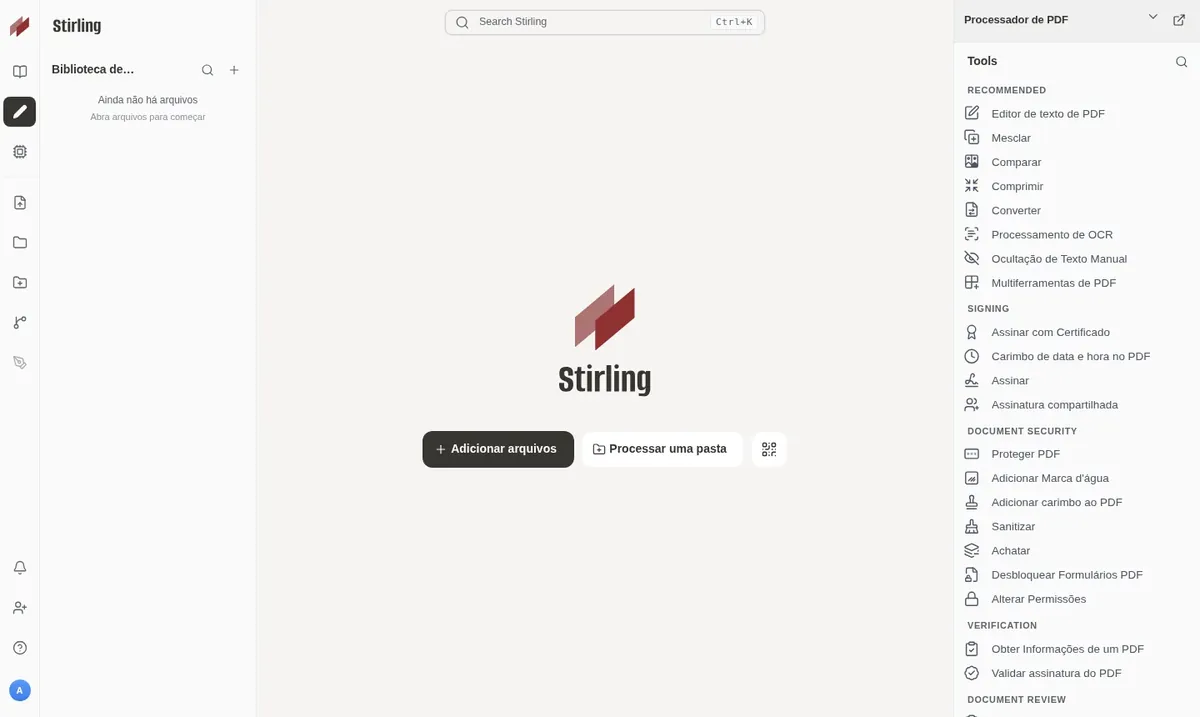
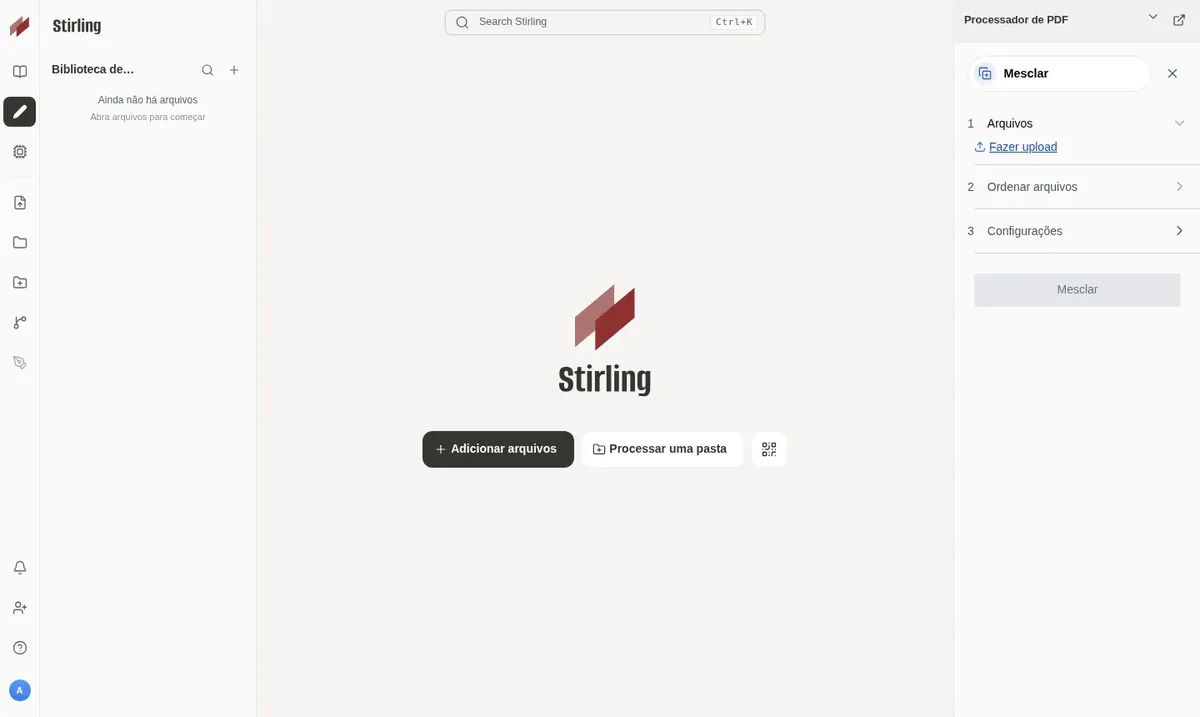
Its tools include merging and splitting files, reordering pages, compressing, converting to and from Word, images and HTML, adding watermarks, signing and password protection. It also has OCR, which turns scanned documents into PDFs with selectable text.
In the Mega installation, login is already enabled. Only people with an account can use the tools, and nobody else can use your server to process files.
Source: Official Stirling PDF repository on GitHub, checked in October 2026
Contracts, medical reports and personal papers are handled without going through third-party websites.
Combine several PDFs into one or extract pages into separate files.
Shrink a file so it fits in an email or a WhatsApp message.
Convert scanned PDFs into files with searchable, copyable text.
Create PDFs from Word, images or HTML, and export PDFs to images and other formats.
Sign, add watermarks and set a password to open or edit the file.
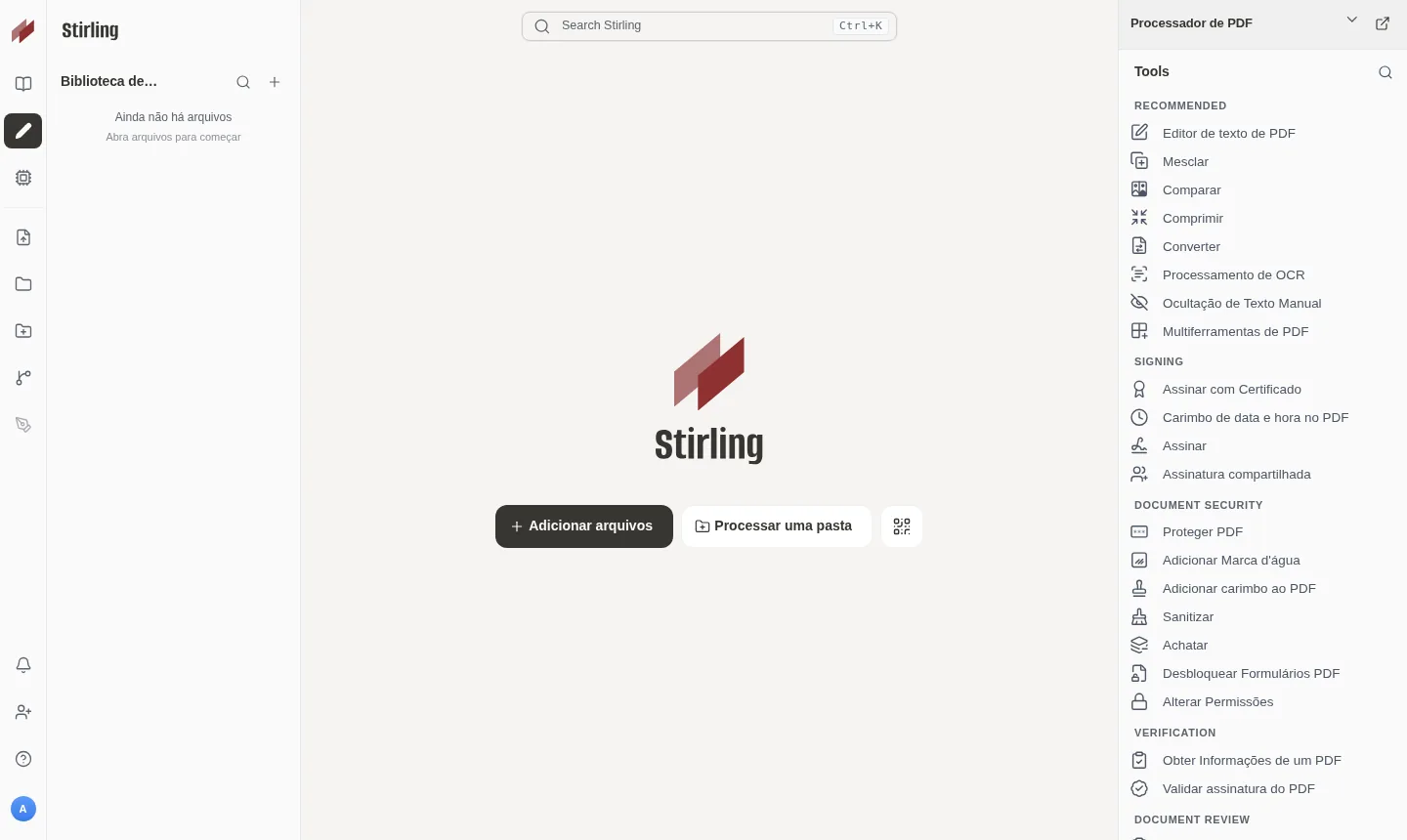
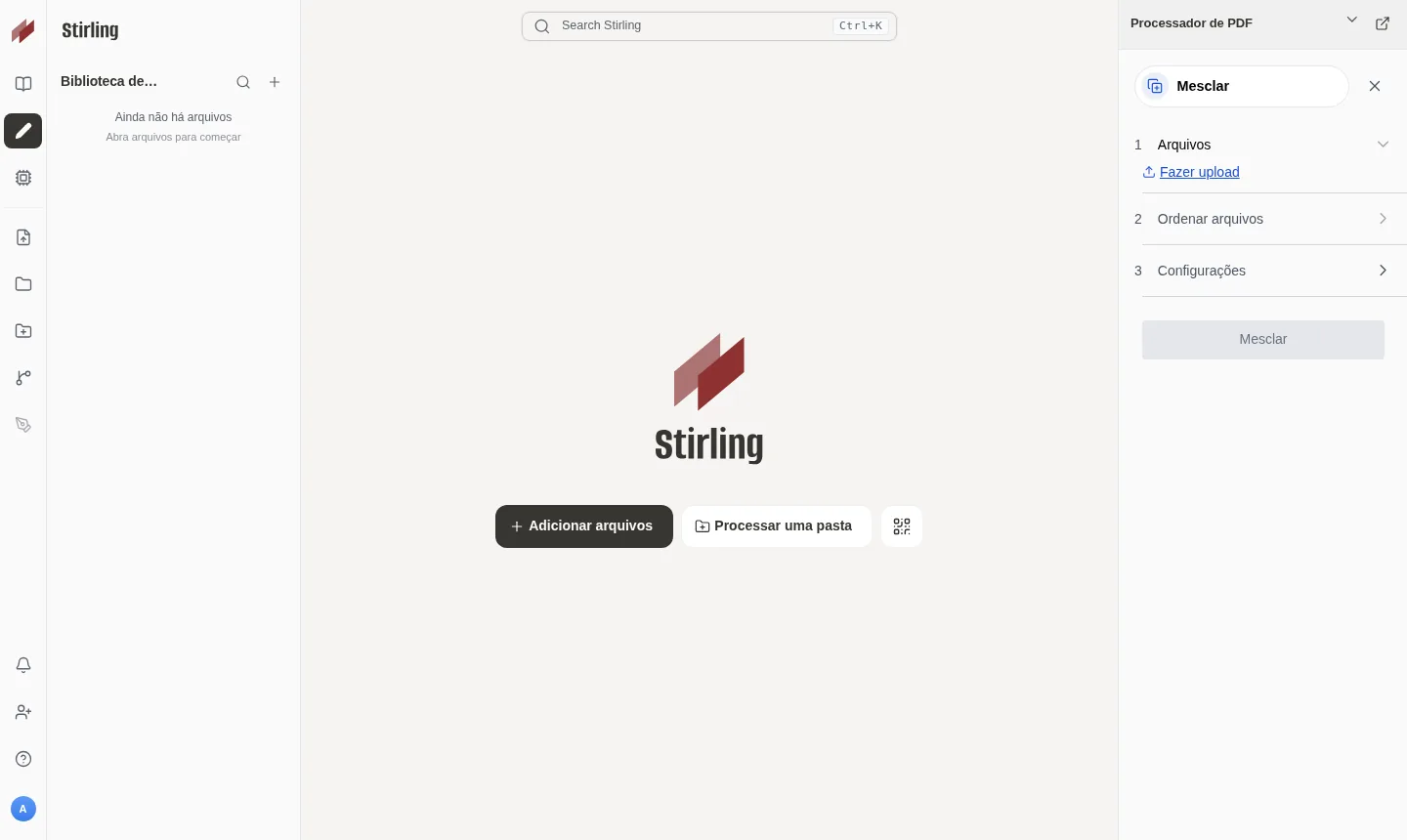
Screenshots taken by Mega on a test installation, with no customer data.
Access requires a username and password from the first minute, with the admin account already created.
Your own address with a Let's Encrypt certificate, with nothing to configure.
The container starts on its own when the server reboots.
The default language is already set to Portuguese.
The tools respond through an API, so you can integrate them with automation tools such as n8n.
Create accounts for your team with different permissions.
Select Basic, recommended for Stirling PDF, or a larger plan if you will share the server with other apps.
Choose Rio de Janeiro or São Paulo, Brazil, and pay by Pix, card or boleto, on a monthly, semiannual or annual cycle.
The VPS is created and Stirling PDF is installed with HTTPS in about 5 minutes.
The address and administrator access arrive by email and WhatsApp, and you can log in right away.
Stirling PDF uses about 1.1 GB at idle and needs 1536 MB free, so Basic is the recommended starting point. Move up if you use OCR and large files often, or if several people use it at the same time.
| Plan | Best for |
|---|---|
| Basic 2 vCore · 2 GB | The recommended plan: it covers the required 1536 MB and suits personal or small-team use, with light, occasional tasks. |
| Plus 2 vCore · 4 GB | For those who use OCR often or merge and convert larger files, with extra memory and storage headroom. |
| Pro 4 vCore · 6 GB | Suited to teams that process several PDFs at once or large documents, with more cores and memory for usage peaks. |
| Turbo 4 vCore · 12 GB | For heavy, continuous use, with many users, large batches and demanding OCR, keeping performance with plenty of spare resources. |
The recommended plan, Basic, costs US$ 11.95 per month. The Plus (US$ 16.95) and Pro (US$ 21.95) plans give you more memory for OCR and team use.
The app needs at least 1536 MB of free memory. That is why Basic is recommended, with 2 vCores, 2 GB of RAM and 40 GB of NVMe storage.
Files go from your browser to your VPS and back, without passing through third-party services. Access uses HTTPS and requires a login, and the passwords are generated for you only.
No. The installation comes with login enabled, and only people with an account can use the tools. You create team accounts inside the app.
Yes. The tools have an API, and n8n can call them inside your automation workflows.
Yes, each with its own address, as long as they fit in the plan's memory. If you plan to combine apps with Stirling PDF, consider Plus or Pro.
The delivered version is 3.0.2 and stays fixed until you decide to change it. To update, log in to the server over SSH as root, preferably after testing the new version.
There is no lock-in contract, and you have 7 days to request a refund. 24/7 support in Portuguese covers server issues by WhatsApp, ticket and phone, while using the app itself is covered by the project's documentation.
Updated on October 19, 2026
 NocoDBNocoDB turns a database into a spreadsheet interface with forms, views and a ready API, like Airtable.
 n8nn8n connects apps, APIs and AI models in automated workflows built in a visual editor.
 WordPressGet your own Cloud VPS with WordPress installed, MariaDB database, HTTPS address and admin account created.
Tell us what you want to run and for how many users; we will suggest the plan. The app arrives installed.