
Start
US$ 6.95/mo
- 1 vCore CPU
- 1 GB Memory
- NVME 20 GB Disk
- Unlimited Traffic
 Files and backup · Rio de Janeiro or São Paulo
An object storage server with an S3 API, running on your own Cloud VPS. You create buckets, store backups, photos and attachments, and manage everything from the web console, all over HTTPS and already installed by Mega Dedicados.
The service uses little memory, so the choice mostly comes down to how much NVMe space you need for your files. All plans include root access, IPv4 and IPv6, and inline DDoS protection.
Billed monthly in US dollars, with the app installed. Rio de Janeiro or São Paulo, same price. Plans start at the smallest size where the app runs well. Need more? Upgrade from the client area, without reinstalling.
With Rio de Janeiro selected, your VPS with Armazenamento S3 (MinIO) runs in Mega's original data center, on our own network with a presence at the Rio internet exchange (IX.br) and redundant transit. It is the lowest latency for users in Rio, Espírito Santo and Minas Gerais, and our support team works in the same city as the server.
With São Paulo selected, your VPS with Armazenamento S3 (MinIO) runs in our environment next to the busiest internet exchange in Latin America, on our own network with redundant transit. It is the shortest path to users across Brazil and South America and to banks, payment gateways and APIs hosted in São Paulo. Same price as Rio.
S3 is the object storage API created by Amazon, now supported by almost every program that needs to keep files outside the application server. Backup tools, CMSs and data tools can upload and fetch files in this format. An S3-compatible server answers the same way, but it runs on your own infrastructure.
MinIO was the most popular option for this for years. Since the project stopped distributing a ready-to-install version, the VPS comes with RustFS 1.0, an open source server (Apache 2.0 license) that speaks the S3 API and works with MinIO clients.
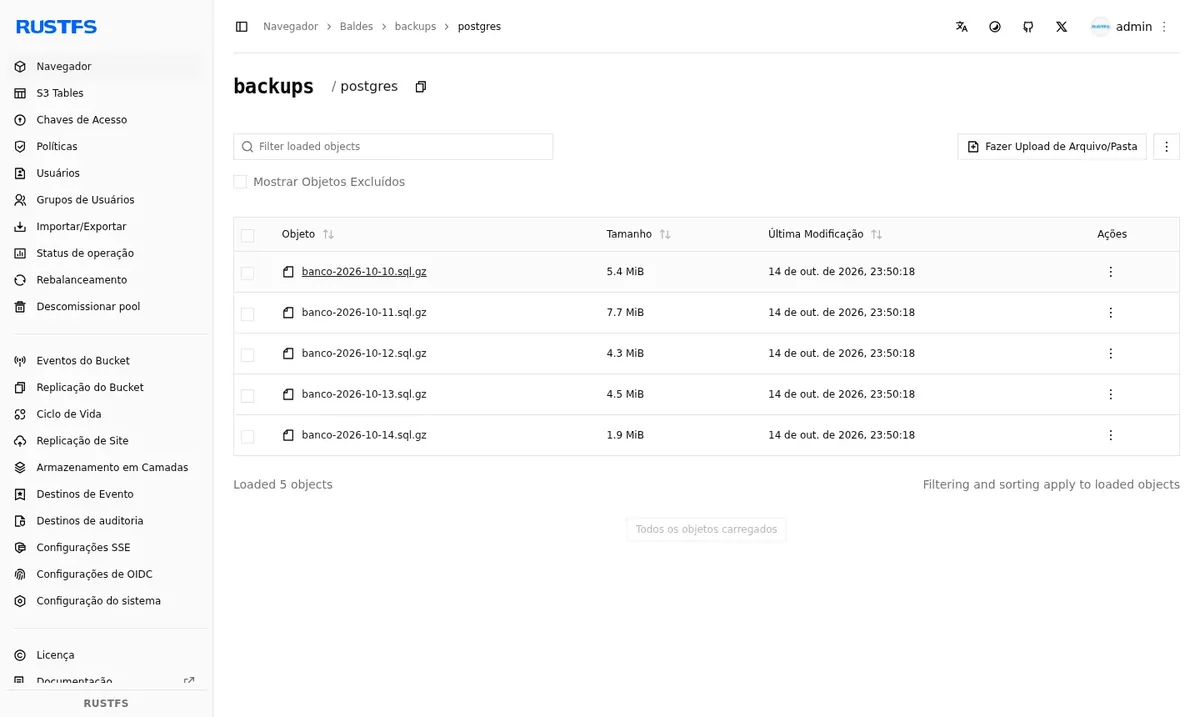
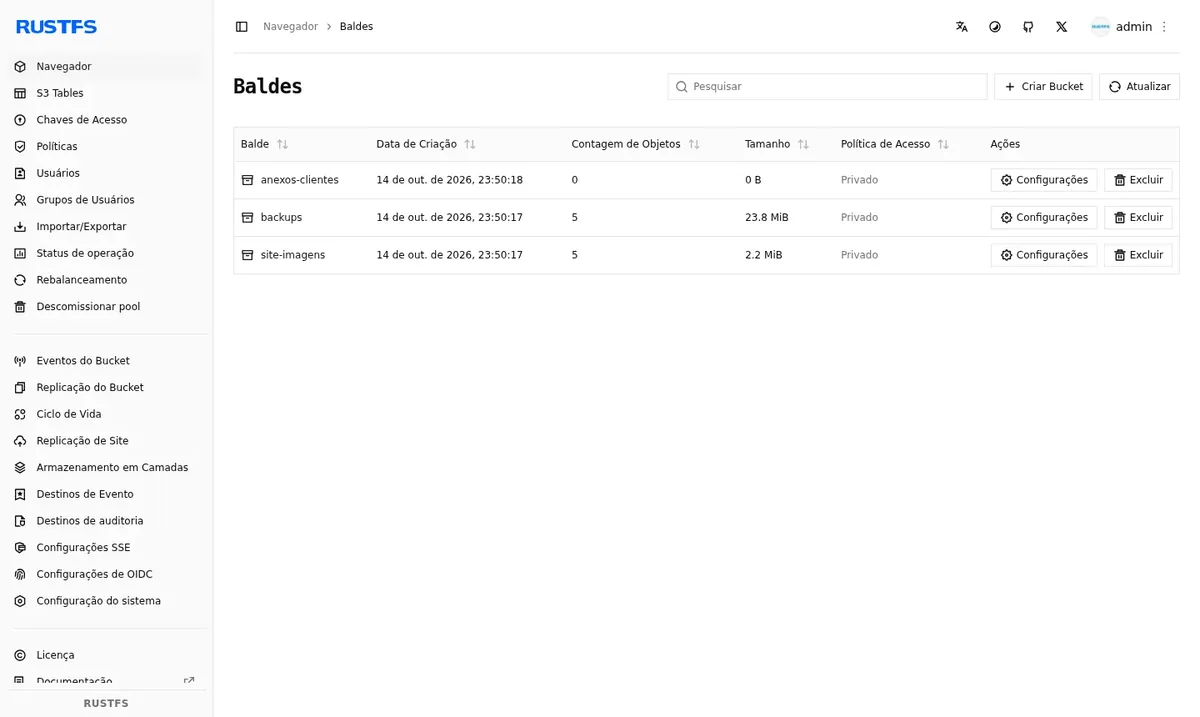
Your files are stored on the NVMe disk of your VPS. You browse buckets and objects in the web console, while your systems write and read through a separate API address, also over HTTPS.
Source: Official RustFS repository on GitHub, accessed in October 2026
Backup tools with S3 support write directly to your buckets.
Profile photos, documents and files sent by the users of your system.
Media served from an address you control, outside the application server.
The API is the same, so migrating usually means changing only the endpoint and keys.
CSV or Parquet datasets accessed by data tools.
Workflows that store the files they generate in buckets.
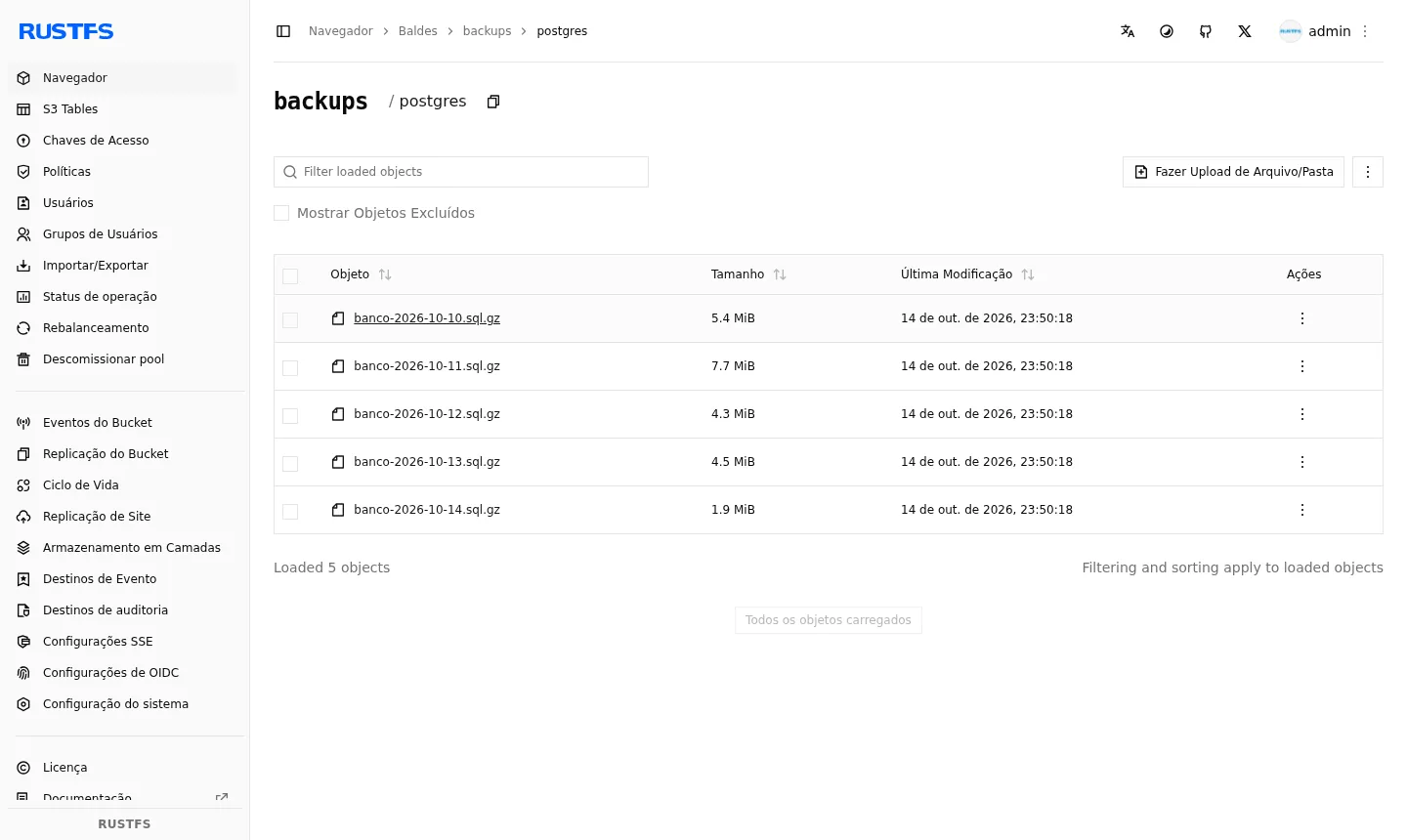
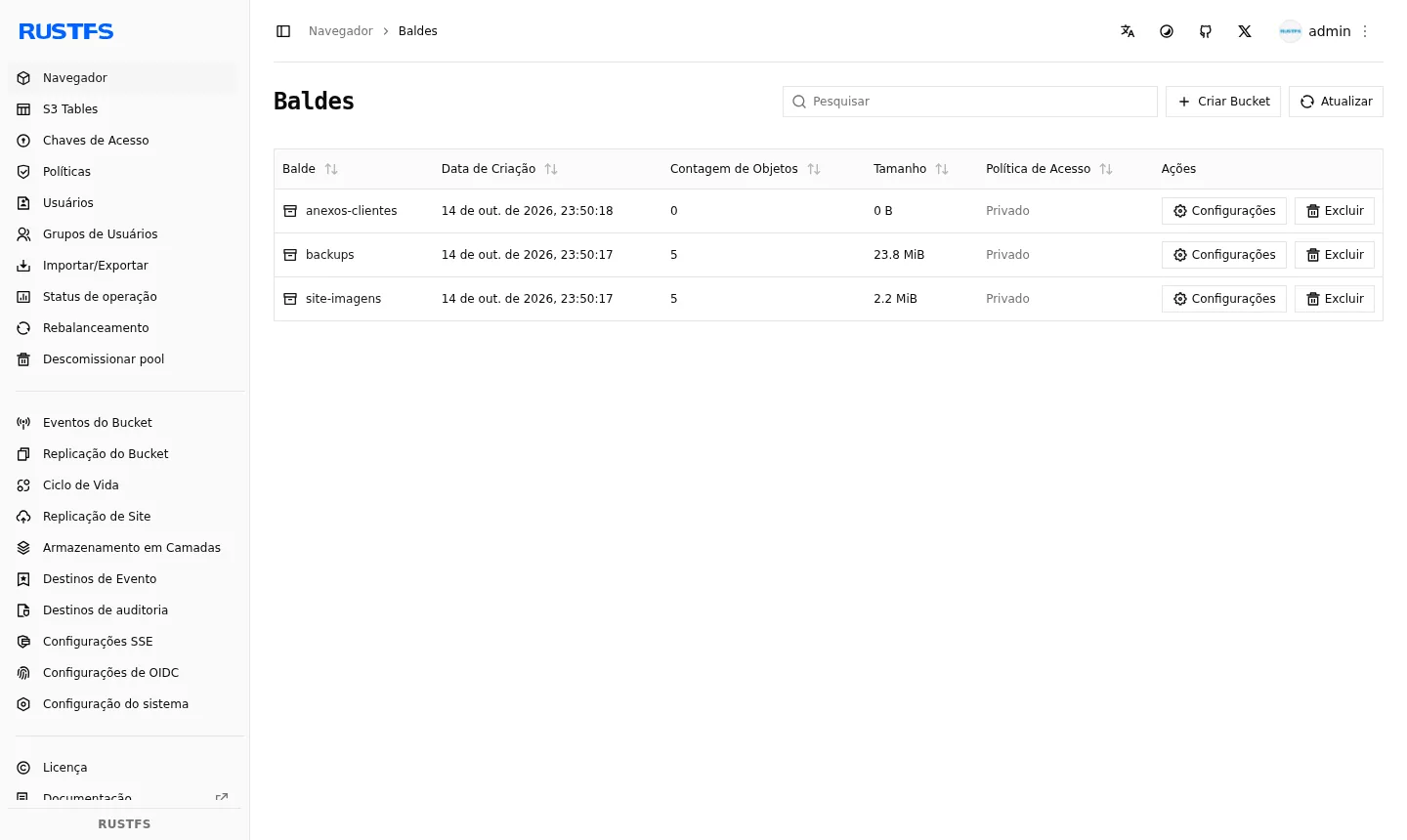
Screenshots taken by Mega Dedicados on a test installation, with no customer data.
Works with AWS SDKs, rclone, restic and the MinIO client.
Browse buckets, upload and download files right in the browser.
Create one key for each application, each with its own permissions.
Set buckets as private or public and define rules per user.
Automatically remove old objects, such as expired backups.
Keep previous versions of files that were overwritten.
Select Start, Basic, Plus or Pro and tell us whether you want the server in Rio de Janeiro or São Paulo, Brazil. The price is the same.
Pay by Pix, card or boleto, on a monthly, semiannual or annual cycle. No lock-in contract.
As soon as payment is confirmed, the VPS is created and S3 storage is installed with HTTPS.
You receive the addresses, username and password by email and WhatsApp, log in to the console and create your first bucket.
At idle, the storage server uses about 65 MB of memory, and the app runs with as little as 512 MB free. So the decision is almost entirely about disk space.
| Plan | Best for |
|---|---|
| Start 1 vCore · 1 GB | 1 vCore, 1 GB RAM and 20 GB NVMe. Suited to backups for a small site or system. |
| Basic 2 vCore · 2 GB | 2 vCore, 2 GB RAM and 40 GB NVMe. Fits the files of a production application. |
| Plus 2 vCore · 4 GB | 2 vCore, 4 GB RAM and 80 GB NVMe. More room for media and backups from several systems. |
| Pro 4 vCore · 6 GB | 4 vCore, 6 GB RAM and 120 GB NVMe. The largest disk, for those who store many files. |
The Start plan costs US$ 6.95 and comes with the storage already installed. The other plans are Basic (US$ 11.95), Plus (US$ 16.95) and Pro (US$ 21.95). There are no charges per request or per GB transferred, and the limit is the disk of your plan.
The installed server is RustFS 1.0, which is open source, because MinIO stopped distributing a ready-to-install version. It implements the S3 API and works with MinIO tools, so your systems treat it like a MinIO server.
Yes. Any tool that supports S3 with a custom endpoint will work. Enter the API address, the us-east-1 region and path-style access.
Not by default. Buckets are private and the API requires an access key. Only the buckets you choose are made public.
About 65 MB at idle. The app runs with as little as 512 MB free, so the Start plan is enough. Disk usage is what grows the most over time.
Yes. Several apps can run on the same VPS, each with its own address, as long as they fit in memory. If disk or memory gets tight, you can move to a larger plan.
The installed version is pinned, so nothing changes unless you ask. When you want to update, log in to the server as root via SSH and do it after testing.
Yes, 24/7 in Portuguese, by WhatsApp, ticket and phone, for everything related to the server. Using the app itself follows the project's documentation. You have 7 days to get a refund if it is not what you expected.
Updated on October 19, 2026
 SupabaseSupabase brings a PostgreSQL database, user login, API, file storage and realtime into one back end.
 n8nn8n connects apps, APIs and AI models in automated workflows built in a visual editor.
 PortainerPortainer is a web panel to manage Docker: containers, images, volumes and stacks on one screen.
Tell us what you want to run and for how many users; we will suggest the plan. The app arrives installed.