
Start
US$ 6.95/mo
- 1 vCore CPU
- 1 GB Memory
- NVME 20 GB Disk
- Unlimited Traffic
 Docker and deploy · Rio de Janeiro or São Paulo
Portainer is a web panel that shows and controls the Docker on your server: containers, images, volumes and stacks on a single screen. Here it comes installed on a Cloud VPS, with HTTPS and an administrator account already created, ready for your first login.
Portainer itself uses very little. What decides the plan is how many containers you will keep running next to it. All plans include 1 Gbps with unlimited traffic and DDoS protection.
Billed monthly in US dollars, with the app installed. Rio de Janeiro or São Paulo, same price. Plans start at the smallest size where the app runs well. Need more? Upgrade from the client area, without reinstalling.
With Rio de Janeiro selected, your VPS with Portainer runs in Mega's original data center, on our own network with a presence at the Rio internet exchange (IX.br) and redundant transit. It is the lowest latency for users in Rio, Espírito Santo and Minas Gerais, and our support team works in the same city as the server.
With São Paulo selected, your VPS with Portainer runs in our environment next to the busiest internet exchange in Latin America, on our own network with redundant transit. It is the shortest path to users across Brazil and South America and to banks, payment gateways and APIs hosted in São Paulo. Same price as Rio.
Portainer is a web interface for managing containers. It connects to the Docker on your server and puts containers, images, volumes, networks and Docker Compose stacks on a single screen.
We install the Community Edition (CE), which is free. With it you can deploy applications from a docker-compose file, read logs, check resource usage, open a terminal inside a container and restart services without typing commands.
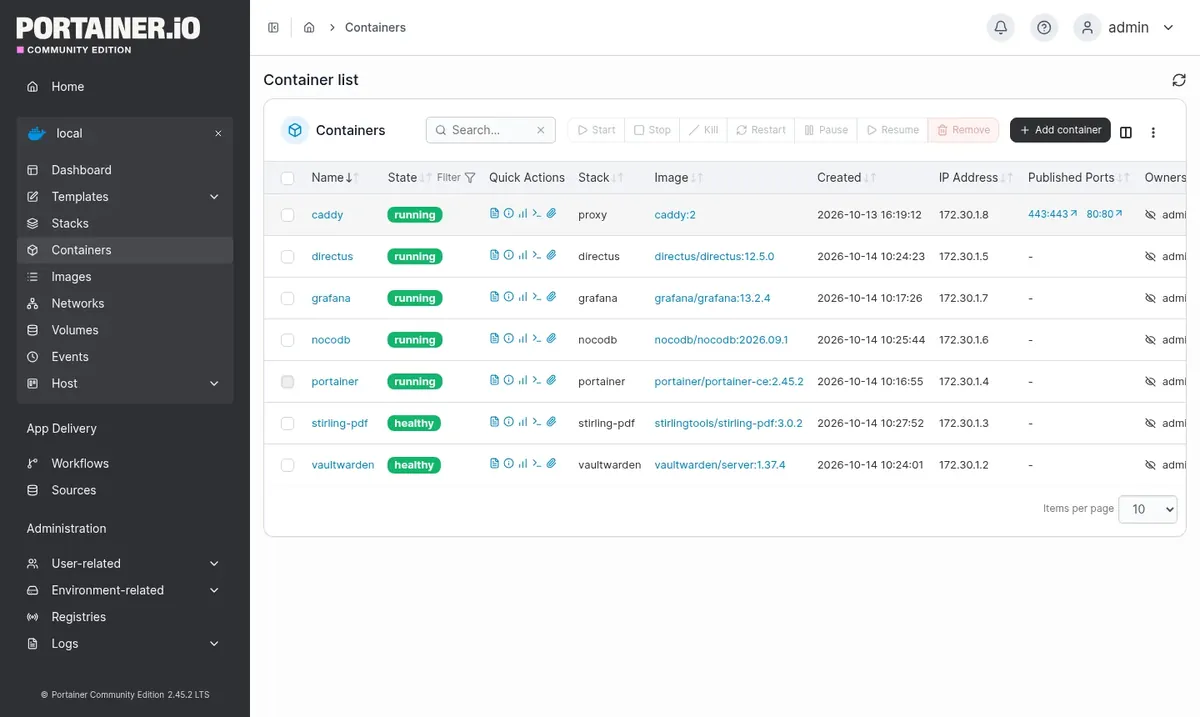
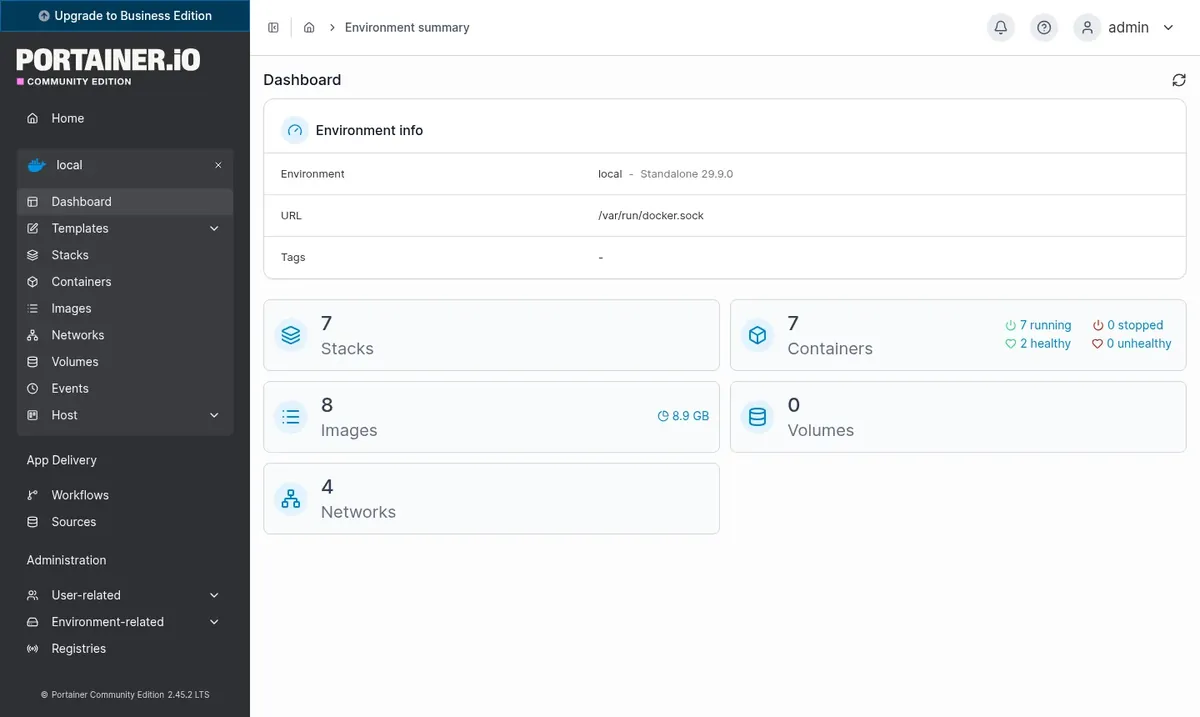
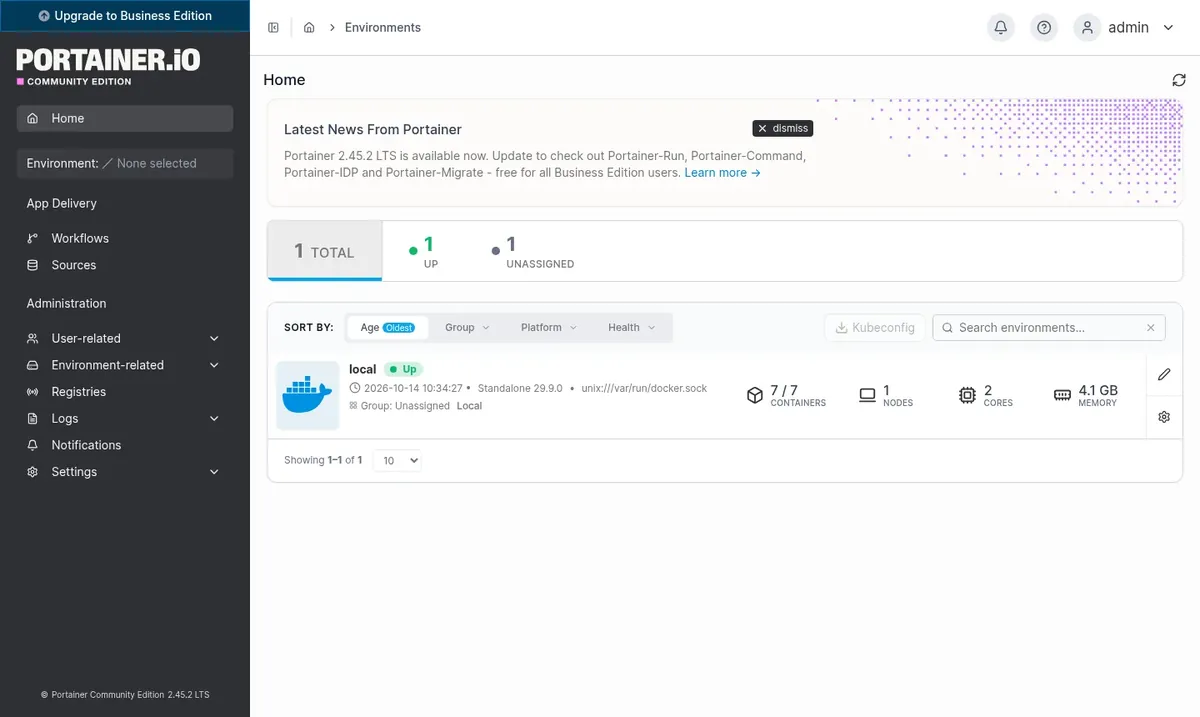
On the delivered VPS, Portainer is already linked to the local Docker. At first login, the local environment appears with the containers that are currently running.
Paste the contents of a docker-compose file into a stack and the service starts with your variables and volumes.
Read a container's log, find the error and restart the service without logging in over SSH.
Pull the newest image and recreate the container while keeping its current configuration.
Open a terminal inside the container to run a one-off command.
See CPU, memory and network for each container while it works.
Add users and define what each person can change in the environment.
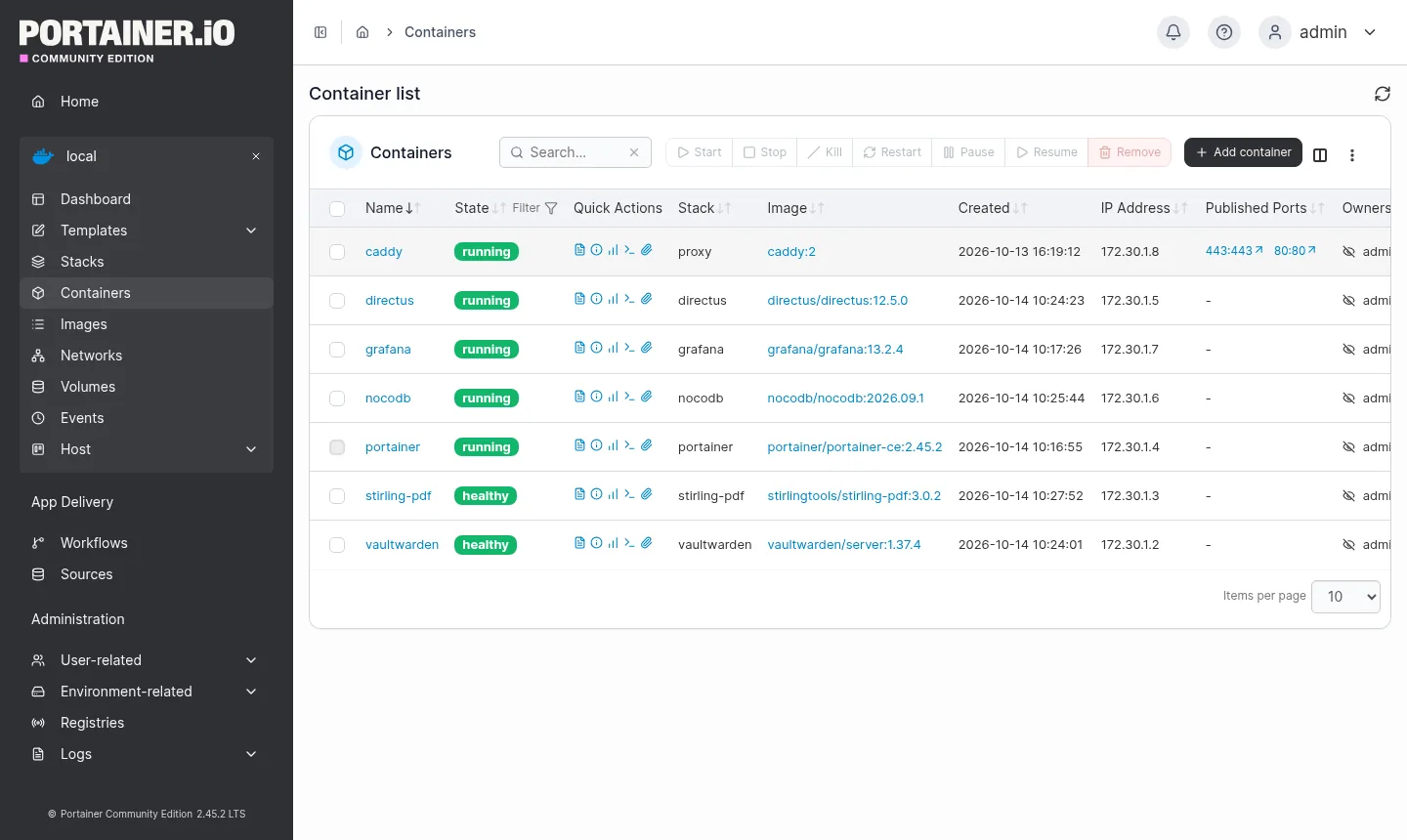
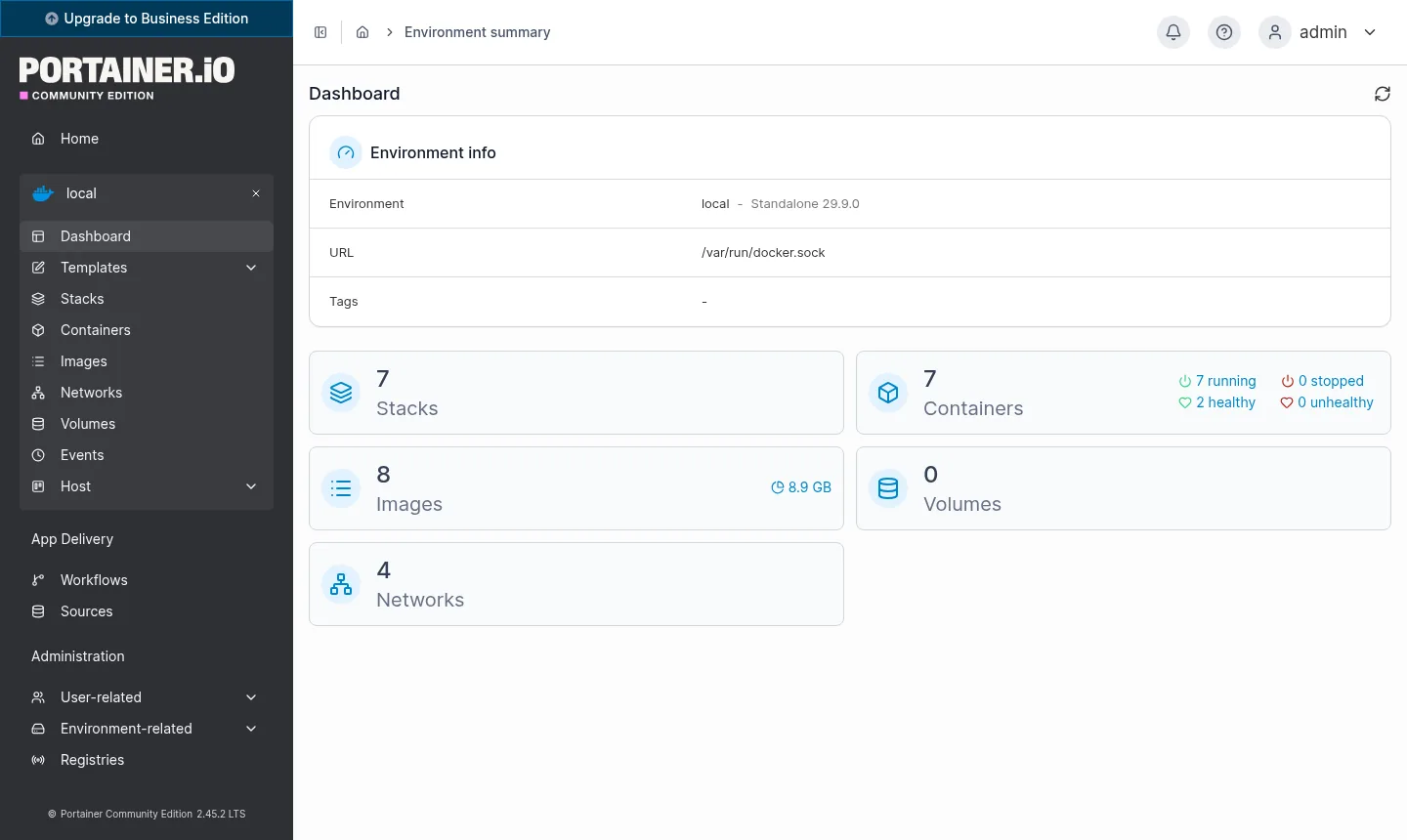
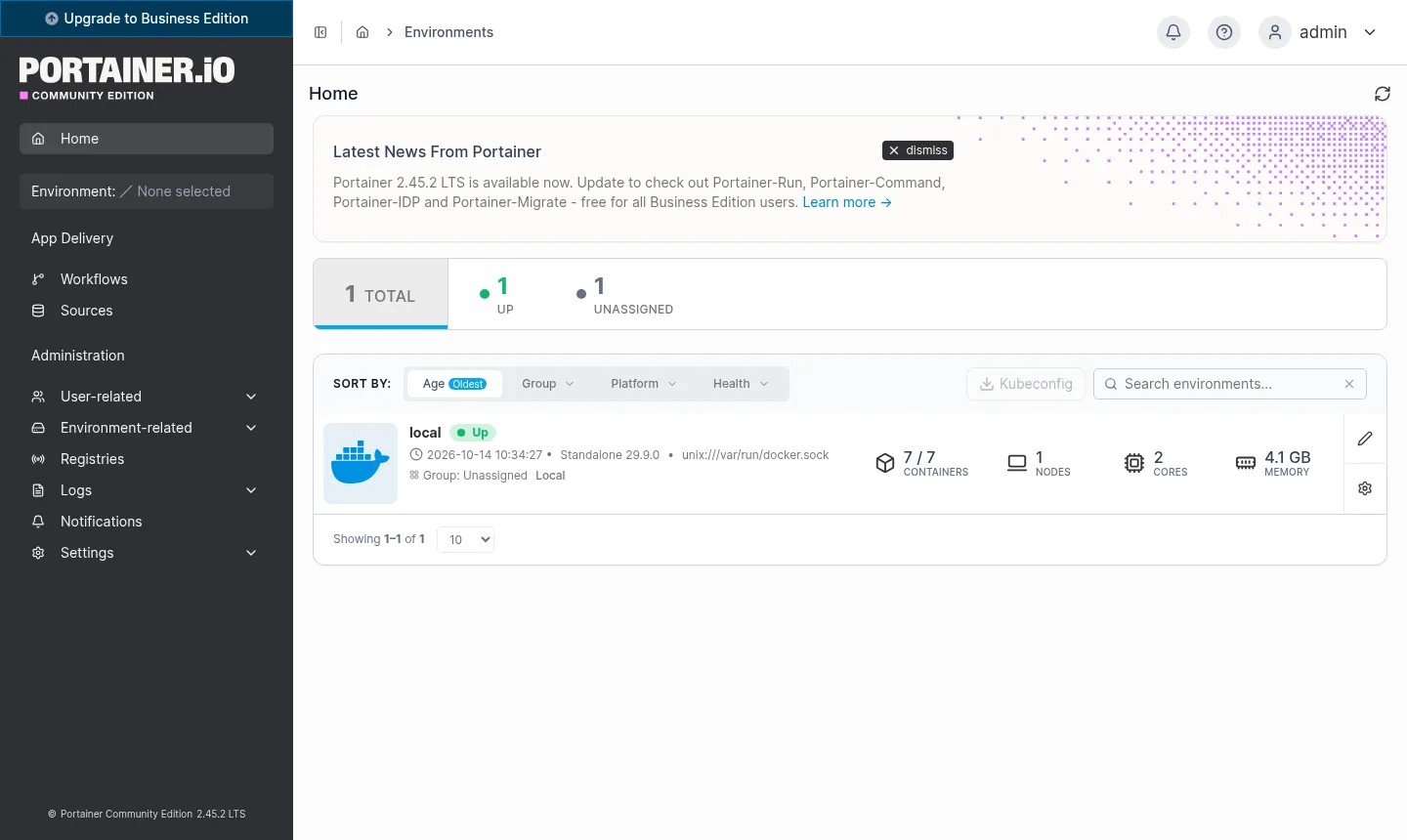
Screenshots taken on a Mega Dedicados test installation, with no customer data.
Long-term support version, running in a Docker container that starts again by itself after a server reboot.
A Let's Encrypt certificate is issued during installation, with no manual step.
The initial account is ready, with a password generated only for you and sent by email and WhatsApp.
The VPS's own Docker already shows up in the panel, with no endpoint to register.
An up-to-date system with Docker installed, ready for your stacks.
Full control of the server when you need to step outside the web panel.
Select Start, Basic, Plus or Pro and pick the location: Rio de Janeiro or São Paulo, Brazil, at the same price.
Pay by Pix, card or boleto, on a monthly, semiannual or annual cycle, with no lock-in contract.
The VPS is created and Portainer is installed with HTTPS automatically, in a few minutes.
Your access details arrive by email and WhatsApp. Open the address in your browser and log in.
With Portainer idle, measured memory use is around 50 MB, and it fits in as little as 512 MB of free memory. Choose the plan based on the containers you will run alongside it.
| Plan | Best for |
|---|---|
| Start 1 vCore · 1 GB | Recommended to begin with: Portainer plus a few light services, such as a bot or a small API. |
| Basic 2 vCore · 2 GB | A few containers at the same time, such as a web app with a database. |
| Plus 2 vCore · 4 GB | A projects environment with several stacks and more simultaneous users. |
| Pro 4 vCore · 6 GB | Many services, including heavy ones, running on the same server. |
A VPS with Portainer installed starts at US$ 6.95 per month on the Start plan. Portainer CE itself is free, so you only pay for the server.
At idle it uses about 50 MB. The app fits in 512 MB of free memory, and the Start plan already covers anyone managing a few containers.
Yes. It comes already connected to the local Docker, so it lists and controls every container on the server, including those from other apps you install.
Business is paid and adds features aimed at companies, such as advanced access control and vendor support. CE, which we deliver installed, covers the usual needs of managing containers.
No. The administrator is created during installation and is the one who adds new users. The password is generated only for you and is not shared.
The delivered version is 2.45.2 LTS and stays fixed, so nothing changes unless you decide. When you want to update, connect to the VPS over SSH as root, preferably after testing.
Yes. Several apps can share the same server, each with its own address, as long as they fit in the plan's memory. Portainer shows all of them in the panel.
Server support is available 24/7 in Portuguese, by WhatsApp, ticket and phone. There is no lock-in contract and you have 7 days to request a refund.
Updated on October 19, 2026
 Uptime KumaUptime Kuma watches your sites, APIs and servers and alerts you when something goes down.
 n8nn8n connects apps, APIs and AI models in automated workflows built in a visual editor.
 GrafanaSelf-hosted Grafana with no setup: a Cloud VPS with Debian 13, Docker and Grafana 13.2.4 running over HTTP.
Tell us what you want to run and for how many users; we will suggest the plan. The app arrives installed.