
Start
US$ 6.95/mo
- 1 vCore CPU
- 1 GB Memory
- NVME 20 GB Disk
- Unlimited Traffic
 Monitoring · Rio de Janeiro or São Paulo
Prometheus collects metrics from servers and applications at short intervals, stores them as time series, and lets you query them and set up alerts. At Mega Dedicados it comes ready on your VPS, with HTTPS, password login, and the server itself already monitored.
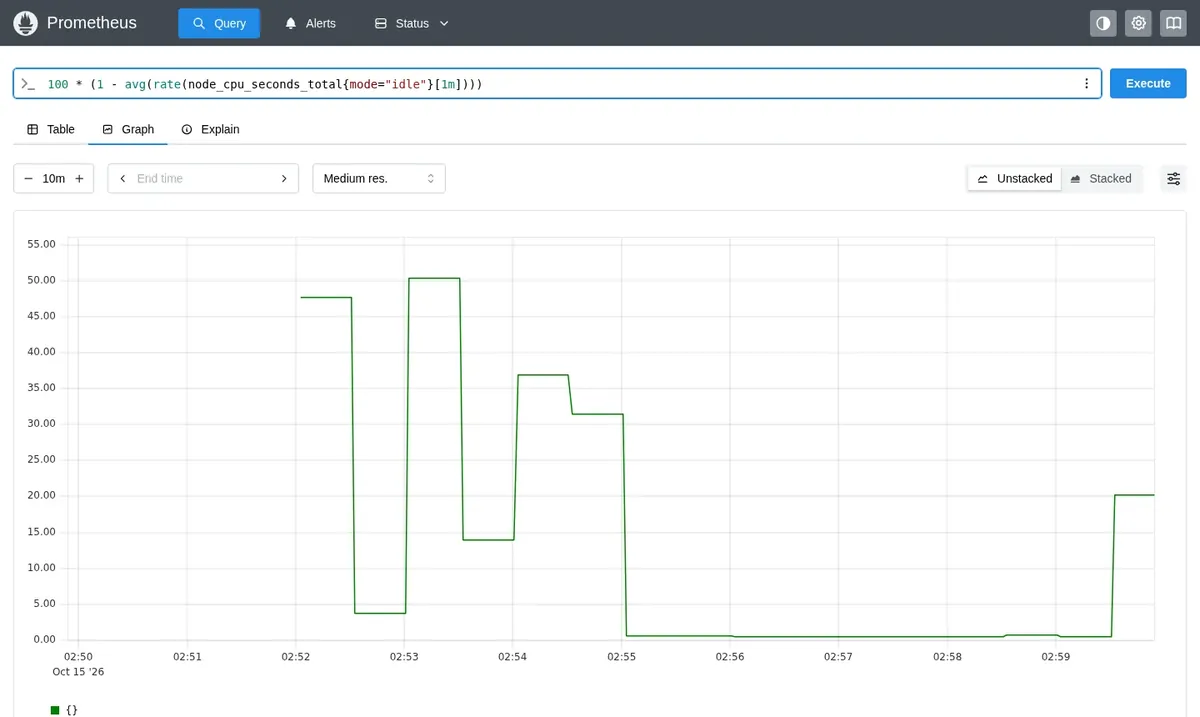
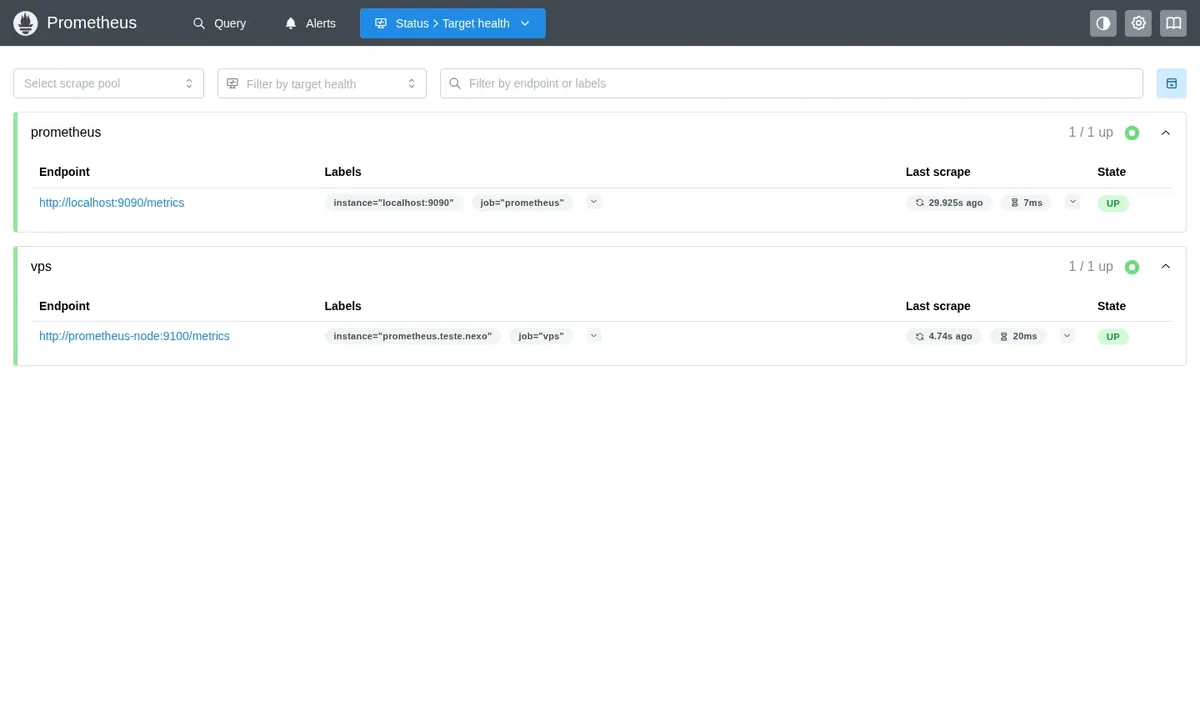
Prometheus is lightweight and fits in 512 MB of free memory, so the Start plan is the recommended starting point. Larger plans suit those who monitor more targets and want to keep more history.
Billed monthly in US dollars, with the app installed. Rio de Janeiro or São Paulo, same price. Plans start at the smallest size where the app runs well. Need more? Upgrade from the client area, without reinstalling.
With Rio de Janeiro selected, your VPS with Prometheus runs in Mega's original data center, on our own network with a presence at the Rio internet exchange (IX.br) and redundant transit. It is the lowest latency for users in Rio, Espírito Santo and Minas Gerais, and our support team works in the same city as the server.
With São Paulo selected, your VPS with Prometheus runs in our environment next to the busiest internet exchange in Latin America, on our own network with redundant transit. It is the shortest path to users across Brazil and South America and to banks, payment gateways and APIs hosted in São Paulo. Same price as Rio.
Prometheus is an open source monitoring and alerting tool maintained by the Cloud Native Computing Foundation. Instead of waiting for data to be sent, it visits your targets (servers, databases, applications) at regular intervals and records each value with the time it was collected.
To analyze the numbers, you use the PromQL query language, which calculates CPU usage, error rates, queue sizes, and any other metric your systems expose. You can view results as graphs in Prometheus itself or in Grafana, and alert rules notify you when a threshold is crossed.
Prometheus has no login screen of its own. That is why it is delivered with built-in authentication enabled: the browser asks for a username and password before showing any page.
Source: Official Prometheus documentation, accessed October 2026
CPU, memory, disk, and load for each machine, using node-exporter.
PostgreSQL, MySQL, and Redis, with ready-made exporters for each.
Request volume, errors, and response time exposed by the application itself.
CPU and memory usage of each Docker container.
Rules that fire when a disk is almost full or a service stops responding.
Prometheus is the most common data source for Grafana dashboards.
Images from a Mega Dedicados test installation, with no customer data.
Prometheus is already registered as a target and shows its own metrics.
VPS CPU, memory, and disk appear in queries from your first login.
Metrics are kept for two weeks, a limit you can change later.
Built-in authentication rejects requests without a valid username and password.
Your own address with a Let's Encrypt certificate, no manual setup.
The container starts again on its own if the server reboots.
Select the plan and the location, Rio de Janeiro or São Paulo, Brazil. The price is the same in both.
Pix, card, or boleto, billed monthly, semiannually, or annually, with no lock-in contract.
We create the VPS and install Prometheus with HTTPS and authentication enabled.
The address, username, and password arrive by email and WhatsApp. Just open it and start querying.
In our tests, Prometheus with node-exporter uses about 55 MB of memory at idle. This grows as you add targets and collect more metrics.
| Plan | Best for |
|---|---|
| Start 1 vCore · 1 GB | For keeping an eye on a few servers and applications. Recommended to get started. |
| Basic 2 vCore · 2 GB | For dozens of targets and a longer metrics history. |
| Plus 2 vCore · 4 GB | For running Prometheus alongside other monitoring apps, such as Grafana and Uptime Kuma. |
| Pro 4 vCore · 6 GB | For many targets, each with a large number of metrics. |
Prometheus is free and open source. You only pay for the VPS, which starts at US$ 6.95 per month on the Start plan, with no lock-in contract.
It fits in 512 MB of free memory. In our tests it uses about 55 MB at idle with node-exporter, and usage grows with the number of targets.
No. Built-in authentication is enabled, so access without a password or with a wrong one is rejected. The address also uses HTTPS.
Install node-exporter, or another exporter, on the machine you want to measure. Then add its address to the prometheus.yml file in /opt/apps/prometheus using root access, and reload the configuration.
Yes. Grafana can run on the same VPS, each app with its own address, as long as there is enough memory for both. Just add Prometheus as a data source.
The installation comes with 15-day retention. Plans with more NVMe disk space let you keep a longer history if you change this setting.
It is delivered at version 3.13 and updates are up to you, through root access. This way nothing changes until you have tested it.
24/7 support in Portuguese, by WhatsApp, ticket, and phone, handles the server side. Using Prometheus itself, such as queries and alerts, is covered in the project's official documentation.
Updated on October 19, 2026
 GrafanaSelf-hosted Grafana with no setup: a Cloud VPS with Debian 13, Docker and Grafana 13.2.4 running over HTTP.
 Uptime KumaUptime Kuma watches your sites, APIs and servers and alerts you when something goes down.
 PortainerPortainer is a web panel to manage Docker: containers, images, volumes and stacks on one screen.
Tell us what you want to run and for how many users; we will suggest the plan. The app arrives installed.