
Basic
US$ 11.95/mo
- 2 vCore CPU
- 2 GB Memory
- NVME 40 GB Disk
- Unlimited Traffic
 Databases · Rio de Janeiro or São Paulo
Get your own PostgreSQL 18 server on a Cloud VPS with NVMe storage, delivered installed and ready to use. Port 5432 accepts outside connections only over SSL, and pgAdmin opens in your browser so you can create tables, run queries and manage users.
PostgreSQL with pgAdmin runs well on the Start plan. The more memory a plan has, the more data the database keeps in cache, and the faster queries run on large databases.
Billed monthly in US dollars, with the app installed. Rio de Janeiro or São Paulo, same price. Plans start at the smallest size where the app runs well. Need more? Upgrade from the client area, without reinstalling.
With Rio de Janeiro selected, your VPS with PostgreSQL runs in Mega's original data center, on our own network with a presence at the Rio internet exchange (IX.br) and redundant transit. It is the lowest latency for users in Rio, Espírito Santo and Minas Gerais, and our support team works in the same city as the server.
With São Paulo selected, your VPS with PostgreSQL runs in our environment next to the busiest internet exchange in Latin America, on our own network with redundant transit. It is the shortest path to users across Brazil and South America and to banks, payment gateways and APIs hosted in São Paulo. Same price as Rio.
PostgreSQL is an open source relational database, widely used around the world and respected for its stability and its compliance with the SQL standard. It powers business systems, websites, online stores and apps, with safe transactions, JSON support, full-text search and extensions such as PostGIS.
On this VPS, the database is yours alone. CPU, memory and disk are not shared with anyone, and you get your own superuser to create as many databases and users as you need.
Port 5432 is reachable over the internet, so your application can connect from anywhere. To keep that safe, the server accepts external connections only over SSL, the superuser is not named "postgres" (the first name intrusion bots try), and the password is long and random.
Apps written in Node, Python, PHP, Java or .NET connect to the database over the internet.
Moving the database off the website server relieves both sides and improves performance.
Metabase, Power BI and spreadsheets can query the data directly.
Tools such as n8n write and read data in the database.
Build a database identical to production so your team can test without risk.
Apps installed on the same server reach the database by the hostname postgres.
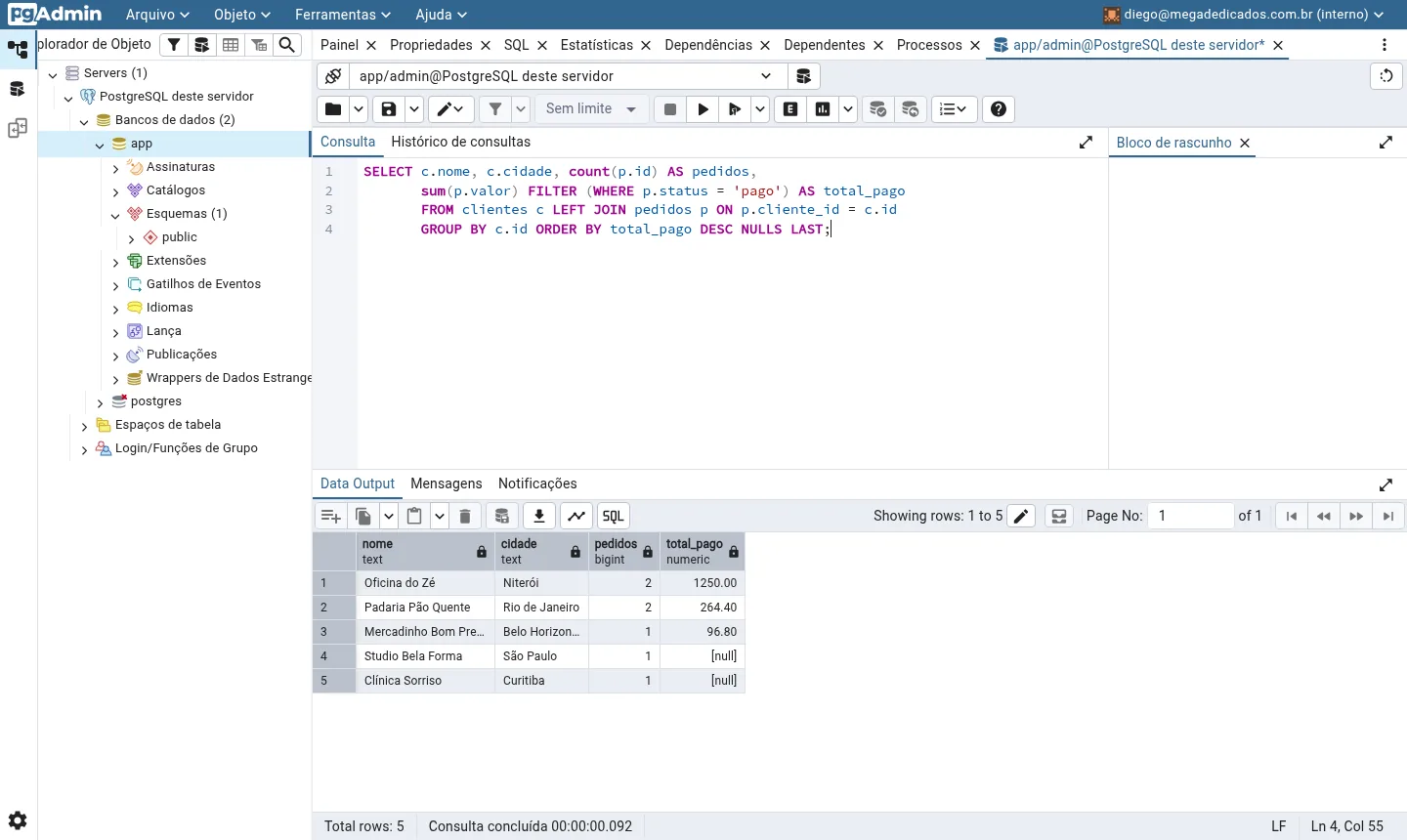
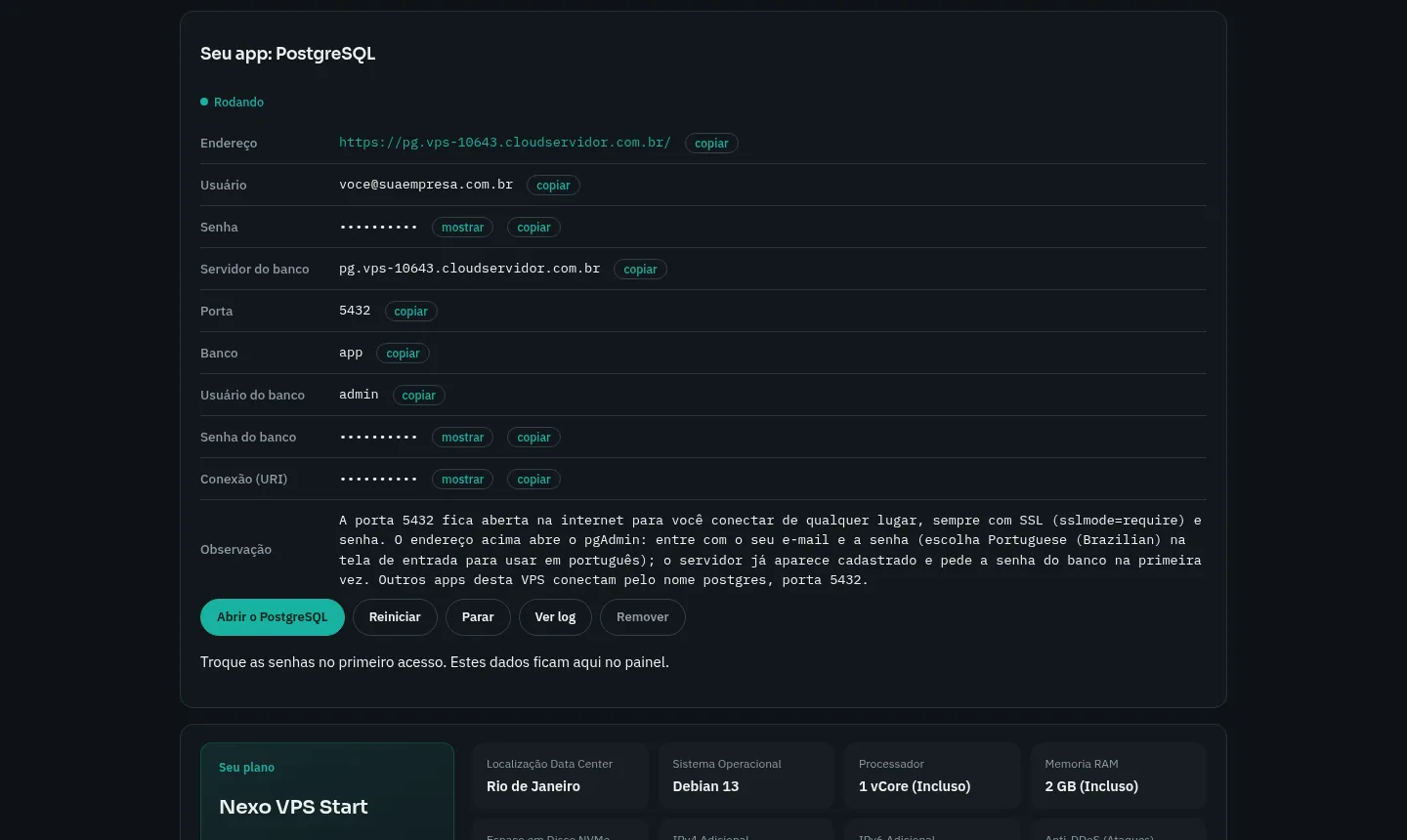
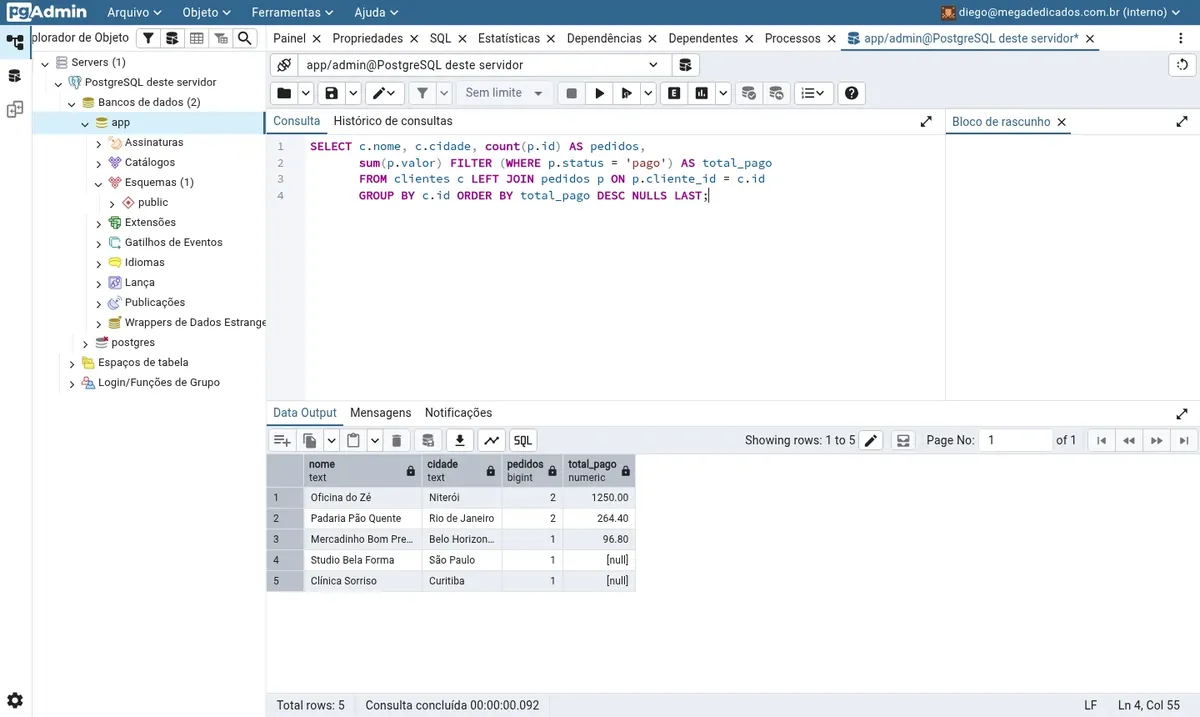
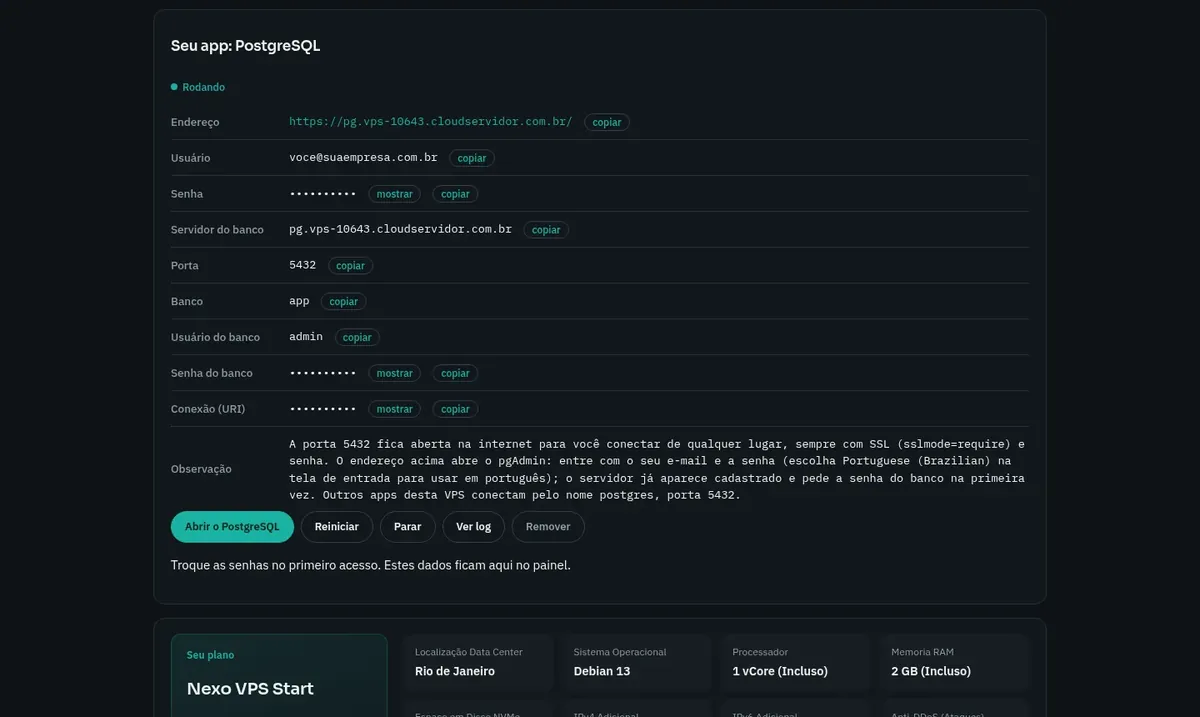
Images made by Mega Dedicados on a test installation, with no customer data.
Current stable version, with the "app" database already created.
Any unencrypted connection from the internet is refused.
The strongest password method PostgreSQL offers.
Web panel over HTTPS, with the database server already registered.
Host, port, user, password and full URI, ready to copy.
If the server reboots, the database and pgAdmin come back on their own.
Pick the plan that fits the size of your database. PostgreSQL is already selected as the app.
Select Rio de Janeiro or São Paulo, Brazil, and pay by Pix, card or boleto. Installation starts once payment is confirmed.
The VPS is created and PostgreSQL is installed with HTTPS automatically. In our tests, the process takes about 5 minutes.
Address, user and password arrive by email and WhatsApp, and the connection URI is available in the panel.
PostgreSQL with pgAdmin uses about 350 MB and the app requires 1024 MB free, so every plan works. The larger the database, the more cache memory helps, which is why Plus is the recommended plan.
| Plan | Best for |
|---|---|
| Basic 2 vCore · 2 GB | Fits learning, testing and small projects, with a compact database and few simultaneous connections. |
| Plus 2 vCore · 4 GB | The recommended plan: enough spare memory for database cache, a good fit for production apps and moderately sized databases. |
| Pro 4 vCore · 6 GB | Suited to growing mid-size databases, with more simultaneous queries and a need for larger cache to stay fast. |
| Turbo 4 vCore · 12 GB | For large databases and heavy use, with plenty of cache memory and NVMe space to store a lot of data. |
The Start plan, which already runs PostgreSQL with pgAdmin, costs per month. Basic, Plus and Pro cost US$ 11.95, US$ 16.95 and US$ 21.95. PostgreSQL itself is free and open source.
Yes. Port 5432 is open to the internet for your application, your BI tool or your workstation. Connections are accepted only over SSL, using sslmode=require.
We reduce the risk in three ways: only SSL connections are allowed, the password is long and random, and the "postgres" user does not exist. If your application has a fixed IP, you can restrict access further in the pg_hba.conf file through root access.
Use sslmode=require. The database certificate is issued by the server itself, so modes that validate the certificate authority, such as verify-full, only work if you replace the certificate.
Yes. On the pgAdmin login screen, choose your interface language, including English or Portuguese (Brazilian), before signing in.
Through root SSH access, you use pg_dump and schedule whatever routine you prefer, at the frequency that makes sense for your business.
The installed version is pinned, so no update changes the environment without warning. You upgrade when you choose, through root access, after validating in a test environment.
Yes. From the VPS panel in the client area you can reinstall the server, which erases all data and delivers a clean PostgreSQL. The new access details arrive by email and WhatsApp.
Updated on October 19, 2026
 MetabaseMetabase is an open source BI tool that reads your databases and turns queries into charts and dashboards.
 n8nn8n connects apps, APIs and AI models in automated workflows built in a visual editor.
 SupabaseSupabase brings a PostgreSQL database, user login, API, file storage and realtime into one back end.
Tell us what you want to run and for how many users; we will suggest the plan. The app arrives installed.