
Basic
US$ 11.95/mo
- 2 vCore CPU
- 2 GB Memory
- NVME 40 GB Disk
- Unlimited Traffic
 AI and agents · Rio de Janeiro or São Paulo
Open WebUI is a ChatGPT-style AI chat that runs on your own server. Connect an AI provider's API key and your team can chat, attach files and keep the history under your control. Here it arrives already installed, with HTTPS.
The AI runs on the provider you connect, so the VPS only handles the interface, user accounts and documents. The app needs at least 1536 MB of free memory, and the recommended plan is Basic.
Billed monthly in US dollars, with the app installed. Rio de Janeiro or São Paulo, same price. Plans start at the smallest size where the app runs well. Need more? Upgrade from the client area, without reinstalling.
With Rio de Janeiro selected, your VPS with Open WebUI runs in Mega's original data center, on our own network with a presence at the Rio internet exchange (IX.br) and redundant transit. It is the lowest latency for users in Rio, Espírito Santo and Minas Gerais, and our support team works in the same city as the server.
With São Paulo selected, your VPS with Open WebUI runs in our environment next to the busiest internet exchange in Latin America, on our own network with redundant transit. It is the shortest path to users across Brazil and South America and to banks, payment gateways and APIs hosted in São Paulo. Same price as Rio.
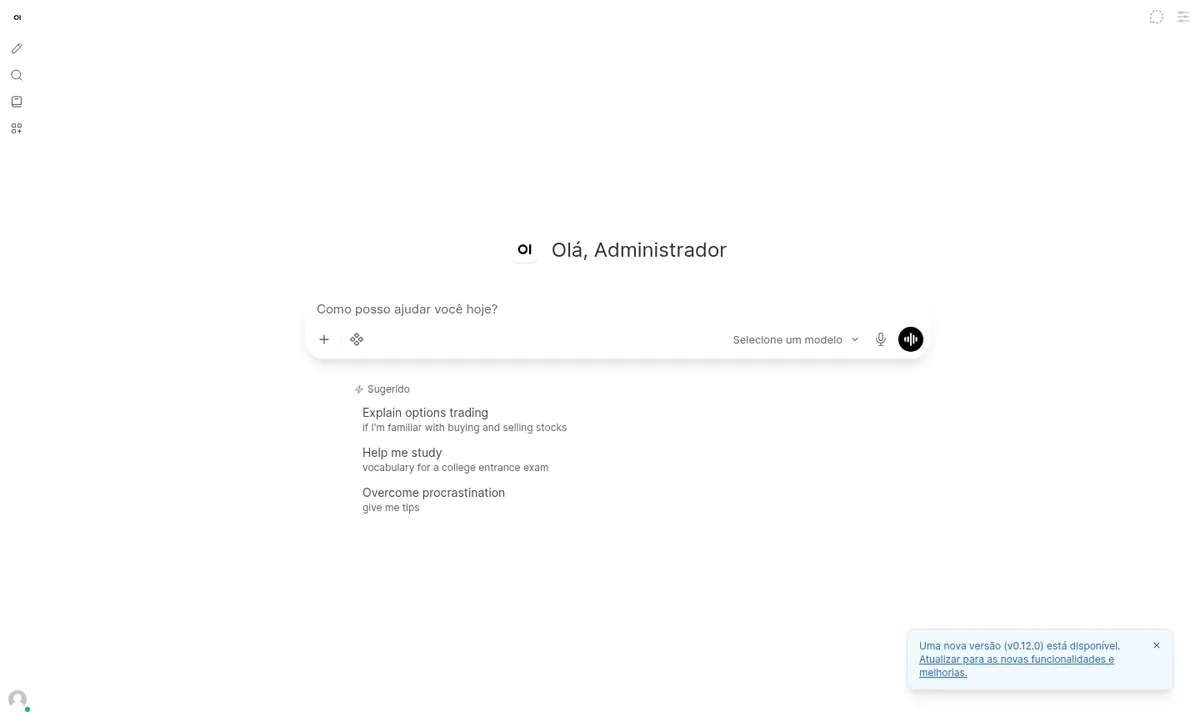
Open WebUI is a self-hosted AI chat platform. The interface looks like ChatGPT, but conversations, uploaded files and user accounts are stored on your VPS.
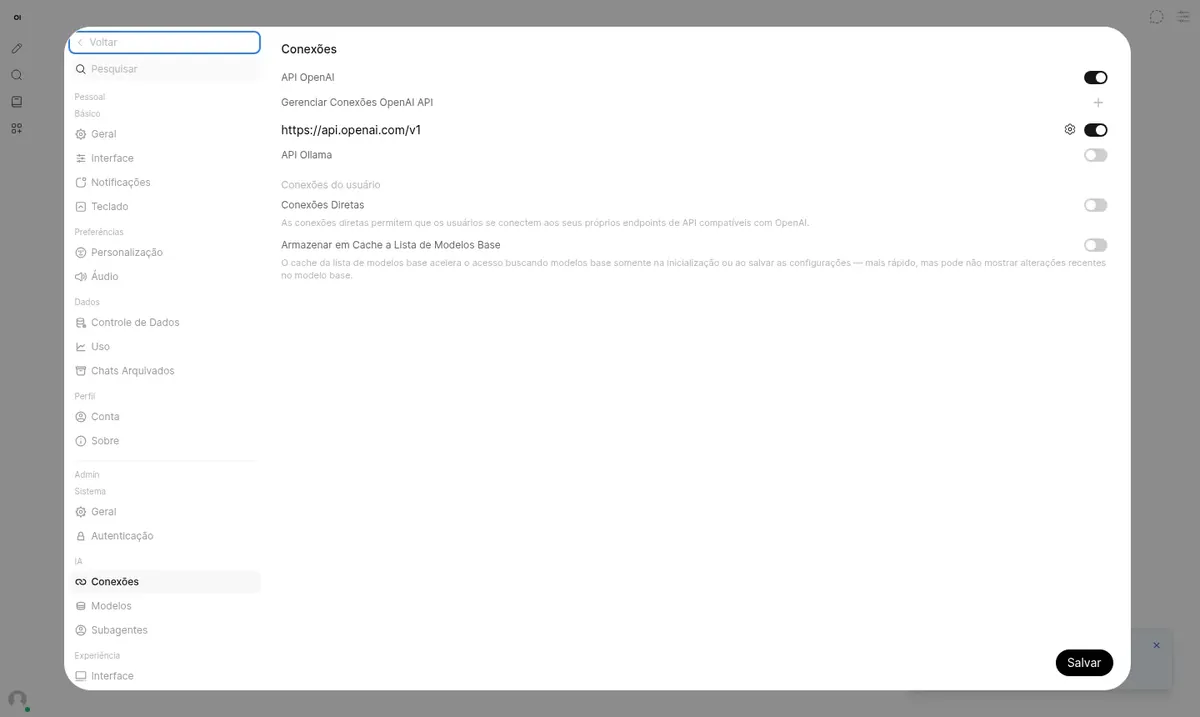
Answers come from the AI provider you choose. In Settings > Connections, you enter the key from OpenAI or any service with a compatible API, such as Gemini, OpenRouter or Groq, and set which models your team can use.
During installation, the administrator account is created and public sign-up is closed. The Ollama integration, used for local models, is turned off, because those models need far more memory and processing power than a standard VPS provides.
Your whole team uses AI in one place, with individual accounts and no need for a separate subscription per person.
Upload PDFs and text files and ask about what they contain.
Switch models in each conversation and compare answers side by side.
Create models with fixed instructions, such as a writer in your brand's tone or a first-line support agent.
Decide which users and groups can access each model.
Conversations stay on your server, not in each employee's personal account.
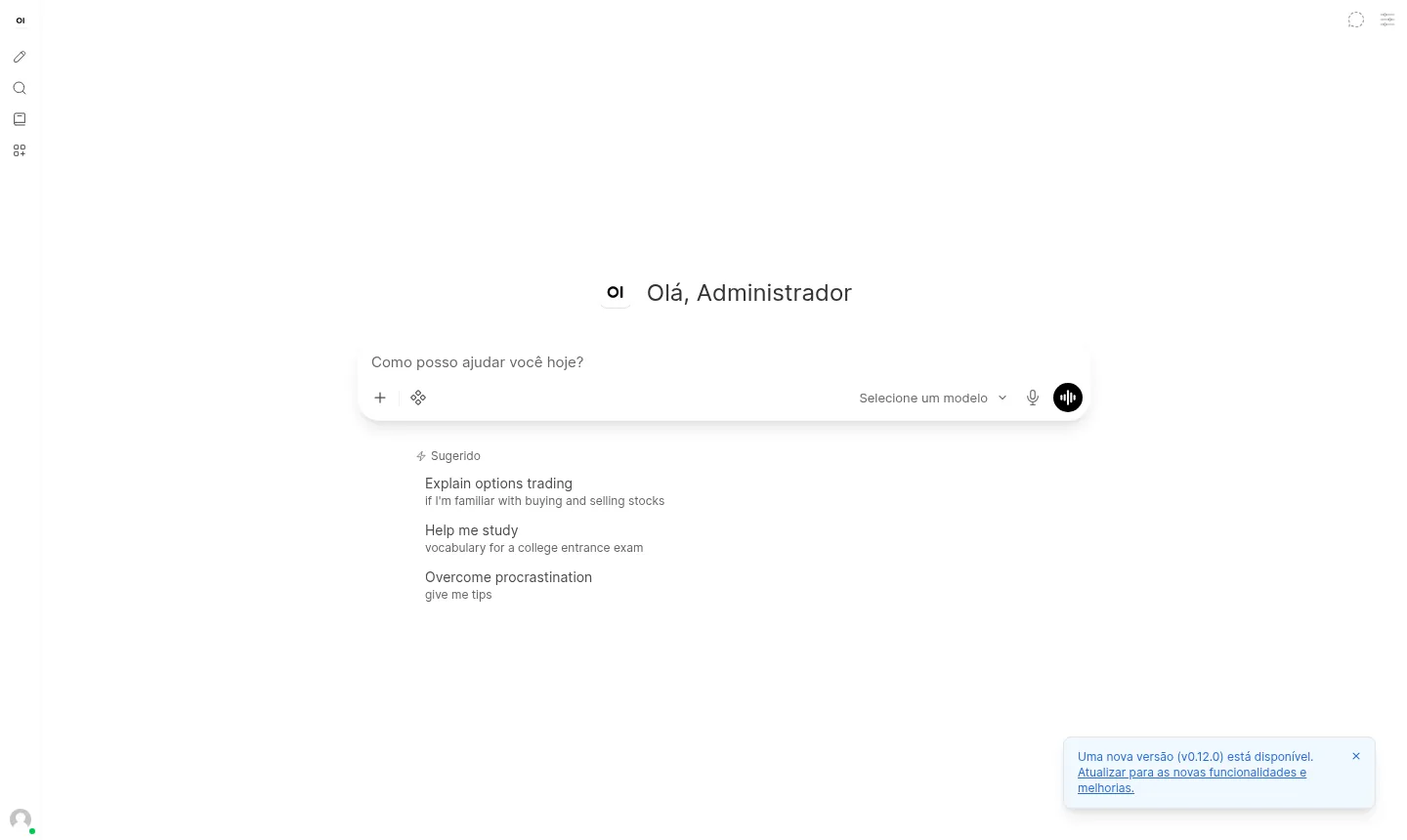
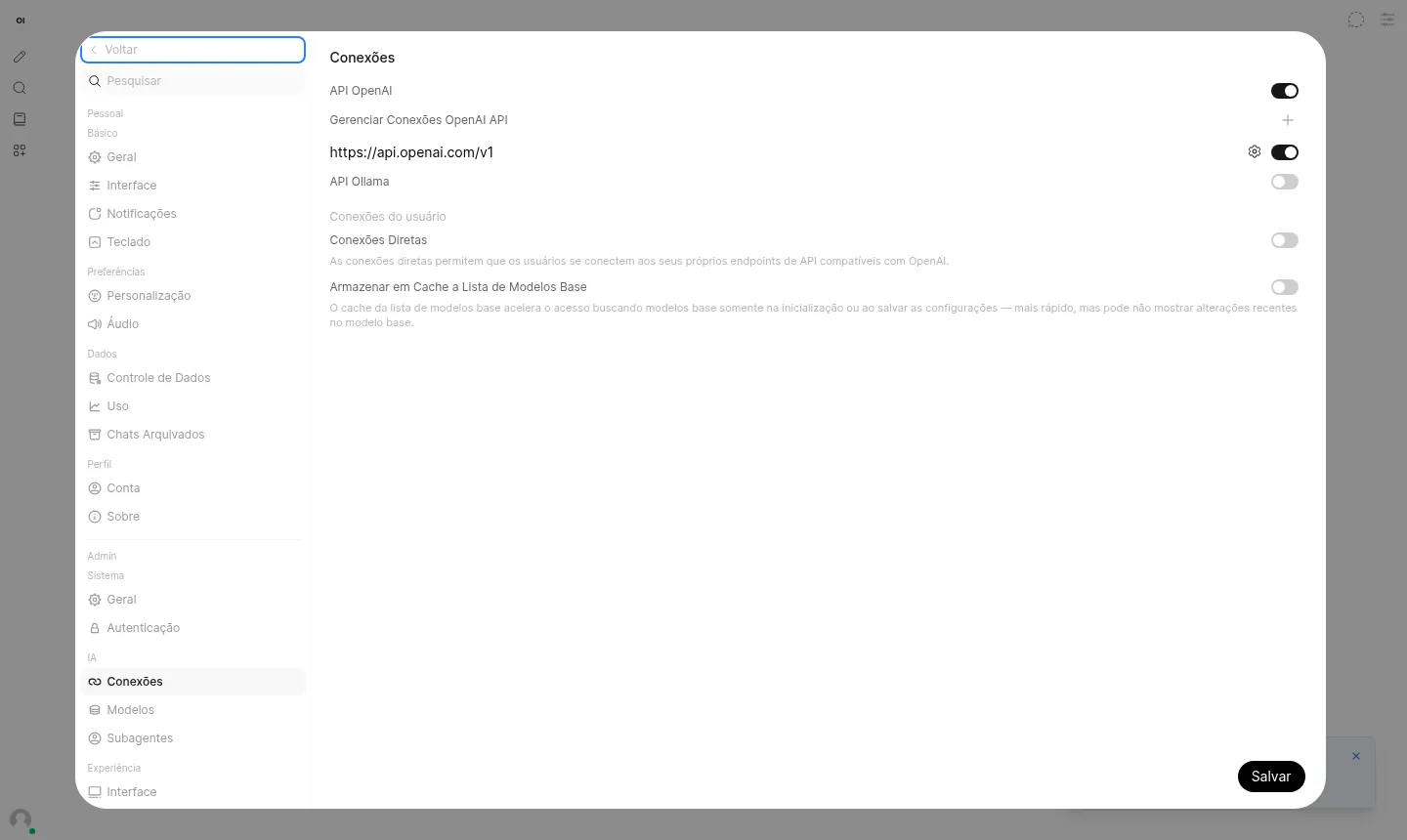
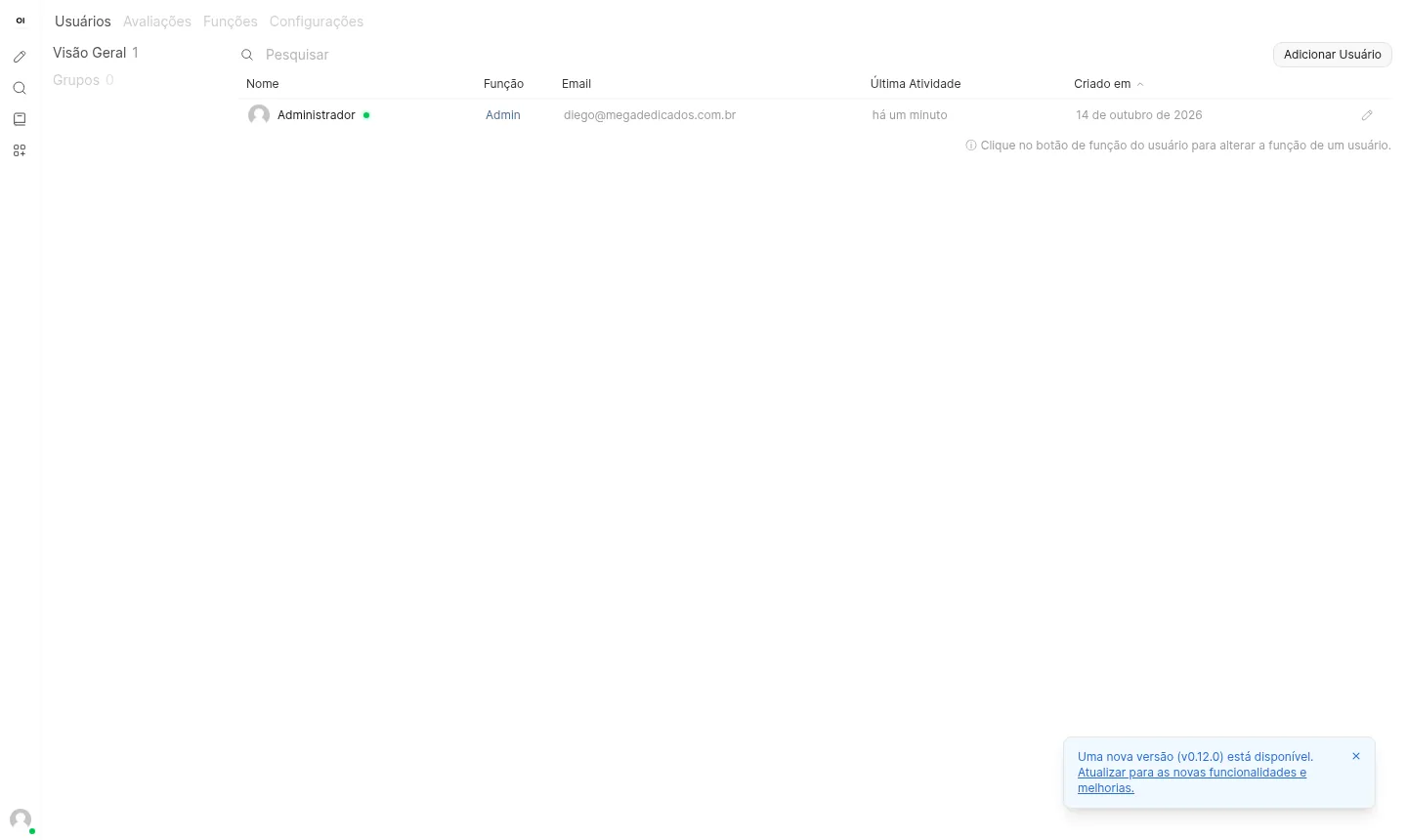
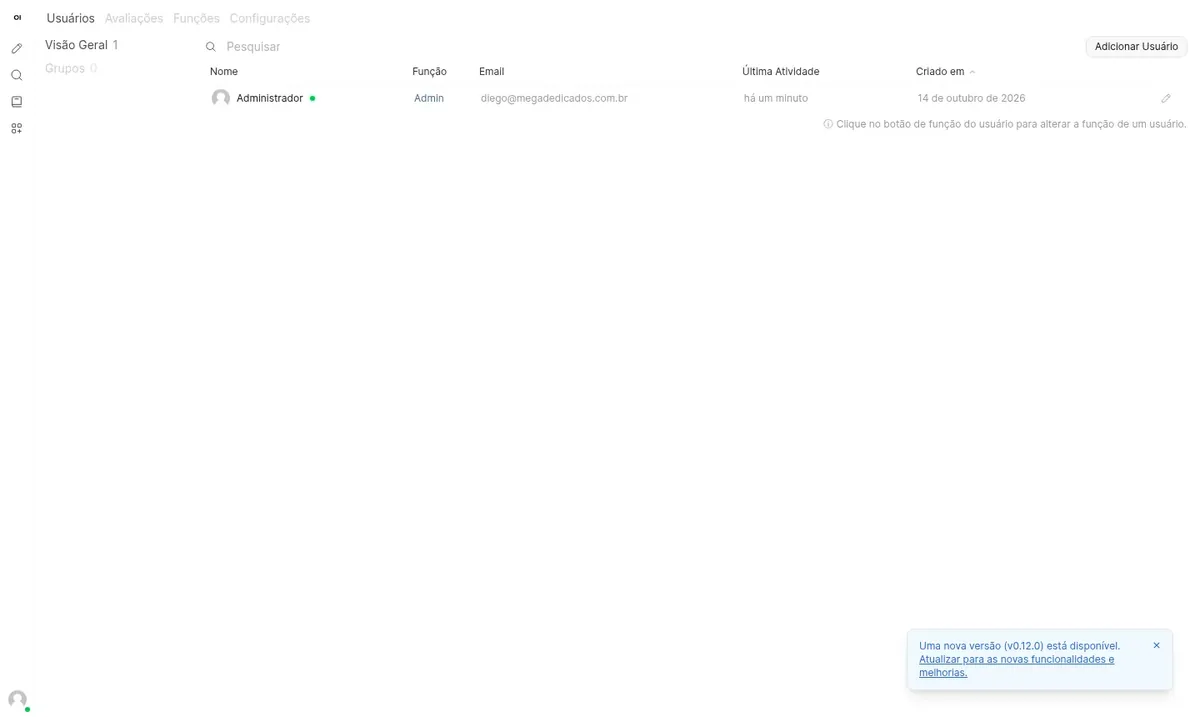
Images captured by Mega Dedicados on a test installation, with no customer data.
Operating system and container environment ready, with Open WebUI 0.11.4 running.
A dedicated domain for the app, with a Let's Encrypt certificate already issued.
The initial account exists from delivery, with a password generated just for you.
Outsiders cannot open accounts. Only the administrator adds users.
The default language comes set to Brazilian Portuguese.
If the server reboots, the Open WebUI container starts on its own.
Select the plan with Open WebUI and pick whether the VPS is in Rio de Janeiro or São Paulo, Brazil. The price is the same.
Pay by Pix, card or boleto, on a monthly, semiannual or annual cycle. No lock-in contract.
The VPS is created with Debian 13, Docker and Open WebUI, already with HTTPS and an administrator.
Receive the address and password by email and WhatsApp, open the app's admin panel and paste your provider's key.
Open WebUI idle already uses about 1.1 GB and needs at least 1536 MB free, so Basic, the recommended plan, covers small teams well. Move up as users and uploaded documents grow, since the AI runs on the provider's side.
| Plan | Best for |
|---|---|
| Basic 2 vCore · 2 GB | The recommended plan: fits a small team using the chat daily, with few documents and headroom above the minimum. |
| Plus 2 vCore · 4 GB | Suits larger teams or heavier use, with several simultaneous users, more attached files and a growing history, with more breathing room. |
| Pro 4 vCore · 6 GB | For those working with many uploaded documents and several active users at the same time, without memory or processing strain. |
| Turbo 4 vCore · 12 GB | Built for heavy, continuous use, with a large team, plenty of uploaded content and room to grow without changing plans. |
A VPS with the app installed starts at the Basic plan, at US$ 11.95 per month, which is the recommended one. AI usage is separate and billed by the provider you connect.
Yes. Open WebUI is only the interface, and the answers come from the provider. Enter your OpenAI key or a compatible service's key in Settings > Connections, in the admin panel.
The Ollama connection is turned off. Local models use a lot of memory and usually need a GPU, which is beyond what a standard VPS offers.
No. Public sign-up is delivered closed, and only the administrator creates new users.
The delivered version is 0.11.4 and stays pinned, so nothing changes without warning. When you want to update, log in over SSH as root and make the switch after testing.
Yes. In the VPS panel, in the client area, there is an option to reinstall the server. Current data is erased and you receive new access details.
Yes. Each app gets its own address, as long as they all fit in the plan's memory. Open WebUI alone already takes about 1.1 GB.
Support is available 24 hours a day, in Portuguese, by WhatsApp, ticket and phone, for everything involving the server. Using the app itself is covered by the Open WebUI project's documentation.
Updated on October 19, 2026
 QdrantQdrant is a vector database that stores embeddings and finds similar content, for semantic search and RAG.
 n8nn8n connects apps, APIs and AI models in automated workflows built in a visual editor.
 Evolution APIEvolution API is an open source project that connects WhatsApp numbers to your system via HTTP calls.
Tell us what you want to run and for how many users; we will suggest the plan. The app arrives installed.