
Start
US$ 6.95/mo
- 1 vCore CPU
- 1 GB Memory
- NVME 20 GB Disk
- Unlimited Traffic
 · Rio de Janeiro or São Paulo
MikroTik's RouterOS 7 in its cloud edition, CHR, running on a Mega Cloud VPS in Rio de Janeiro or São Paulo, Brazil. The server boots with its public IP configured and the password you chose at checkout: just open Winbox and start.
MikroTik is available as an operating system on the Cloud VPS plans. All include a 1 Gbps port with unlimited traffic, IPv4 and IPv6, DDoS protection and the VPS panel in the client area, with console, reboot and reinstall.
Billed in US dollars, with the app installed. Rio de Janeiro or São Paulo, same price. Plans start at the smallest size where the app runs well. Need more? Upgrade from the client area, without reinstalling.
With Rio de Janeiro selected, your VPS with MikroTik RouterOS runs in Mega's original data center, on our own network with a presence at the Rio internet exchange (IX.br) and redundant transit. It offers the lowest latency for users in Rio, Espírito Santo and Minas Gerais, and our support team works in the same city as the server.
With São Paulo selected, your VPS with MikroTik RouterOS runs in our environment next to the busiest internet exchange in Latin America, on our own network with redundant transit. It is the shortest path to users across Brazil and South America and to banks, payment gateways and APIs hosted in São Paulo. Same price as Rio.
CHR (Cloud Hosted Router) is RouterOS, the same system that runs on RouterBOARDs, built to run as a virtual machine. It has the same tools: routing (BGP, OSPF), firewall and NAT, bandwidth queues, PPPoE, L2TP, SSTP, OpenVPN and WireGuard servers, and a RADIUS client.
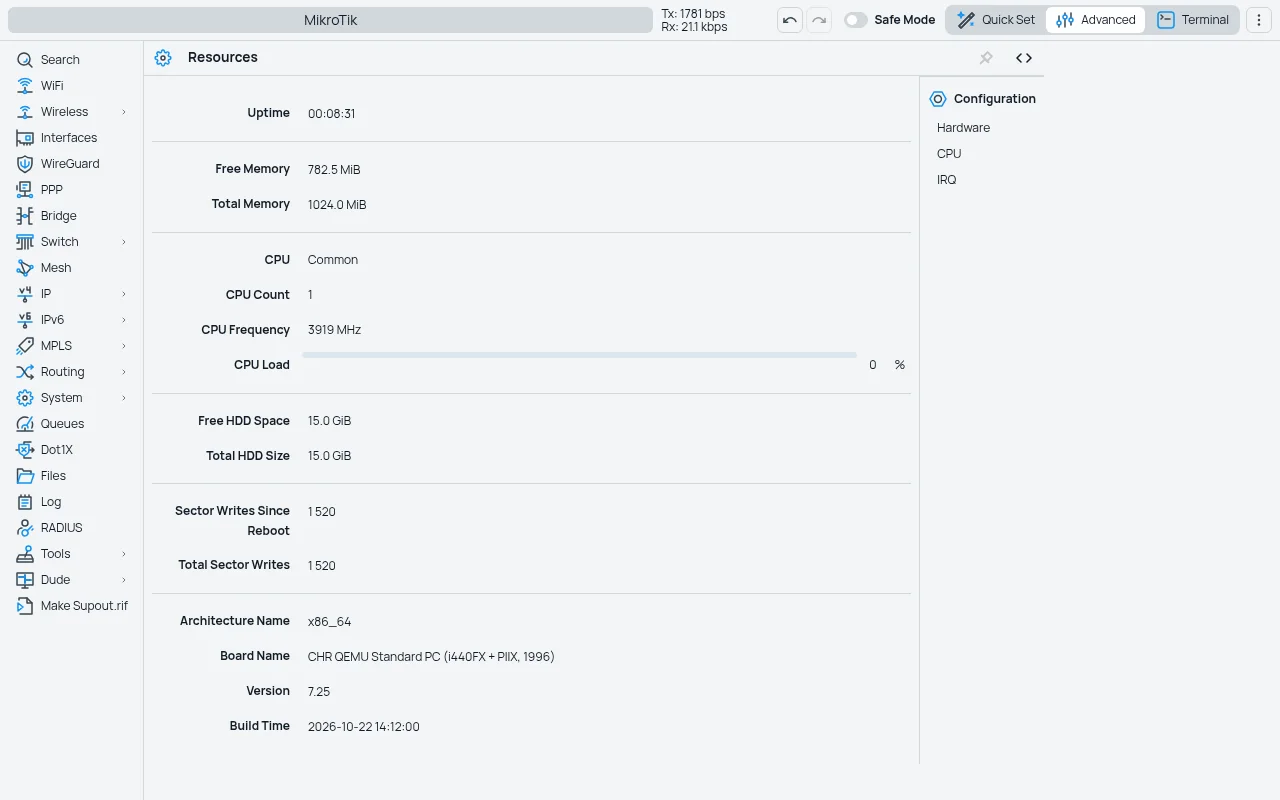
At Mega, CHR arrives on version 7.25, already configured with your VPS IP, gateway, DNS servers and the password you set at checkout. You log in as admin through WebFig (browser), Winbox or SSH.
Licensing note: CHR ships with MikroTik's free license, which limits upload on each interface to 1 Mbps. To use the full port speed, buy a CHR license (P1 covers 1 Gbps) from MikroTik or a reseller and activate it on the router. MikroTik offers a 60-day trial of the paid licenses.
Source: Official MikroTik documentation on CHR and licensing, consulted in October 2026.
Connect branches, POPs and remote teams over WireGuard, L2TP/IPsec, SSTP or OpenVPN to a fixed point with a public IP and a data center link.
A single entry point to reach the RouterBOARDs and OLTs in your POPs over VPN, without exposing management to the internet.
Put CHR in front of other VPSs and control ports, NAT and bandwidth queues with rules you already know.
Try a RouterOS upgrade, a script or a new configuration before taking it to your production router.
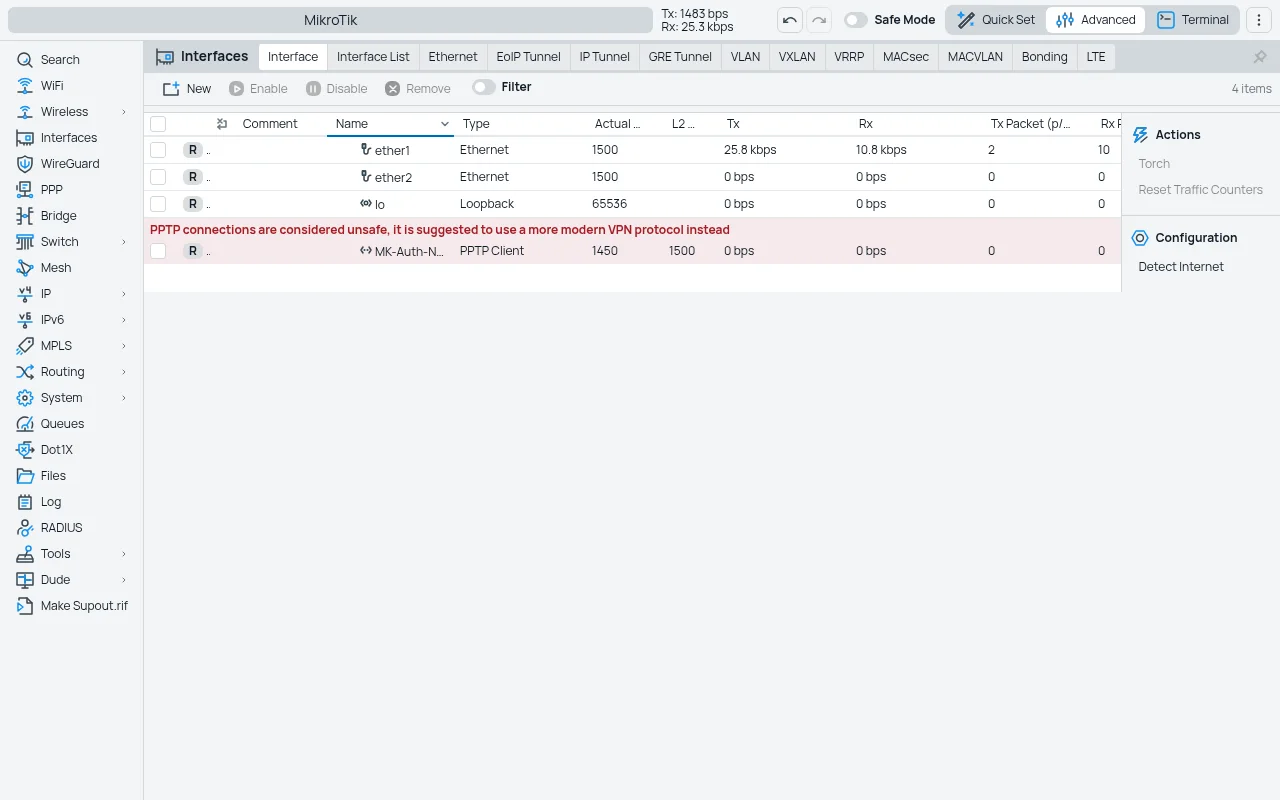
Screenshots come from a Mega test installation, with no customer data.
The VPS public address, default route and DNS servers are applied on first boot.
The admin user comes with the password you chose; no blank password exposed to the internet.
The current stable release, including the fix for the SSH flaw published in September 2026.
If you lock yourself out with a firewall rule, log in through the VPS console in the client area.
Select the plan and location (Rio de Janeiro or São Paulo) and set the router password at checkout. Pix, card or boleto.
Once the order is released, the VPS boots with MikroTik and you receive the IP by email and WhatsApp.
Open Winbox or WebFig as admin with your password. If you need more than 1 Mbps upload, activate the CHR license.
CHR runs with 256 MB of memory, so Start handles VPN and management for a few users. Larger plans add vCPUs for many simultaneous encrypted VPN connections, large firewall rule sets or big BGP tables.
| Plan | Best for |
|---|---|
| Start 1 vCore · 1 GB | 1 vCore, 1 GB RAM and 20 GB NVMe. Recommended for team VPN, management and lab use. |
| Basic 2 vCore · 2 GB | 2 vCore, 2 GB RAM and 40 GB NVMe. To connect several branches or POPs over VPN. |
| Plus 2 vCore · 4 GB | 2 vCore, 4 GB RAM and 80 GB NVMe. For many VPN sessions and a heavy firewall. |
| Pro 4 vCore · 6 GB | 4 vCore, 6 GB RAM and 120 GB NVMe. For large BGP tables and high encrypted throughput. |
CHR works with the free license, but it limits upload on each interface to 1 Mbps. To use the VPS's 1 Gbps port, buy a P1 (or higher) license from MikroTik or a reseller; MikroTik offers a 60-day trial.
It is admin, with the password you set at checkout. Access works through WebFig in the browser, Winbox and SSH.
BGP sessions with Mega and announcing your own blocks require a review by our network team. Contact support before ordering for that use.
Use the VPS console in the client area: it works even without network, like a monitor plugged into the router.
RouterOS 7.25, the current stable release. You can upgrade whenever you like from the router itself, under System › Packages.
Yes. You pick the location at checkout and the price is the same in both. Choose the one closest to your POPs for lower VPN latency.
Yes, from RouterOS itself. The VPS IP is fixed; if you need additional IPs, ask support.
Mega delivers CHR up and running, with IP, password and access ready, and takes care of the server and network. RouterOS configuration (VPN, firewall, routes) is up to you or your technician.
Updated on October 23, 2026
 WireGuardYour own WireGuard server on a Cloud VPS in Rio de Janeiro or São Paulo, with a web panel to manage access.
 ZabbixNetwork and server monitoring with SNMP, ping and agent, alerts and graphs, on a VPS in Rio de Janeiro or São Paulo.
 Uptime KumaUptime Kuma watches your sites, APIs and servers and alerts you when something goes down.
Tell us what you want to run and for how many users; we will suggest the plan. The app comes preinstalled.