Basic
US$ 11.95/mo
- 2 vCore CPU
- 2 GB Memory
- NVME 40 GB Disk
- Unlimited Traffic
 Business and productivity · Rio de Janeiro or São Paulo
Documenso is an open-source e-signature platform and an alternative to DocuSign. At Mega Dedicados it arrives installed on your VPS, with HTTPS and an admin account already created, and no per-envelope fees.
Documenso is a lightweight app and runs well on the Start plan. Basic, Plus and Pro add more memory and disk for larger PDF volumes or for sharing the server with other apps.
Billed monthly in US dollars, with the app installed. Rio de Janeiro or São Paulo, same price. Plans start at the smallest size where the app runs well. Need more? Upgrade from the client area, without reinstalling.
With Rio de Janeiro selected, your VPS with Documenso runs in Mega's original data center, on our own network with a presence at the Rio internet exchange (IX.br) and redundant transit. It is the lowest latency for users in Rio, Espírito Santo and Minas Gerais, and our support team works in the same city as the server.
With São Paulo selected, your VPS with Documenso runs in our environment next to the busiest internet exchange in Latin America, on our own network with redundant transit. It is the shortest path to users across Brazil and South America and to banks, payment gateways and APIs hosted in São Paulo. Same price as Rio.
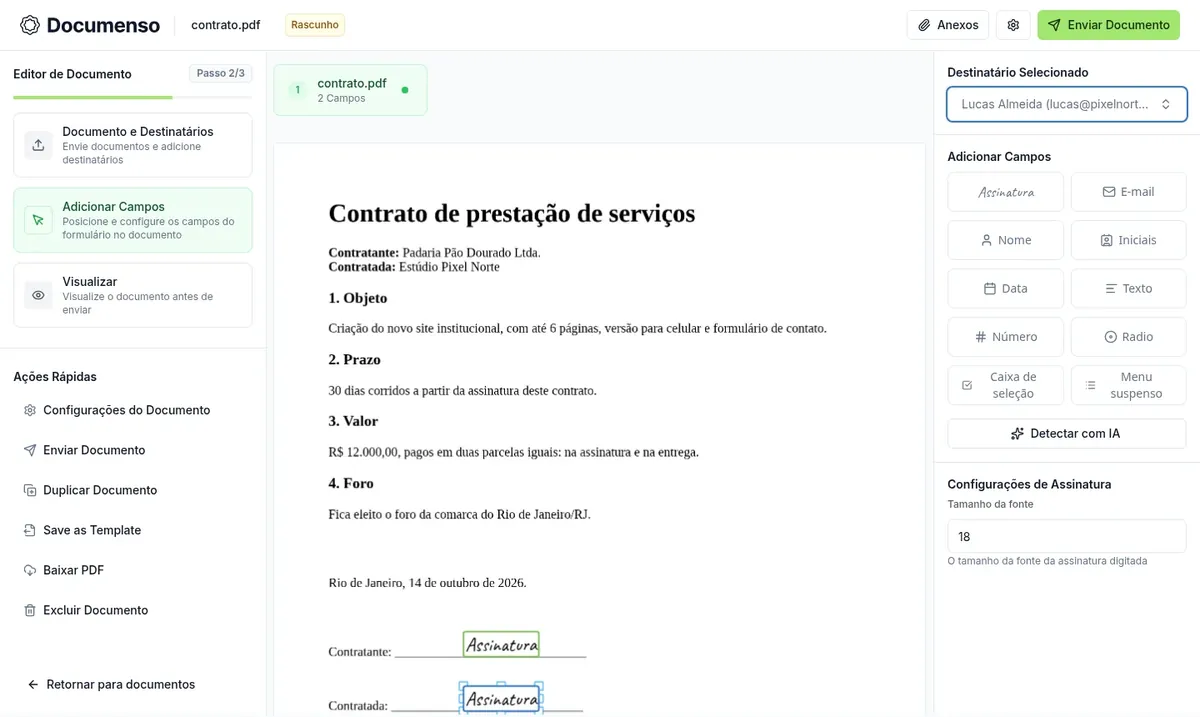
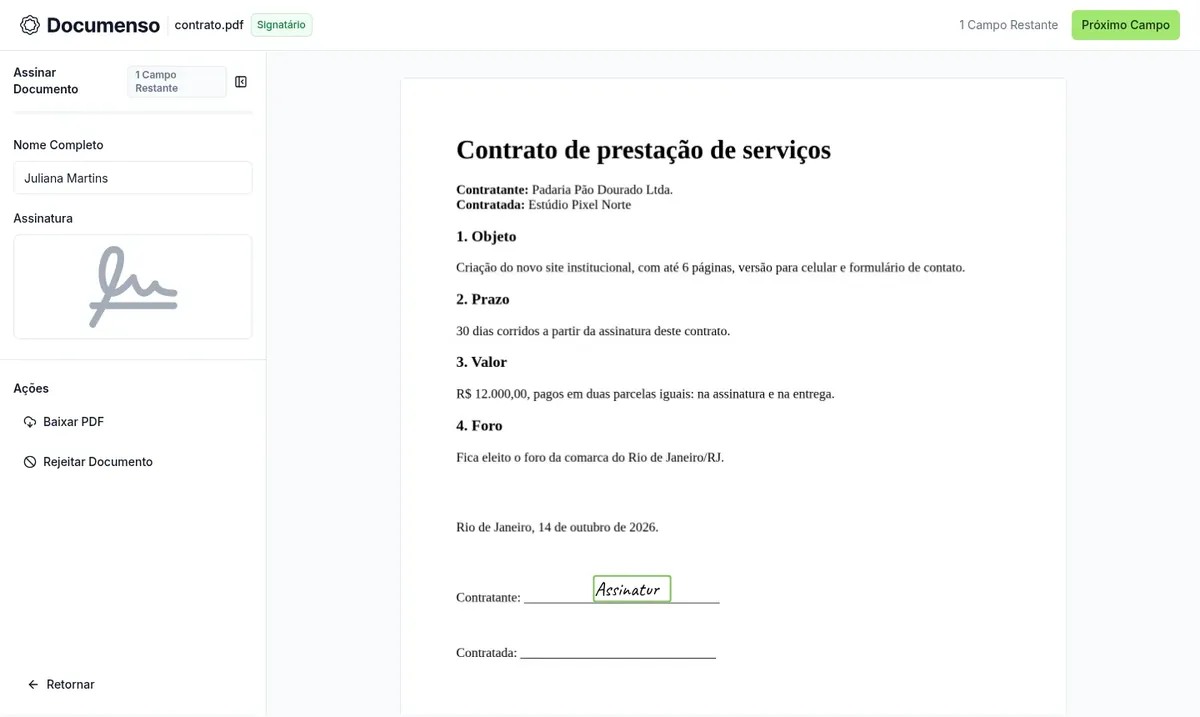
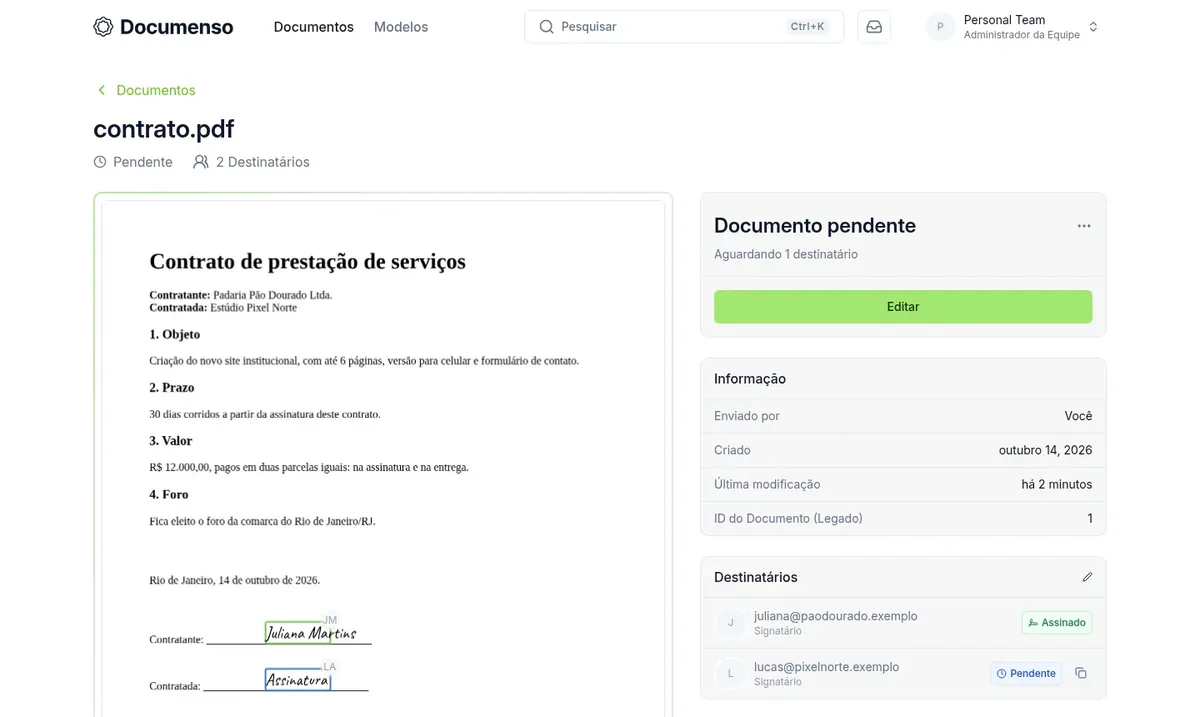
Documenso is free software for collecting signatures on documents. You upload a PDF, choose who needs to sign and place the fields (signature, name, date, text). Each signer opens a link in the browser, on a computer or a phone.
Once everyone has signed, the system produces the final PDF sealed with a digital certificate, along with a record of who signed and when.
On your VPS, the certificate is generated for your server only and email sending is not configured. When you send a document, choose the "None" delivery option: Documenso creates a link for each person and you forward it by WhatsApp or another channel.
Source: Documenso on GitHub, the project's official repository, accessed in October 2026
The proposal is approved and the contract is signed by both parties without printing anything.
Employment contracts and onboarding forms signed by people away from the office.
Consent forms, image release forms and receipts collected through a link.
Multi-party documents, signed in the order you define.
Save a file as a template and send new copies quickly.
An API lets you create and send documents directly from your own application.
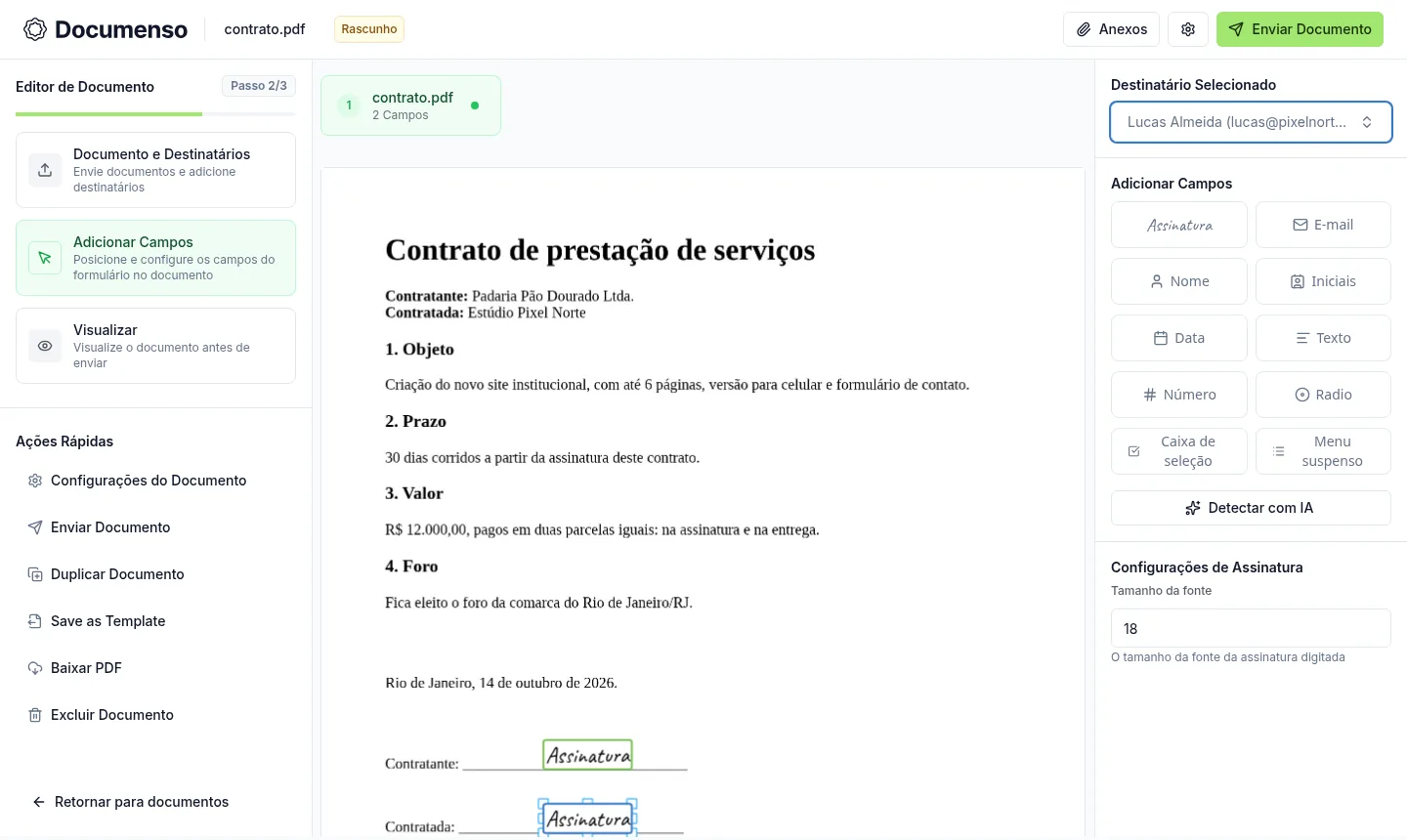
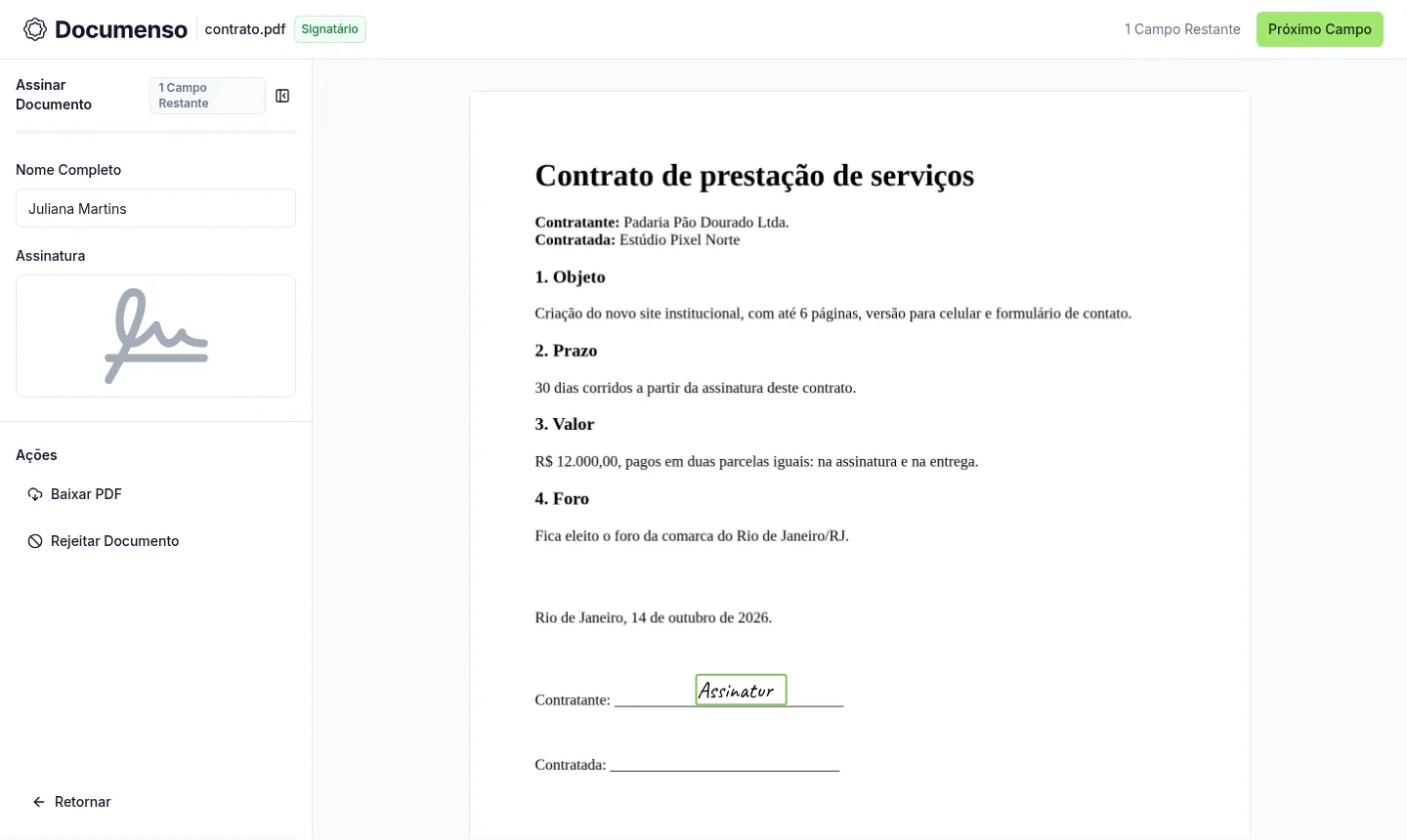
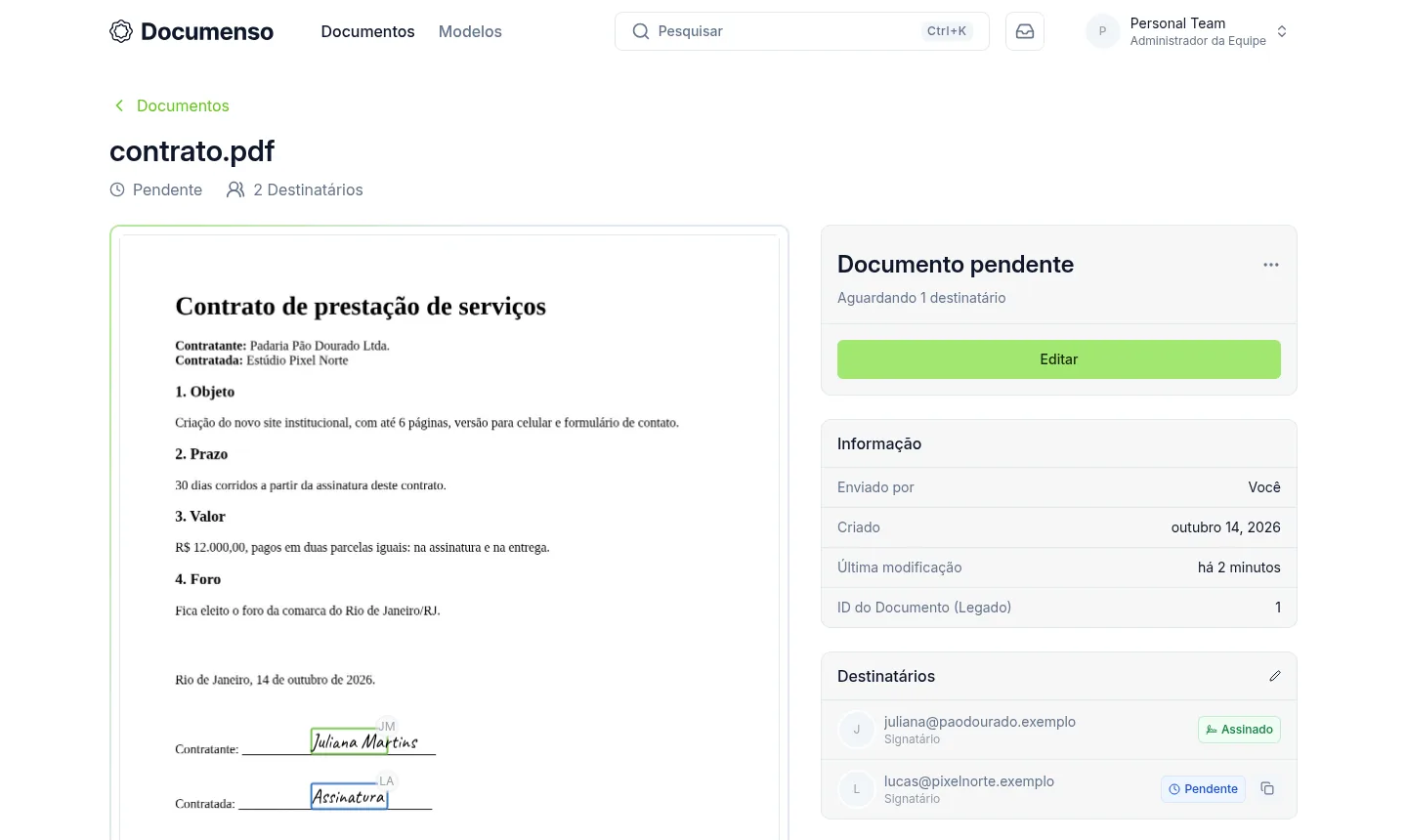
The images come from a Mega Dedicados test installation, with fictional data and no customer information.
Your own access domain with a Let's Encrypt certificate already active.
The initial account exists at delivery, with a password generated only for you.
Outsiders cannot create an account on your installation.
Generated during installation to seal the final PDFs in the PAdES standard.
The Docker container starts on its own when the server reboots.
Choose the language in the account menu, including Portuguese, with nothing extra to install.
Choose Start, Basic, Plus or Pro, Documenso as the app, and the location: Rio de Janeiro or São Paulo, Brazil.
We accept Pix, card or boleto, on a monthly, semiannual or annual cycle, with no lock-in.
The VPS is created and Documenso is installed automatically, already with HTTPS.
The address and password arrive by email and WhatsApp. Just log in, upload a PDF and collect signatures.
Documenso needs at least 1024 MB of free memory and uses about 420 MB at idle, so every plan works. Plus is the recommended one for its balance of memory and storage.
| Plan | Best for |
|---|---|
| Basic 2 vCore · 2 GB | For testing Documenso or signing a few documents a month with a small team. It already meets the minimum requirement. |
| Plus 2 vCore · 4 GB | The recommended plan: it leaves memory headroom for daily company use and space to store signed documents. |
| Pro 4 vCore · 6 GB | For teams with many envelopes and several users signing at the same time, with more processing power and storage. |
| Turbo 4 vCore · 12 GB | For high signature volume, a large contract archive or other apps on the same VPS, with maximum resource headroom. |
Documenso is free and open source, so you only pay for the VPS. Start costs per month, Basic US$ 11.95, Plus US$ 16.95 and Pro US$ 21.95. There is no charge per document or per signer.
Yes. When sending, choose the "None" delivery option and the system generates one link per signer, which you send by WhatsApp. If you want Documenso to send emails itself, configure your own SMTP.
The final PDF is sealed with a digital certificate and includes a record of who signed and when. Electronic signatures outside ICP-Brasil are valid when the parties accept that method (MP 2.200-2/2001, art. 10, § 2). For cases that require ICP-Brasil, you can use your own certificate.
At idle it uses about 420 MB, and the app requires at least 1024 MB free. The Start plan, with 1 GB, meets that, and the other plans offer more room for heavier use.
Yes. Each app gets its own address, as long as their combined usage fits in the plan's memory. For Documenso plus other systems, Plus or Pro are usually more comfortable.
No. The admin account is created at delivery and public sign-up is disabled. New users can only join if you add them.
The delivered version is 2.19 and stays fixed until you decide to change it. You update through root access after testing, with no unexpected changes.
Support is 24/7 in Portuguese, by WhatsApp, ticket and phone, for server issues. Using Documenso itself follows the project's documentation. You pay by Pix, card or boleto, with no lock-in and a 7-day refund period.
Updated on October 19, 2026
Tell us what you want to run and for how many users; we will suggest the plan. The app arrives installed.