
Plus
US$ 16.95/mo
- 2 vCore CPU
- 4 GB Memory
- NVME 80 GB Disk
- Unlimited Traffic
 Hosting and reselling · Rio de Janeiro or São Paulo
WHM manages the server and creates accounts. Inside each cPanel account, the customer handles sites, email and databases. At Mega Dedicados the VPS arrives with the panel installed on AlmaLinux 9, in Rio de Janeiro or São Paulo, Brazil.
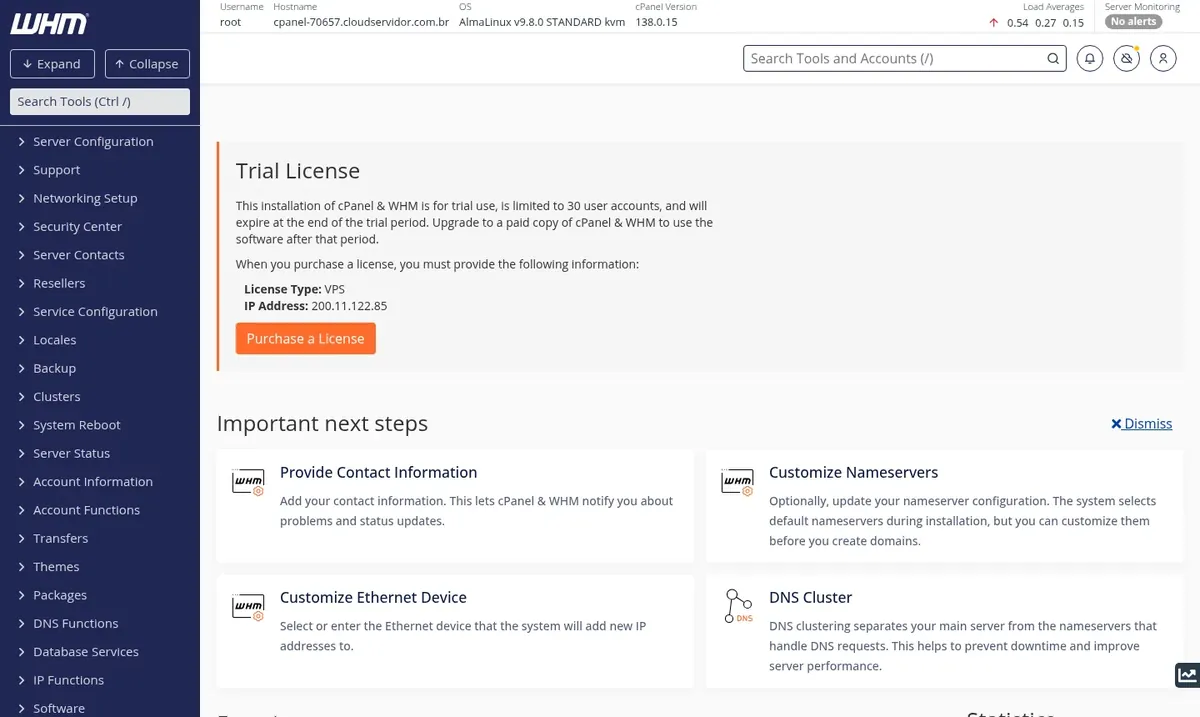
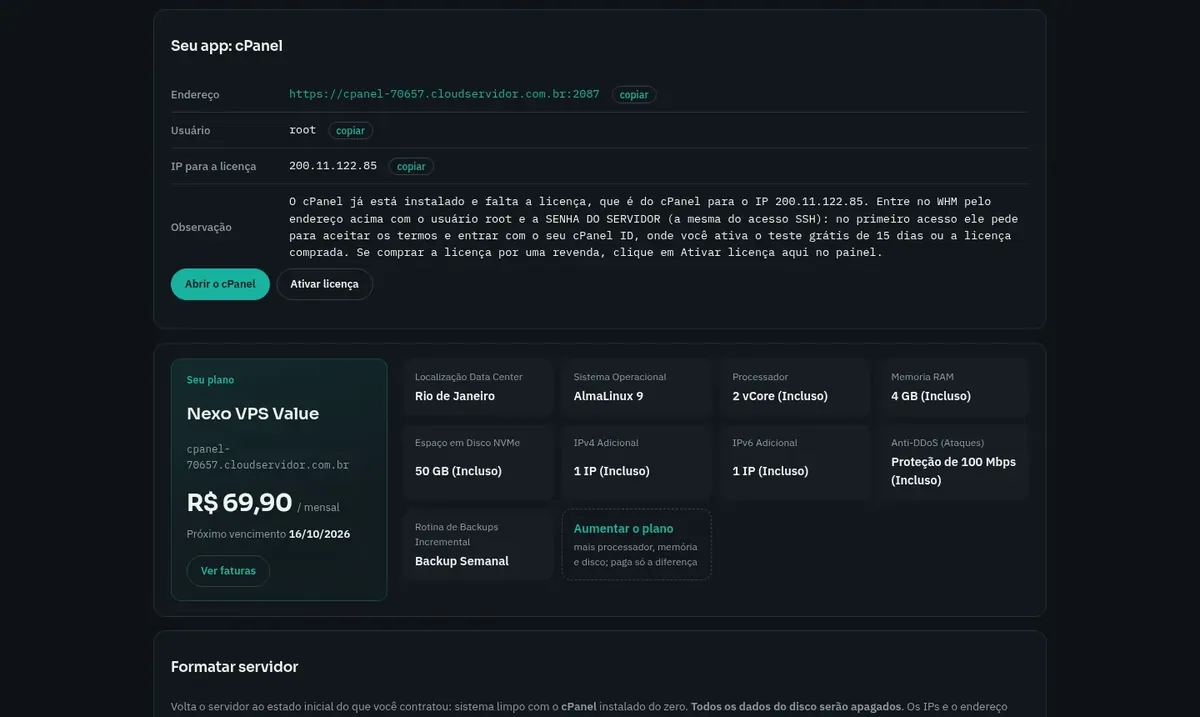
The panel needs at least 3072 MB of free memory and 30 GB of disk, so it runs on the Pro and Turbo plans. The cPanel license is purchased separately, directly from the vendor or from a reseller.
Billed monthly in US dollars, with the panel installed. Rio de Janeiro or São Paulo, same price. Need more than the largest plan shown? Upgrade from the client area, without reinstalling.
With Rio de Janeiro selected, your VPS with cPanel / WHM runs in Mega's original data center, on our own network with a presence at the Rio internet exchange (IX.br) and redundant transit. It is the lowest latency for users in Rio, Espírito Santo and Minas Gerais, and our support team works in the same city as the server.
With São Paulo selected, your VPS with cPanel / WHM runs in our environment next to the busiest internet exchange in Latin America, on our own network with redundant transit. It is the shortest path to users across Brazil and South America and to banks, payment gateways and APIs hosted in São Paulo. Same price as Rio.
cPanel & WHM is a commercial hosting control panel, licensed per server. WHM is the administrator area, where you create accounts, define packages and adjust security and services. Each cPanel account has its own area for sites, email, MySQL databases, DNS and backups.
Features include AutoSSL, which issues free certificates for your domains, WP Toolkit for managing WordPress installations, spam filters and scheduled backups.
Installing cPanel from scratch usually takes 20 to 40 minutes. At Mega, the VPS is built from an image prepared with cPanel's official tool for this purpose, and passwords and keys are generated on your server's first boot.
Open a cPanel account for each customer, with its own package and resource limits.
Domains, subdomains and WordPress organized in separate accounts.
Mailboxes, forwarders, webmail and spam filtering for every hosted domain.
AutoSSL issues and renews domain certificates automatically.
WHM includes a tool to transfer accounts from another cPanel server.
Account backups scheduled directly in WHM.
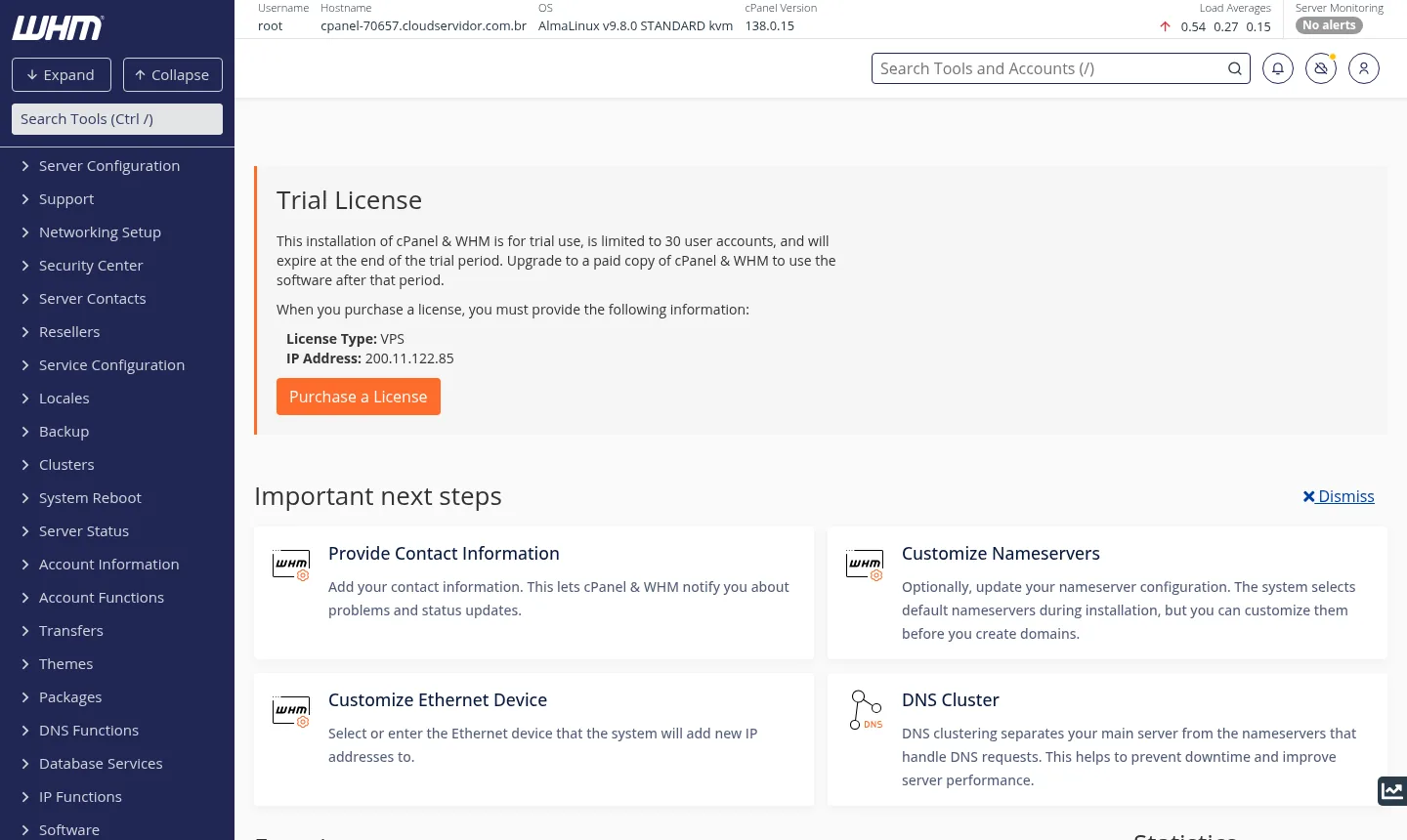
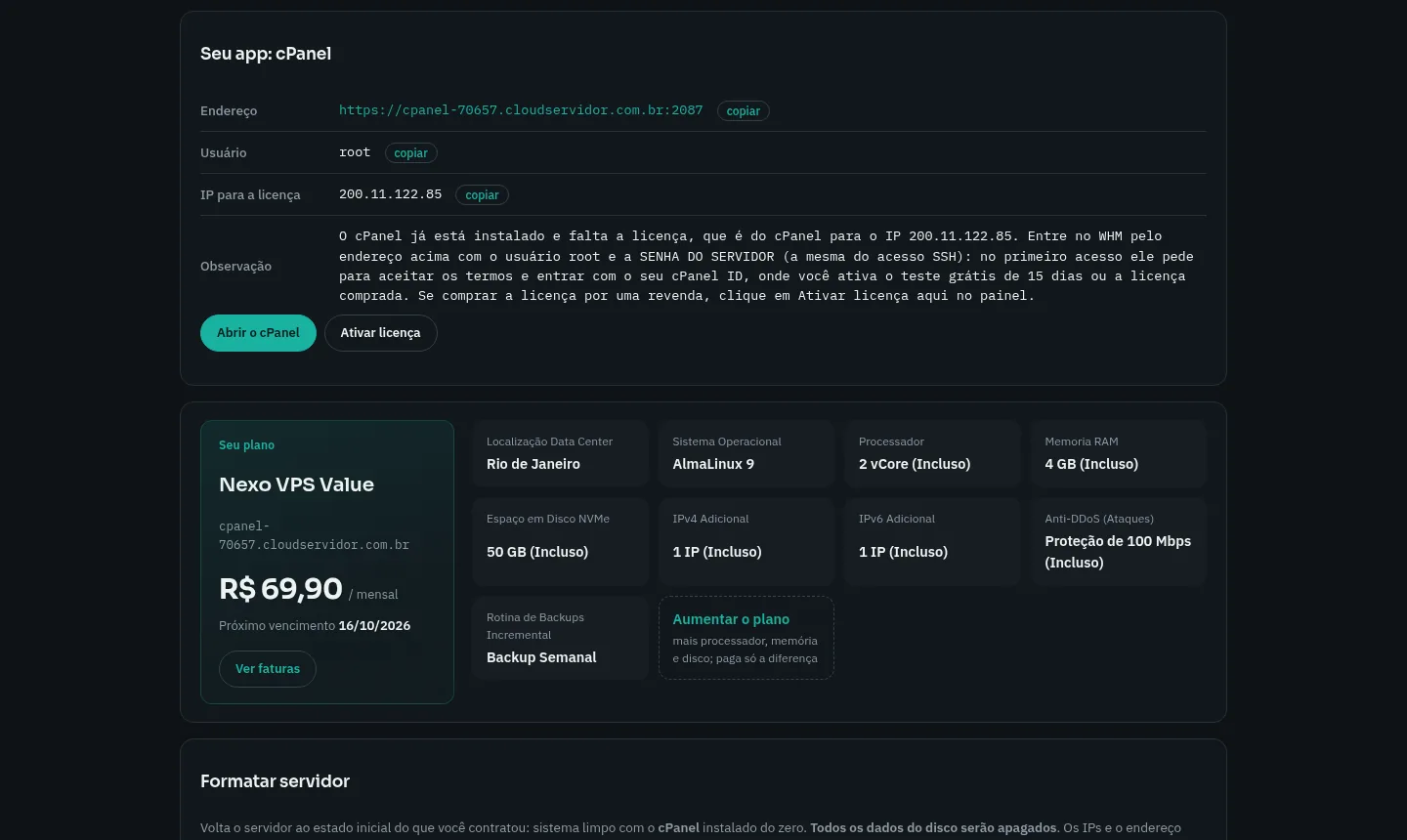
Screenshots taken on a Mega Dedicados test installation, with sample data and no customer information.
Installed on AlmaLinux 9, the operating system cPanel itself uses.
Passwords, keys and certificates are created on first boot, and no server reuses another's.
The panel responds over HTTPS from delivery, with your access details sent by email and WhatsApp.
WHM uses the root user and your server's password, on port 2087.
cPanel updates itself every night, with no manual task.
Root SSH access for anything the panel does not cover.
Order Pro or Turbo, pick Rio de Janeiro or São Paulo, Brazil, and leave cPanel selected.
Pay by Pix, card or boleto, on a monthly, semiannual or annual cycle, with no lock-in.
The VPS is delivered with the panel installed and HTTPS enabled, and your login details arrive by email and WhatsApp.
Log in to WHM on port 2087 and start the 15-day trial with your cPanel ID, or use a license purchased for the server's IP.
For most cases, Pro is the recommended plan: it covers the 3072 MB of free memory cPanel requires and still leaves room for a few sites. If you plan to host more accounts, Turbo gives you more headroom.
| Plan | Best for |
|---|---|
| Plus 2 vCore · 4 GB | Right at the limit of what cPanel requires. Suitable for testing or a few light sites, with little headroom. |
| Pro 4 vCore · 6 GB | The recommended plan: runs cPanel and WHM with room for a few sites, mailboxes and databases. |
| Turbo 4 vCore · 12 GB | More headroom for those hosting more cPanel accounts, with sites, email and databases running in parallel. |
| Max 6 vCore · 18 GB | For resellers or agencies with many accounts and higher-traffic sites that need more CPU and memory. |
The Pro plan, the recommended one, costs US$ 21.95, and Turbo costs US$ 35.95. The cPanel license is billed separately, by the vendor or a reseller, and the price depends on the number of accounts.
No. You order the VPS, log in to WHM and can start the 15-day trial offered by cPanel using your cPanel ID. Afterward, you just buy the license for the server's IP.
The panel needs at least 3072 MB of free memory and 30 GB of disk. At Mega, that means the Pro and Turbo plans. Basic and Plus have 2 GB and do not qualify.
Use the address sent by email and WhatsApp, on port 2087, over HTTPS. The login is the root user and your server's password.
Yes, so it is usable within minutes. The image is prepared with cPanel's official tool, and on first boot your server generates its own passwords, keys and certificates.
If your current host uses cPanel, WHM has a tool for transferring accounts between servers. For other panels, you copy files and databases manually, using root SSH access.
24/7 support in Portuguese, by WhatsApp, ticket and phone, covers the server side: hardware, network, operating system and performance. Using the panel itself is covered by the vendor's documentation.
cPanel updates itself every night. AlmaLinux 9 security updates also go through it, so you do not need to schedule anything.
Updated on October 19, 2026
Tell us what you will host and we will suggest the panel and the size. Delivered installed.


