Plus
US$ 16.95/mo
- 2 vCore CPU
- 4 GB Memory
- NVME 80 GB Disk
- Unlimited Traffic
 AI and agents · Rio de Janeiro or São Paulo
OpenClaw is an open-source AI assistant that answers on WhatsApp, Telegram and Discord, runs commands and automates routines. At Mega it comes installed on a Cloud VPS, with HTTPS, an admin account created and root access.
OpenClaw needs at least 2048 MB of free memory, so Basic is the starting point and the plan we recommend. Plus and Pro give you room for more agents, a browser and other apps on the same server.
Billed monthly in US dollars, with the app installed. Rio de Janeiro or São Paulo, same price. Plans start at the smallest size where the app runs well. Need more? Upgrade from the client area, without reinstalling.
With Rio de Janeiro selected, your VPS with OpenClaw runs in Mega's original data center, on our own network with a presence at the Rio internet exchange (IX.br) and redundant transit. It is the lowest latency for users in Rio, Espírito Santo and Minas Gerais, and our support team works in the same city as the server.
With São Paulo selected, your VPS with OpenClaw runs in our environment next to the busiest internet exchange in Latin America, on our own network with redundant transit. It is the shortest path to users across Brazil and South America and to banks, payment gateways and APIs hosted in São Paulo. Same price as Rio.
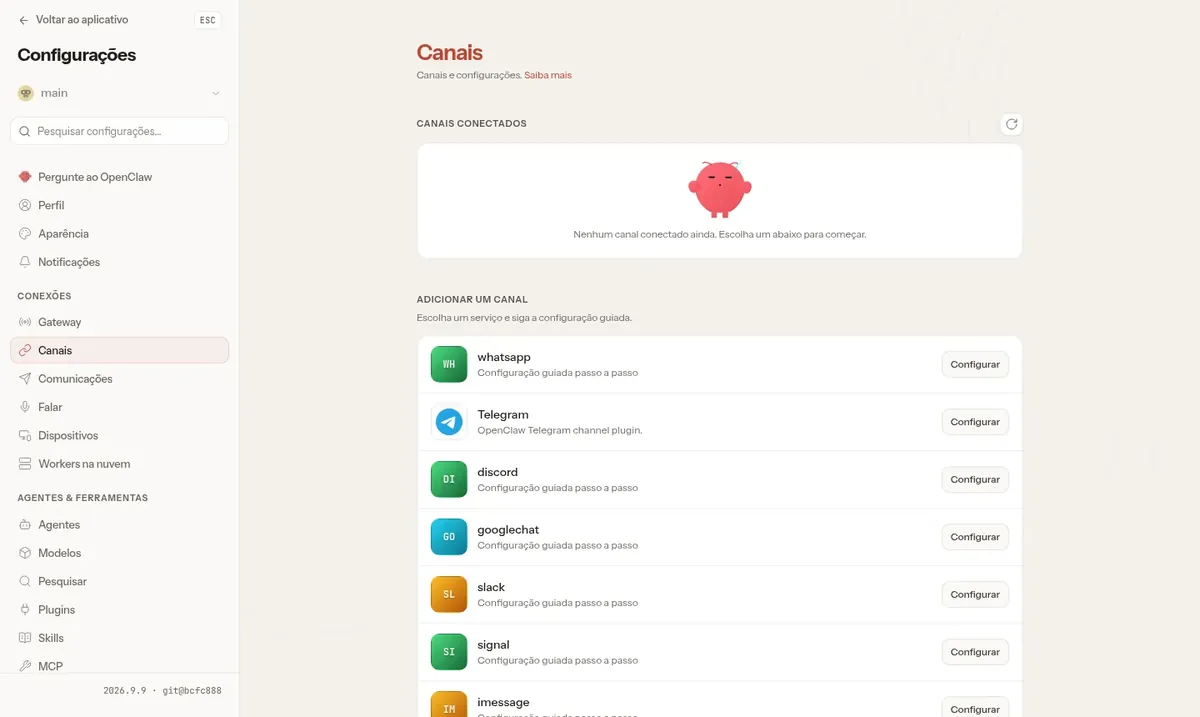
OpenClaw is an open-source AI assistant that you host on your own server. It combines a messaging gateway for dozens of channels, such as WhatsApp, Telegram, Discord, Slack and Signal, a web control panel and an agent with a terminal, files, browser, memory and automations.
The AI model is your choice: OpenAI, Anthropic, Gemini, OpenRouter, DeepSeek and several other providers work. You enter your key on first access and pay for usage directly to the provider.
On the VPS, the app runs in an isolated container. The web panel has three layers of protection: a password, an allowed origin and approval of each new browser that tries to sign in.
Source: Official OpenClaw repository on GitHub, accessed in October 2026
Talk to the AI through the same app you already use every day.
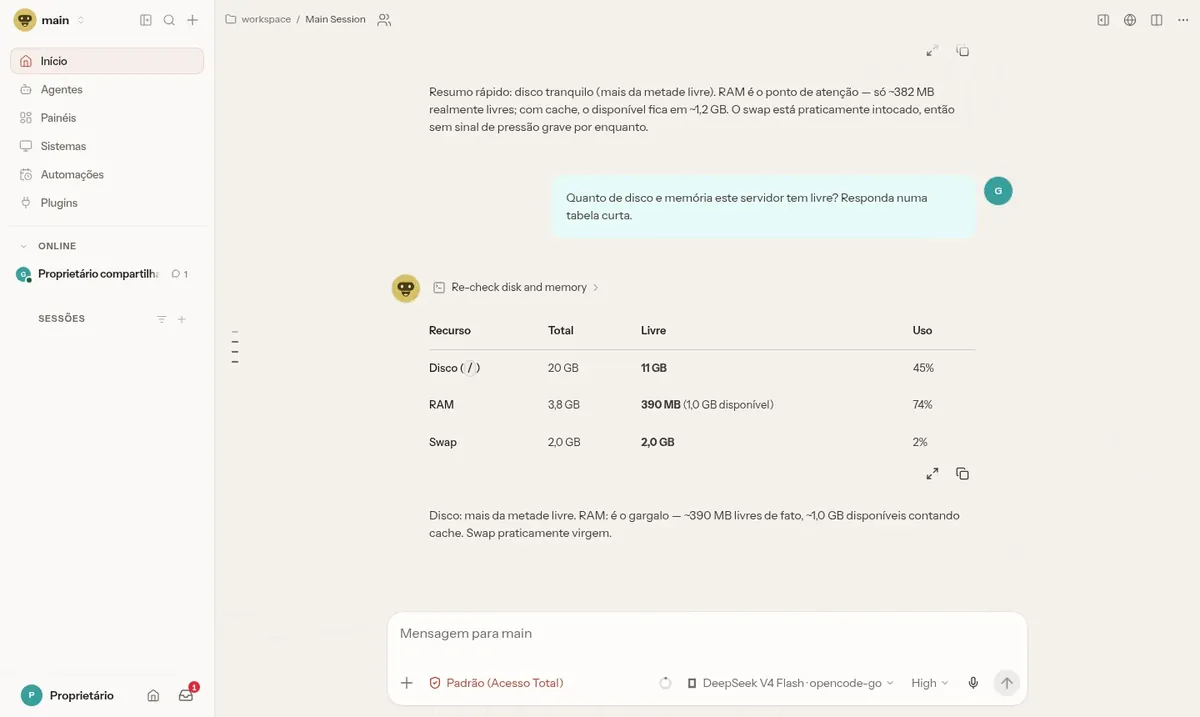
The agent runs commands, checks disk and memory and returns the result as a table.
Schedule tasks and set up responses to events without keeping an eye on them.
Create agents with different roles, each with its own tools.
Connect Slack or Discord so your team can make requests to the agent.
Memory keeps what was said before and uses it in later conversations.
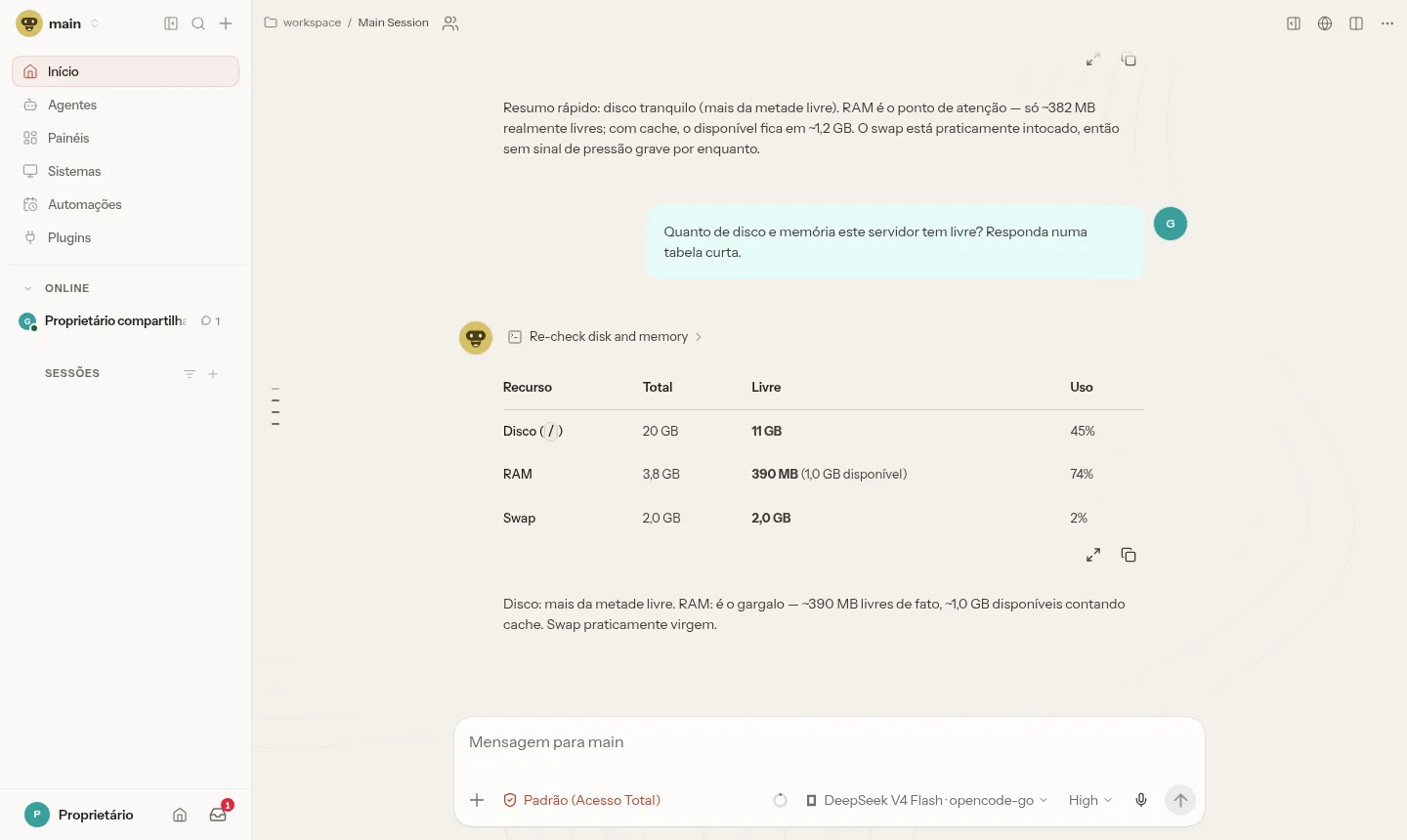
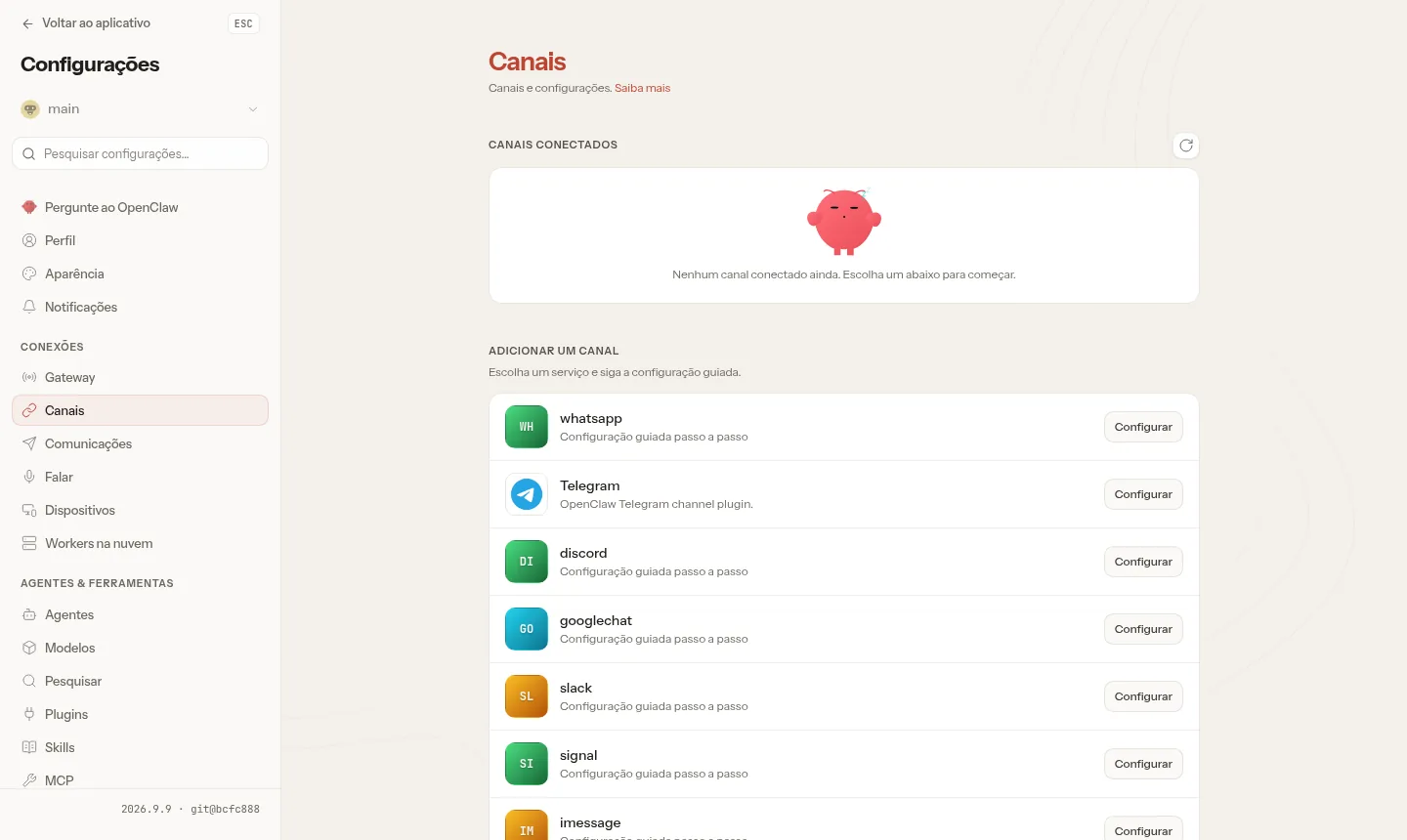
Images from a Mega Dedicados test installation, with fictitious data and no customer information.
Fixed version installed in a Docker container, with no unexpected changes.
Current base system, with Docker ready to use and root access over SSH.
Your own domain for the app, with a Let's Encrypt certificate.
Created during installation, with a password generated only for your VPS.
Chat, agents, models, channels and approvals in one place.
The agent's tools run inside the container, separate from the system.
Select Basic, Plus or Pro and the data center city, Rio de Janeiro or São Paulo. The price is the same.
Pix, card or boleto, on a monthly, semiannual or annual cycle, with no lock-in.
After payment is confirmed, the VPS is created and OpenClaw is installed with HTTPS and an admin account.
The address and credentials arrive by email and WhatsApp. Open the panel and enter your AI key.
OpenClaw idle already uses about 1.1 GB and requires at least 2048 MB free, so Plus is the minimum possible. For most cases, choose Pro, the recommended plan.
| Plan | Best for |
|---|---|
| Plus 2 vCore · 4 GB | Works to get started with a single assistant and a few automations. It meets the minimum, but leaves little memory headroom. |
| Pro 4 vCore · 6 GB | The recommended plan: it balances memory and space for daily use on WhatsApp, Telegram and Discord, with automated routines running comfortably. |
| Turbo 4 vCore · 12 GB | For those serving several channels at once and running heavier automations, with plenty of spare memory and more disk. |
| Max 6 vCore · 18 GB | Ideal for heavy use, many routines and simultaneous commands, or for sharing the server with other projects without worry. |
OpenClaw is free. You only pay for the VPS, from on the Basic plan, plus AI model usage, which is billed directly by the provider of your key.
Yes. On first access, OpenClaw asks for the provider and the model key. You can use OpenAI, Anthropic, Gemini, OpenRouter, DeepSeek and others.
The app uses about 1.1 GB at idle, and we recommend having 2048 MB free. That is why Start, with 1 GB, is not enough, and Basic is the plan to begin with.
Open the HTTPS address sent by email and WhatsApp and sign in with the admin account created during installation. The panel also requires approval of each new browser.
The agent runs inside an isolated Docker container, separate from the VPS system. Even so, it is worth reviewing the tools you allow it to use.
The delivered version is 2026.9, fixed so nothing changes without notice. You update whenever you want through root access, preferably after testing.
Yes, as long as they fit in memory. Each app gets its own address, and plans like Plus and Pro give you more room for this.
Support is 24/7 in Portuguese, by WhatsApp, ticket and phone, for anything involving the server. OpenClaw usage is covered by the project's own documentation. There is no lock-in and you have 7 days to request a refund.
Updated on October 19, 2026
Tell us what you want to run and for how many users; we will suggest the plan. The app arrives installed.